Инструкция для D-Link DKVM-IP8
 1
 2
 3
 4
 5
 6
 7
 8
 9
 10
 11
 12
 13
 14
 15
 16
 17
 18
 19
 20
 21
 22
 23
 24
 25
 26
 27
 28
 29
 30
 31
 32
 33
 34
 35
 36
 37
 38
 39
 40
 41
 42
 43
 44
 45
 46
 47
 48
 49
 50
 51
 52
 53
 54
 55
 56
 57
 58
 59
 60
 61
 62
 63
 64
 65
 66
 67
 68
 69
 70
 71
 72
 73
 74
 75
 76
 77
 78
 79
 80
 81
 82
 83
 84
 85
 86
 87
 88
 89
 90
 91
 92
 93
 94
 95
 96
 97
 98
 99
 100
 101
 102
 103
 104
DKVM-IP8 User Manual
47 / 104
• Local Keyboard
Used to change the language mapping of your browser machine running the
Remote Console Applet. Normally, the applet determines the correct value
automatically. However, depending on your particular JVM and your browser
settings this is not always possible. A typical example is a German localized
system that uses an US-English keyboard mapping. In this case you have to
change the Local Keyboard setting to the right language, manually.
• Hotkeys
Opens a list of hotkeys defined before. Choose one entry, the command will be
sent to the host system.
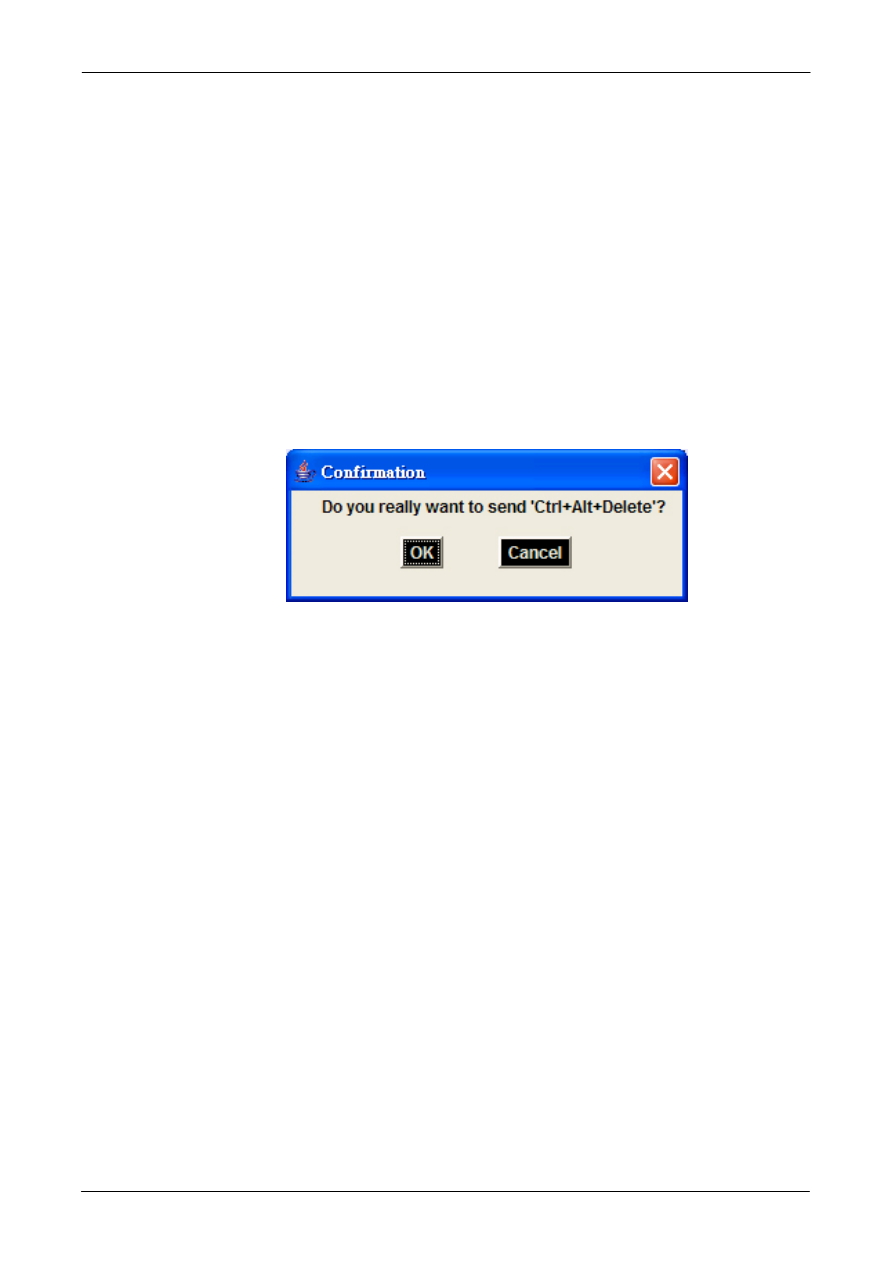
A confirmation dialog can be added that will be displayed before sending the
selected command to the remote host. Select “OK” to execute the command on
the remote host.
Figure 5-13. Remote Console Confirmation Dialog
• Full Screen
Use this function to enter to full screen mode. To Exit the full screen, press
hotkey CTRL+F11
• Encoding
These options are used to adjust the encoding level in terms of compression and
color depth. They are only available unless "Transmission Encoding" is
determined automatically (see the Section called
Transmission Encoding
in
Chapter 6).
Compression Level:
you may select a value between 1 and 9 for the desired
compression level with level 1 enabling the fastest compression and level 9 the
best compression. The most suitable compression level should always be seen
as a compromise between the network bandwidth that is available, on your
video picture to be transferred, and on the number of changes between two
single video pictures. We recommend to use a higher compression level if the
network bandwidth is low. The higher the compression level the more time is
needed to pack and unpack the video data on either side of the connection. The
compression quality depends on the video picture itself, e.g. the number of the
colors or the diversity of pixels. The lower the compression quality, the more
data have to be sent and the longer it may take to transfer the whole video
picture.
Оглавление инструкции
- Install JVM on Client system
- Connect the DKVM-IP8 unit via Web Browser
- The super user has all permissions to administrate your DKVM-IP8:
- After login, the system will prompt for changing the default username and password to user specific settings.
- Control servers via Remote Console
- Hardware
- Software
- 3.4.1 Login Windows
- 3.4.2 Port Name
- 3.4.3 Main Menu
- 3.4.4 Language
- 3.4.5 Port Name Edit
- 3.4.6 Port Search
- 3.4.7 User Security
- 3.4.8 Access List
- 3.4.9 Hotkey
- 3.4.10 Time Settings
- 3.4.11 OSD Mouse
- 4.1.1 Initial configuration via serial console
- 4.2.1 DKVM-IP8 keyboard settings
- 4.2.2 Remote Mouse Settings
- 4.2.3 Automatic mouse speed and mouse synchronization
- 4.2.4 Host system mouse settings
- 4.2.5 Single and Double Mouse Mode
- 4.2.6 Recommended Mouse Settings
- 4.2.7 Video Modes
- 5.2.1 Login into the DKVM-IP8
- 5.2.2 Logout from the DKVM-IP8
- 5.4.1 Remote Console Control Bar
- 5.4.2 Remote Console Status Line
- 6.1.1 KVM Console
- 6.1.2 Telnet Console
- 6.3.1 Floppy Disk
- 6.3.2 CD–ROM Image
- 6.3.3 Drive redirection
- 6.3.4 Options
- 6.4.1 Change Password
- 6.4.2 Users and Groups
- 6.5.1 User Console
- 6.5.2 Keyboard/Mouse
- 6.5.3 Video
- 6.6.1 Network
- 6.6.2 Dynamic DNS
- 6.6.3 Security
- 6.6.4 Certificate
- 6.6.5 Authentication
- 6.6.6 Serial Port
- 6.6.7 Date / Time
- 6.6.8 Event Log
- 6.7.1 Device Information
- 6.7.2 Even log
- 6.7.3 Update Firmware
- 6.7.4 Unit Reset
- The remote mouse doesn’t work or is not synchronous