Инструкция для Samsung LE40A550P1R, LE52A552P3R, LE46A552P3R, LE40A552P3R, LE37A552P3R
 1
 2
 3
 4
 5
 6
 7
 8
 9
 10
 11
 12
 13
 14
 15
 16
 17
 18
 19
 20
 21
 22
 23
 24
 25
 26
 27
 28
 29
 30
 31
 32
 33
 34
 35
 36
 37
 38
 39
 40
 41
 42
 43
 44
 45
 46
 47
 48
 49
 50
 51
 52
 53
 54
 55
 56
 57
 58
 59
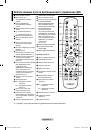 60
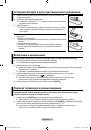 61
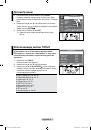 62
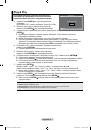 63
 64
 65
 66
 67
 68
 69
 70
 71
 72
 73
 74
 75
 76
 77
 78
 79
 80
 81
 82
 83
 84
 85
 86
 87
 88
 89
 90
 91
 92
 93
 94
 95
 96
 97
 98
 99
 100
 101
 102
 103
 104
 105
 106
 107
 108
 109
 110
 111
 112
 113
 114
 115
 116
 117
 118
 119
 120
 121
 122
 123
 124
 125
 126
 127
 128
 129
 130
 131
 132
 133
 134
 135
 136
 137
 138
 139
 140
 141
 142
 143
 144
 145
 146
 147
 148
 149
 150
 151
 152
 153
 154
 155
 156
 157
 158
 159
 160
 161
 162
 163
 164
 165
 166
 167
 168
 169
 170
 171
 172
 173
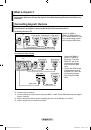
English -
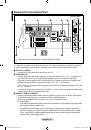
The TV may not output sound and pictures may be displayed with abnormal colour when DVD
players/Cable Boxes/Satellite receivers supporting HDMI versions older than 1.3 are connected.
When connecting an older HDMI cable and there is no sound, connect the HDMI cable to the
HDMI IN 2 jack and the audio cables to the DVI IN (HDMI2) [R-AUDIO-L] jacks on the back of
the TV. If this happens, contact the company that provided the DVD player/Cable Box/Satellite
receiver to confirm the HDMI version, then request a firmware update. HDMI cables that are not
1.3 may cause annoying flicker or no screen display.
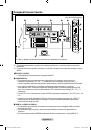
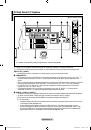
DVI IN(hDMI) [R-AUDIO-L]
DVI audio outputs for external devices.
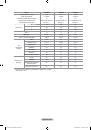
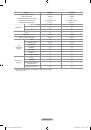
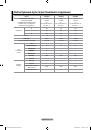
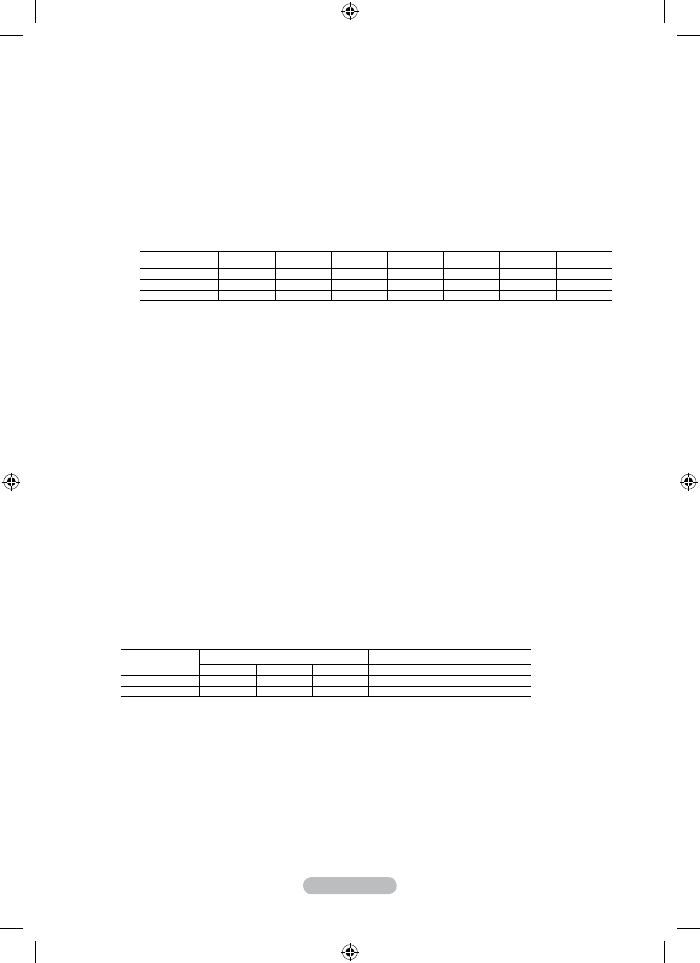
Supported modes for HDMI/DVI and Component
4
ANt IN
To view television channels correctly, a signal must be received by the set from one of the following
sources:
An outdoor aerial / A cable television network / A satellite network
5
SERVICE
Connect this to the jack on the optional wall mount bracket. This will allow you to adjust the TV viewing
angle using your remote control.
6
WISELINK
Connect a USB mass storage device to view photo files (JPEG) and play audio files (MP3)
7
S-VIDEO or VIDEO / R-AUDIO-L
Connect RCA or S-VIDEO cable to an appropriate external A/V device such as VCR, DVD or
Camcorder.
Connect RCA audio cables to "R-AUDIO-L" on your set and the other ends to corresponding audio
out connectors on the A/V device.
8
headphones jack
Headphone may be connected to the headphone output on your set. While the head phone is
connected, the sound from the built-in speakers will be disabled.
9
AUDIO OUt [R-AUDIO-L]
Connect RCA audio cables to AUDIO OUT [R-AUDIO-L] on the rear of your set and the other ends to
corresponding audio in connectors on the Amplifier or DVD Home Theatre.
0
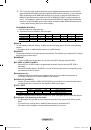
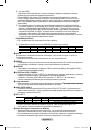
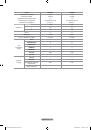
EXt 1, EXt
Connector
Input
Output
Video
Audio (L/R)
RGB
Video + Audio (L/R)
EXT 1
O
O
O
Only TV output is available.
EXT 2
O
O
Output you can choose.
Inputs or outputs for external devices, such as VCR, DVD, video game device or video disc players.
!
Kensington Lock (depending on the model)
The Kensington lock (optional) is a device used to physically fix the system when used in a public
place.
If you want to use a locking device, contact the dealer where you purchased the TV.
The location of the kensington lock may be different depending on its model.
➣
-
➣
-
-
-
-
-
-
-
-
-
-
480i
480p
576i
576p
720p
1080i
1080p
HDMI/DVI 50Hz
X
X
X
O
O
O
O
HDMI/DVI 60Hz
X
O
X
X
O
O
O
Component
O
O
O
O
O
O
O
BN68-01410E-01Eng.indd 5
2008-06-02 ¿ÀÀü 1:50:44
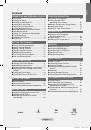
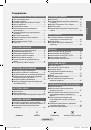
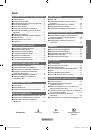
Оглавление инструкции
- Cover
- Eng
- Connecting and Preparingreparing Your TV
- List of Parts
- Installing the Stand
- Installing the Wall Mount Kit
- Viewing the Control Panel
- Viewing the Connection Panel
- Viewing the Remote Control
- Installing Batteries in the Remote Control
- Switching On and Off
- Placing Your Television in Standby Mode
- Viewing the Menus
- Using the TOOLS Button
- Plug & Play
- Setting the Channels
- Setting the Picture
- Setting the Sound
- Setting the Time
- Function Description
- Setting the PC
- WISELINK
- About Anynet+
- Recommendations For Use
- Connecting and Preparingreparing Your TV
- Rus
- Ukr