Инструкция для Samsung LE40A550P1R, LE52A552P3R, LE46A552P3R, LE40A552P3R, LE37A552P3R
 1
 2
 3
 4
 5
 6
 7
 8
 9
 10
 11
 12
 13
 14
 15
 16
 17
 18
 19
 20
 21
 22
 23
 24
 25
 26
 27
 28
 29
 30
 31
 32
 33
 34
 35
 36
 37
 38
 39
 40
 41
 42
 43
 44
 45
 46
 47
 48
 49
 50
 51
 52
 53
 54
 55
 56
 57
 58
 59
 60
 61
 62
 63
 64
 65
 66
 67
 68
 69
 70
 71
 72
 73
 74
 75
 76
 77
 78
 79
 80
 81
 82
 83
 84
 85
 86
 87
 88
 89
 90
 91
 92
 93
 94
 95
 96
 97
 98
 99
 100
 101
 102
 103
 104
 105
 106
 107
 108
 109
 110
 111
 112
 113
 114
 115
 116
 117
 118
 119
 120
 121
 122
 123
 124
 125
 126
 127
 128
 129
 130
 131
 132
 133
 134
 135
 136
 137
 138
 139
 140
 141
 142
 143
 144
 145
 146
 147
 148
 149
 150
 151
 152
 153
 154
 155
 156
 157
 158
 159
 160
 161
 162
 163
 164
 165
 166
 167
 168
 169
 170
 171
 172
 173

English - 19
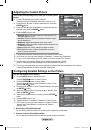
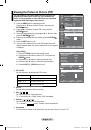
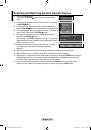
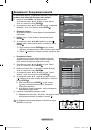
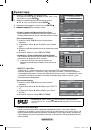
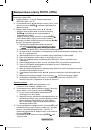
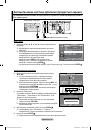
Screen Mode: 1:9/Wide Zoom/Zoom/:
When setting the picture size to "Auto Wide" in a 16:9 wide TV, you can determine the picture size you
want to see the 4:3 WSS (Wide Screen Service) image or nothing. Each individual European country
requires different picture size so this function is intended for users to select it.
1:9:
Sets the picture to 16:9 wide mode.
Wide Zoom:
Magnify the size of the picture more than 4:3.
Zoom:
Magnify the size of the picture vertically on screen.
::
Sets the picture to 4:3 normal mode.
♦
♦
♦
♦
This function is available in "Auto Wide" mode.
This function is not available in "PC", "Component" or "HDMI" mode.
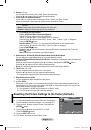
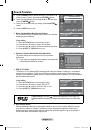
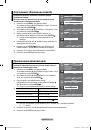
Digital NR: Off/Low/Medium/high/Auto
If the broadcast signal received by your TV is weak, you can activate the Digital Noise Reduction
feature to help reduce any static and ghosting that may appear on the screen.
When the signal is weak, select one of the other options until the best picture is displayed.
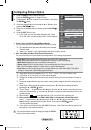
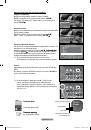
DNIe: Off/ Demo/On
This TV includes the DNIe function so as to provide a high visual quality. If you set DNIe to on, you can
view the screen with the DNIe feature activated. If you set the DNIe to Demo, you can view the applied
DNIe and normal pictures on the screen, for demonstration purposes. Using this function, you can view
the difference in the visual quality.
DNIe™ (Digital Natural Image engine)
This feature brings you more detailed image with 3D noise reduction, detail enhancement,
contrast enhancement and white enhancement. New image compensation Algorithm gives
brighter, clearer, more detailed image to you. DNIe™ technology will fit every signal into your
eyes.
This function is not available in "Movie" and "Standard" mode.
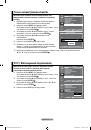
hDMI black Level: Normal/Low
You can directly select the black level on the screen to adjust the screen depth.
This function is active only when the external input connects to HDMI(RGB signals).
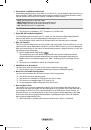
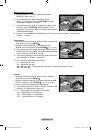
Movie Plus: Off/Low/Medium/high/Demo
You can view more natural skin and clear text even in fast moving scenes.
Use this function when watching movies.
This function is not available in “Wide Zoom” and “Zoom” modes.
This function is not available when "PIP" is set to "On".
It is not supported in HDMI 1080p/24Hz, 25Hz, 30Hz mode.
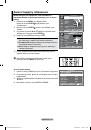
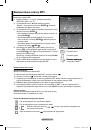
blue Only Mode: Off/On
This function is for AV device measurement experts. This function displays the blue signal only by
removing the red and green signals from the video signal so as to provide a Blue Filter effect that is
used to adjust the Colour and Tint of video equipment such as DVD players, Home Theaters, etc.
Using this function, you can adjust the Colour and Tint to preferred values appropriate to the signal
level of each video device using the Red/Green/Blue/ Cyan/Magenta/Yellow Colour Bar Patterns,
without using an additional Blue Filter.
“Blue Only Mode” is available when the picture mode is set to “Movie” or “Standard”.
♦
➣
➣
♦
➣
♦
➣
➣
♦
➣
♦
➣
➣
➣
➣
♦
➣
BN68-01410E-01Eng.indd 19
2008-06-02 ¿ÀÀü 1:50:56
Оглавление инструкции
- Cover
- Eng
- Connecting and Preparingreparing Your TV
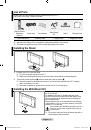
- List of Parts
- Installing the Stand
- Installing the Wall Mount Kit
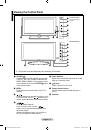
- Viewing the Control Panel
- Viewing the Connection Panel
- Viewing the Remote Control
- Installing Batteries in the Remote Control
- Switching On and Off
- Placing Your Television in Standby Mode
- Viewing the Menus
- Using the TOOLS Button
- Plug & Play
- Setting the Channels
- Setting the Picture
- Setting the Sound
- Setting the Time
- Function Description
- Setting the PC
- WISELINK
- About Anynet+
- Recommendations For Use
- Connecting and Preparingreparing Your TV
- Rus
- Ukr