Инструкция для Samsung LE40A550P1R, LE52A552P3R, LE46A552P3R, LE40A552P3R, LE37A552P3R
 1
 2
 3
 4
 5
 6
 7
 8
 9
 10
 11
 12
 13
 14
 15
 16
 17
 18
 19
 20
 21
 22
 23
 24
 25
 26
 27
 28
 29
 30
 31
 32
 33
 34
 35
 36
 37
 38
 39
 40
 41
 42
 43
 44
 45
 46
 47
 48
 49
 50
 51
 52
 53
 54
 55
 56
 57
 58
 59
 60
 61
 62
 63
 64
 65
 66
 67
 68
 69
 70
 71
 72
 73
 74
 75
 76
 77
 78
 79
 80
 81
 82
 83
 84
 85
 86
 87
 88
 89
 90
 91
 92
 93
 94
 95
 96
 97
 98
 99
 100
 101
 102
 103
 104
 105
 106
 107
 108
 109
 110
 111
 112
 113
 114
 115
 116
 117
 118
 119
 120
 121
 122
 123
 124
 125
 126
 127
 128
 129
 130
 131
 132
 133
 134
 135
 136
 137
 138
 139
 140
 141
 142
 143
 144
 145
 146
 147
 148
 149
 150
 151
 152
 153
 154
 155
 156
 157
 158
 159
 160
 161
 162
 163
 164
 165
 166
 167
 168
 169
 170
 171
 172
 173
English -
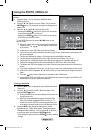
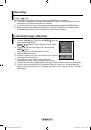
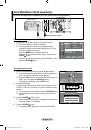
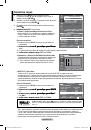
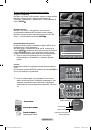
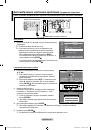
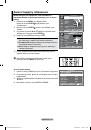
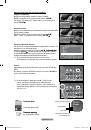
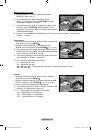
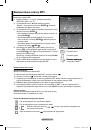
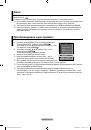
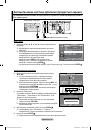
Moving to the remembered position
1.
Complete Step 1 of “Entering the menu”.
.
Pressing a Colour (Red, Green, Yellow) button moves the auto
wall mount to the saved position.
You can move the wall mount to one of the 3 pre-set
positions by pressing the Red (Position 1),
Green (Position 2) or Yellow (Position 3) buttons.
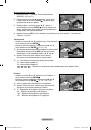
If you adjust the position after moving to a pre-set position,
the position display will disappear.
For installation, refer to the Installation Manual provided with the wall mount.
For product installation and the installation and moving of the wall mount, make sure to consult a
specialized installation company.
This installation manual is to be used when attaching the wall mount to a wall. When attaching to
other building materials, please contact your nearest dealer.
The auto wall mount will not work when Anynet+ and WISELINK are operating.
37, 40 and 46 inch models are not compatible with the old electrically powered wall mount model
(WMN5090A*).
➣
➣
➣
➣
➣
➣
➣
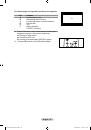
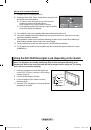
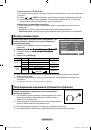
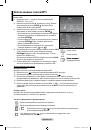
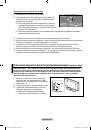
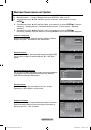
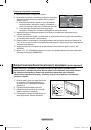
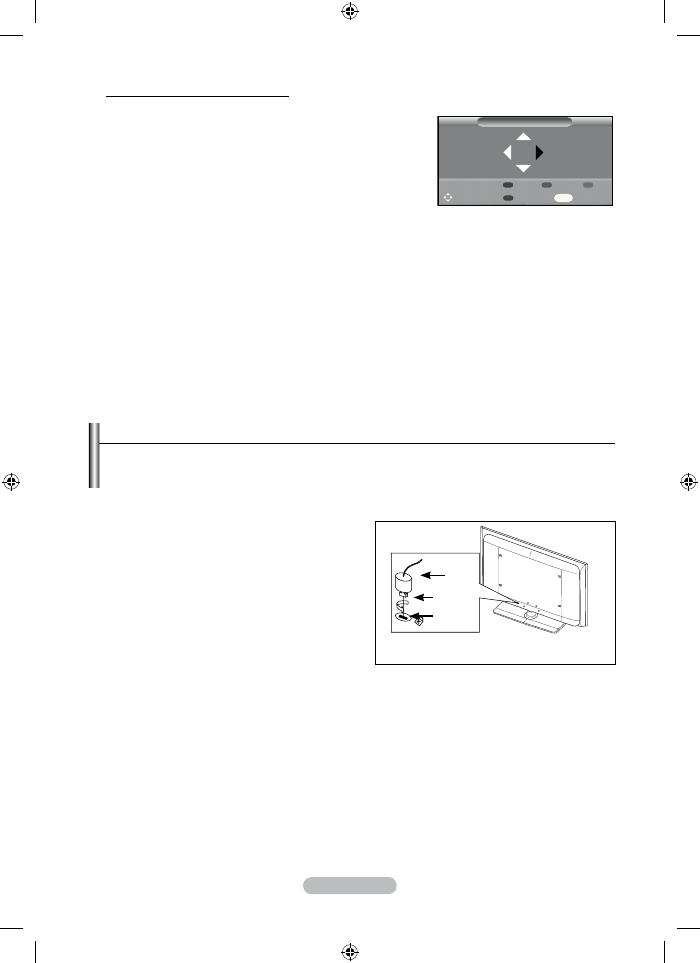
Using the Anti-theft Kensington Lock (depending on the model)
the Kensington lock is a device used to physically fix the system when using it in a public
place. the appearance and locking method may differ from the illustration depending on the
manufacturer. Refer to the manual provided with the Kensington lock for proper use. the locking
device has to be purchased separately.
1.
Insert the locking device into the Kensington slot
on the LCD TV (Figure 1), and turn it in the locking
direction (Figure 2).
.
Connect the Kensington lock cable.
.
Fix the Kensington lock to a desk or a heavy
stationary object.
The place of the Kensington Lock may be different
depending on its model.
➣
Cable
Figure 2
Figure 1
<Optional>
Auto Wall-Mount
Position1
Adjust
Save
Center
INFO
Position
1
BN68-01410E-01Eng.indd 46
2008-06-02 ¿ÀÀü 1:52:20
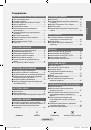
Оглавление инструкции
- Cover
- Eng
- Connecting and Preparingreparing Your TV
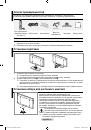
- List of Parts
- Installing the Stand
- Installing the Wall Mount Kit
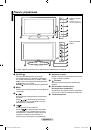
- Viewing the Control Panel
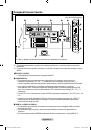
- Viewing the Connection Panel
- Viewing the Remote Control
- Installing Batteries in the Remote Control
- Switching On and Off
- Placing Your Television in Standby Mode
- Viewing the Menus
- Using the TOOLS Button
- Plug & Play
- Setting the Channels
- Setting the Picture
- Setting the Sound
- Setting the Time
- Function Description
- Setting the PC
- WISELINK
- About Anynet+
- Recommendations For Use
- Connecting and Preparingreparing Your TV
- Rus
- Ukr