Инструкция для Leica Sprinter 150M
 1
 2
 3
 4
 5
 6
 7
 8
 9
 10
 11
 12
 13
 14
 15
 16
 17
 18
 19
 20
 21
 22
 23
 24
 25
 26
 27
 28
 29
 30
 31
 32
 33
 34
 35
 36
 37
 38
 39
 40
 41
 42
 43
 44
 45
 46
 47
 48
 49
 50
 51
 52
 53
 54
 55
 56
 57
 58
 59
 60
 61
 62
 63
 64
 65
 66
 67
 68
 69
 70
 71
 72
 73
 74
 75
 76
 77
 78
 79
 80
 81
 82
 83
 84
 85
 86
 87
 88
 89
 90
 91
 92
 93
 94
 95
 96
 97
 98
 99
 100
 101
 102
 103
 104
 105
 106
 107
 108
 109
 110
 111
 112
 113
 114
 115
 116
 117
 118
 119
 120
 121
 122
 123
 124
 125
 126
 127
 128
 129
 130
 131
 132
 133
 134
 135
 136
 137
 138
 139
 140
 141
 142
 143
 144
 145
 146
 147
 148
 149
 150
 151
 152
 153
 154
 155
 156
 157
 158
 159
 160
 161
 162
 163
 164
 165
 166
 167
 168
 169
 170
 171
 172
 173
 174
 175
 176
 177
 178
 179
 180
 181
 182
 183
 184
 185
 186
 187
 188
 189
 190
 191
 192
 193
 194
 195
 196
 197
 198
 199
 200
 201
 202
 203
 204
 205
 206
 207
 208
 209
 210
 211
 212
 213
 214
 215
 216
 217
 218
 219
 220
 221
 222
 223
 224
 225
 226
 227
 228
 229
 230
 231
 232
 233
 234
 235
 236
 237
 238
 239
 240
 241
 242
 243
 244
 245
 246
 247
 248
 249
 250
 251
 252
 253
 254
 255
 256
 257
 258
 259
 260
 261
 262
 263
 264
 265
 266
 267
 268
 269
 270
 271
 272
 273
 274
 275
 276
 277
 278
 279
 280
 281
 282
 283
 284
 285
 286
 287
 288
 289
 290
 291
 292
 293
 294
 295
 296
 297
 298
 299
 300
 301
 302
 303
 304
 305
 306
 307
 308
 309
 310
 311
 312
 313
 314
 315
 316
 317
 318
 319
 320
 321
 322
 323
 324
 325
 326
 327
 328
 329
 330
 331
 332
 333
 334
 335
 336
 337
 338
 339
 340
 341
 342
 343
 344
 345
 346
 347
 348
 349
 350
 351
 352
 353
 354
 355
 356
 357
 358
 359
 360
 361
 362
 363
 364
 365
 366
 367
 368
 369
 370
 371
 372
 373
 374
 375
 376
 377
 378
 379
 380
9
Set of Characters
Sprinter 150/150M/250M - 1.0.0en
EN
DE
FR
ES
NO
SV
FI
DA
IT
PT
NL
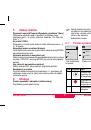
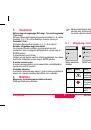
5.
Set of Characters
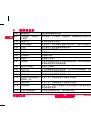
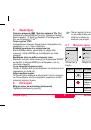
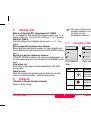
Benchmark Elevation (BM), Design Elevation* (D.Elv)
BM and Design elevation numeric input consists of 0 ~ 9, space,
decimal, Ft in 1/16 inch separator, the "+" and "-" signs.
Point ID* (PtID)
Point ID alphanumeric input consists of a ~ z, 0 ~ 9 and space.
Accepting character in the existing value
If there is no change for any particular character in the existing entry
field, press ENTER key to accept the old entry.
Clearing all the existing entry field
Highlight the first entry field with "SPACE" character and press
ENTER key to clear the entire last input value.
To discard entry
Press ESC key to discard entry and restore old value.
Point ID increment
Point ID will be automatically incremented by 1from the last point ID,
if point ID input field is not updated manually.
6.
Operation
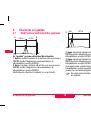
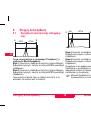
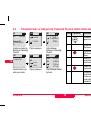
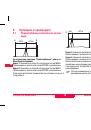
Height and Distance measurement (electronic)
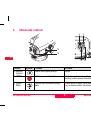
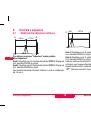
Example of an electronic measurement:
)
Always aim at the center of
bar code staff and focus the
staff image for accurate meas-
urement.
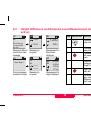
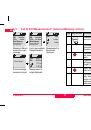
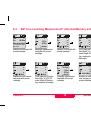
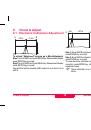
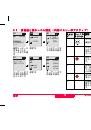
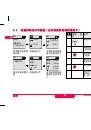
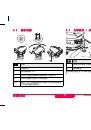
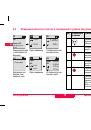
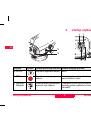
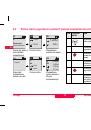
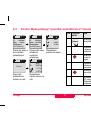
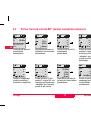
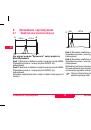
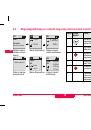
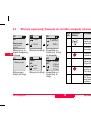
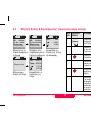
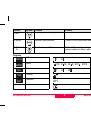
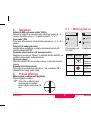
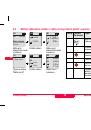
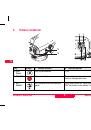
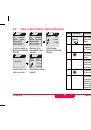
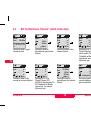
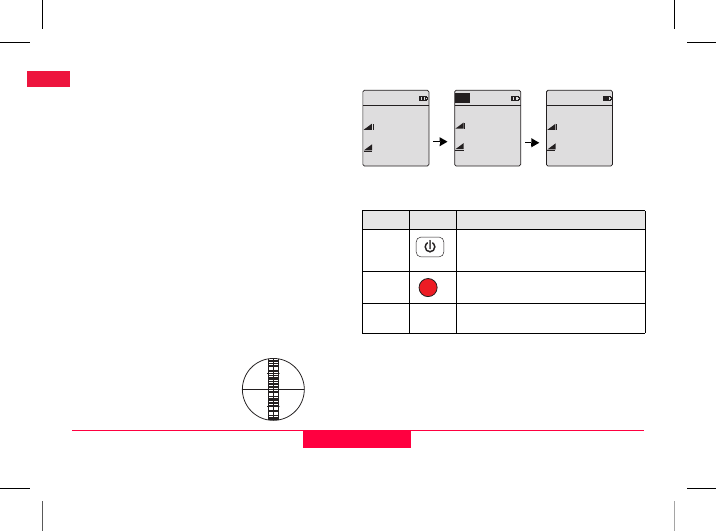
6.1 Height and Distance Measurement
Measurement
Standby Mode
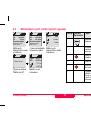
Measuring in
progress
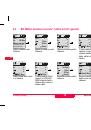
Measurement with
height and distance
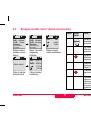
Step
Key
Description
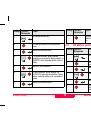
1.
Press to switch on the instrument, Leica logo
is displayed follow by the default measure-
ment standby mode.
2.
Aim at staff and focus. Lightly trigger the
measurement key to activate measurement.
3.
Height and distance measurement is
displayed.
:
_ _ _ _ _
:
_ _ _ _ _
:
>>>>
:
>>>>
MEAS
:
1.235
m
:
5.68
m
Оглавление инструкции
- User Manual (English)
- 1. Introduction
- 2. Instrument Components
- 3. Measurement Preparations
- 4. User Interface
- 5. Set of Characters
- 6. Operation
- 7. Data Transfer DataLoader*
- 8. Check & Adjust
- 9. Error Messages
- 10. Operation Messages
- 11. Care and Transport
- 12. Safety Directions
- 13. Technical Data
- 14. International Warranty, Software Licence Agreement
- 15. Index
- 取扱説明書(日本語)
- 1. はじめに
- 2. 本システムについて
- 3. 測定の準備
- 4. ユーザインターフェース
- 5. 文字入力
- 6. 操作
- 7. データ転送DataLoader*
- 8. 点検と調整
- 9. エラーメッセージ
- 10. 操作メッセージ
- 11. お手入れと輸送
- 12. 安全管理
- 13. テクニカルデータ
- 14. 国際保証、ソフトウェアライセン ス契約
- 15. 索引
- 用户手册(中文)
- 1. 说明
- 2. 仪器部件
- 3. 测量准备
- 4. 用户界面
- 5. 设置字符
- 6. 操作
- 7. 数据传输 数据加载*
- 8. 检查和校正
- 9. 错误信息表
- 10. 操作信息表
- 11. 保管和运输
- 12. 安全指南
- 13. 技术参数
- 14. 国际质量保证,软件许可
- 15. 目录
- 사용자 매뉴얼(한국어)
- 1. 소개
- 2. 장비 구성
- 3. 측정 준비
- 4. 사용자 인터페이스
- 5. 문자 구성
- 6. 작동
- 7. 데이터 전송 DataLoader*
- 8. 확인 및 조정
- 9. 에러 메시지
- 10. 작동 메시지
- 11. 운반 및 주의
- 12. 안전 지시사항
- 13. 기술사양
- 14. 국제 품질 보증서, 소프트웨어 라 이센스 동의서
- 15. 색인
- Ãóêîâîäñòâî ïîëüçîâàòåëØ (²óññêèé)
- 1. Ââåäåíèå
- 2. Êîìïîíåíòû ï²èáî²à
- 3. Ïîäãîòîâêà ê èçìå²åíèØì
- 4. Èíòå²ôåéñ ïîëüçîâàòåëØ
- 5. Ïî²Øäîê ²àáîòû
- 6. ÅêñïëóàòàöèØ
- 7. Ïå²åäà÷à äàííûõ ÷å²åç çàã²óç÷èêà äàííûõ*
- 8. Ïîâå²êà è ñòè²îâêà
- 9. ÑîîáùåíèØ îá îøèáêàõ
- 10. ÑîîáùåíèØ â õîäå Æêñïëóàòàöèè
- 11. Óõîä è ò²àíñïî²òè²îâêà
- 12. ÓêàçàíèØ ïî òåõíèêå áåçîïàñíîñòè
- 13. Òåõíè÷åñêèå õà²àêòå²èñòèêè
- 14. Ìåæäóíà²îäíàØ ãà²àíòèØ, ëèöåíçèî ííîå ñîãëàøåíèå íà ï²îã²àììíîå î áåñïå÷åíèå
- 15. Èíäåêñ
- Instrukcja obs¸ugi (Polski)
- 1. Wstêp
- 2. Czêœci urz¶dzenia
- 3. Przygotowanie do wykonywania pomiarów
- 4. Interfejs u¿ytkownika
- 5. Zestaw znaków
- 6. Obs¸uga
- 7. Przesy¸anie danych DataLoader*
- 8. Sprawdzenie i wyrównywanie
- 9. Komunikaty b¸êdu
- 10. Komunikaty obs¸ugi
- 11. Konserwacja i transport
- 12. Wskazówki bezpieczeñstwa
- 13. Dane techniczne
- 14. Gwarancja miêdzynarodowa, umowa licencyjna oprogramowania
- 15. Indeks
- Használati utasítás (magyar)
- 1. Bevezetés
- 2. A mûszer részei
- 3. Mérés elõkészítése
- 4. Kezelõfelület
- 5. Karakterek
- 6. Mûködés
- 7. Adatátvitel DataLoader*
- 8. Ellenõrzés és igazítás
- 9. Hibaüzenetek
- 10. Mûködéssel kapcsolatos üzenetek
- 11. Karbantartás és szállítás
- 12. Biztonsági elõírások
- 13. Mûszaki adatok
- 14. Nemzetközi garancia, szoftverlicenc- szerzõdés
- 15. Index
- Åã÷åéñßäéï ÷ñ×óçò (ÅëëçíéêÜ)
- 1. Åéóáãùã×
- 2. ÌÅñç ôïõ ïñãÜíïõ
- 3. Ãñïåôïéìáóßåò ìÅôñçóçò
- 4. ÃåñéâÜëëïí å²éêïéíùíßáò ÷ñ×óôç
- 5. °áñáêô×ñåò
- 6. Ëåéôïõñãßá
- 7. ÌåôáöïñÜ äåäïìÅíùí DataLoader*
- 8. ¸ëåã÷ïò & Óõíüñèùóç
- 9. ÌçíÆìáôá óöÜëìáôïò
- 10. ÌçíÆìáôá ëåéôïõñãßáò
- 11. Öñïíôßäá êáé ìåôáöïñÜ
- 12. Ïäçãßåò áóöáëåßáò
- 13. Ôå÷íéêÜ óôïé÷åßá
- 14. Äéåèí×ò åããÆçóç, Üäåéá ëïãéóìéêïÆ
- 15. Ãåñéå÷üìåíá
- U˛ivatelská pøíruèka (èeðtina)
- 1. Úvod
- 2. Souèásti pøístroje
- 3. Pøípravy k mìøení
- 4. U˛ivatelská rozhraní
- 5. Nastavení
- 6. Provoz pøístroje
- 7. DataLoader* pro pøenos dat
- 8. Kontrala a adjustace
- 9. Chybové zprávy
- 10. Provozní zprávy
- 11. Údr˛ba a pøeprava
- 12. Bezpeènostní pøedpisy
- 13. Technické údaje
- 14. Mezinárodní záruky a softwarová licenèní smlouva
- 15. Rejstøík
- Kullanma KÆlavuzu (Türkçe)
- 1. Giri
- 2. Ürün Bile enleri
- 3. Ölçüm HazÆrlÆklarÆ
- 4. KullanÆcÆ Arabirimi
- 5. Karakter Seti
- 6. KullanÆm
- 7. Veri AktarÆmÆ Veri Yükleyici (DataLoader)*
- 8. Kontrol ve Ayarlama
- 9. Hata MesajlarÆ
- 10. Å letim MesajlarÆ
- 11. BakÆm ve Nakliye
- 12. Güvenlik Yönergeleri
- 13. Teknik Veriler
- 14. UluslararasÆ Garanti, YazÆlÆm LisansÆ Sözle mesi
- 15. Dizin
- Êî²èñíè÷êî óïóòñòâî (Ѳïñêè)
- 1. Óâîä
- 2. Èíñò²óìåíò êîìïîíåíòå
- 3. ϲèï²åìà çà ìå²åœå
- 4. Êî²èñíè÷êè ìåfióñïî¹
- 5. Ñåò êà²àêòå²à
- 6. Ãóêîâàœå
- 7. Ò²àíñôå² ïîäàòàêà DataLoader*
- 8. ϲîâå²èòå è ï²èëàãîäèòå
- 9. Ïî²óêå î ã²åøêàìà
- 10. Îïå²àòèâíå ïî²óêå
- 11. Îä²æàâàœå è ò²àíñïî²ò
- 12. Ñèãó²íîñíà óïóòñòâà
- 13. Òåõíè÷êè ïîäàöè
- 14. Èíòå²íàöèîíàëíà ãà²àíöè¹à, ñïî ²àçóì î ñîôòâå²ñêî¹ ëèöåíöè
- 15. Èíäåêñ