Инструкция для Samsung PS42A410C3, PS42A410, PS42A412C4, PS50A410C3, PS50A410C1
 1
 2
 3
 4
 5
 6
 7
 8
 9
 10
 11
 12
 13
 14
 15
 16
 17
 18
 19
 20
 21
 22
 23
 24
 25
 26
 27
 28
 29
 30
 31
 32
 33
 34
 35
 36
 37
 38
 39
 40
 41
 42
 43
 44
 45
 46
 47
 48
 49
 50
 51
 52
 53
 54
 55
 56
 57
 58
 59
 60
 61
 62
 63
 64
 65
 66
 67
 68
 69
 70
 71
 72
 73
 74
English -
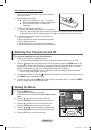
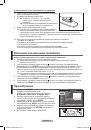
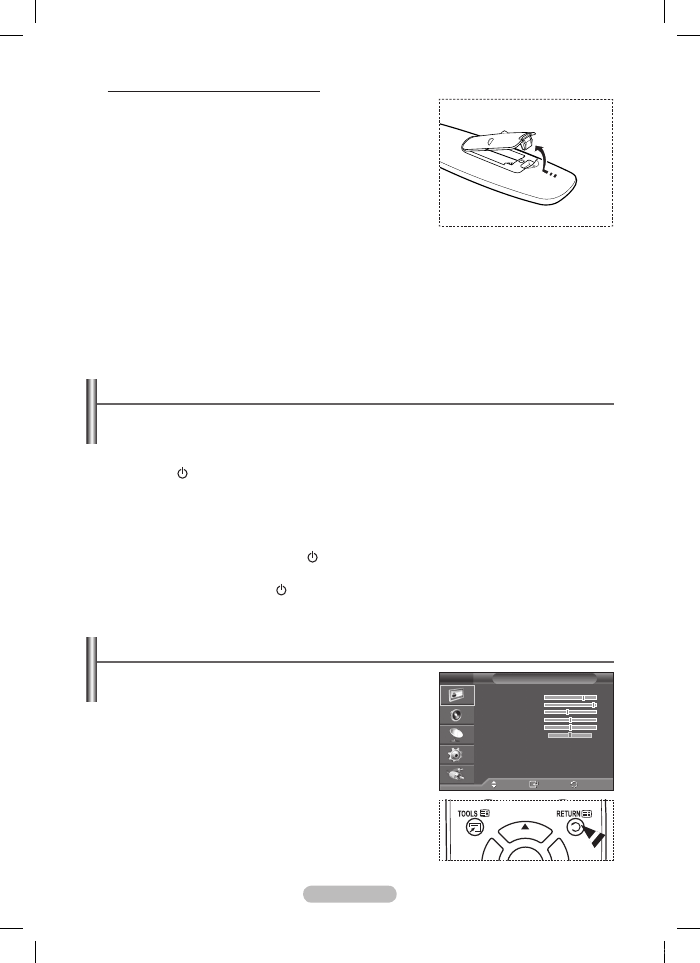
Installing Batteries in the Remote Control
1
Lift the cover at the back of the remote control upward as
shown in the figure.
Install two AAA size batteries.
➢
Make sure to match the “
+
” and “
–
” ends of the
batteries with the diagram inside the compartment.
Do not mix battery types, i.e. alkaline and
manganese.
Close the cover as shown in the figure.
➢
Remove the batteries and store them in a cool and dry
place if you won’t be using the remote control for a long time. The remote control can be used up
to about 23 feet from the TV. (Assuming typical TV usage, the batteries last for about one year.)
➢
If the remote control doesn’t work! Check the following:
1. Is the TV power on?
2. Are the plus and minus ends of the batteries reversed?
3. Are the batteries drained?
4. Is there a power cut, or is the power cord unplugged?
5. Is there a special fluorescent light or a neon sign nearby?
Switching Your Television On and Off
The main lead is attached to the rear of the television.
1
Plug the main lead into an appropriate socket.
➢
The main voltage is indicated on the rear of the television and the frequency is 50 or 60Hz.
Press the (Power) button (On/Off) on the front of the television or press the
POWER
button on the
remote control to switch the television on. The programme that you were watching last is re-selected
automatically. If you have not yet stored any channels, no clear picture appears. Refer to “Storing
Channels Automatically” on page 13 or “Storing Channels Manually” on page 14.
➢
If the television is initially powered on, several basic customer settings proceed automatically.
Refer to “Plug & Play Feature” on page 10.
To switch the television off, press the (Power) button (On/Off) on the front of the television or press
the
POWER
button on the remote control.
4
To switch the TV on, press the (Power) button (On/Off) on the front of the TV or press the
POWER
button or number buttons on the remote control.
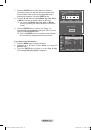
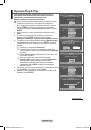
Viewing the Menus
1
Press the
MENU
button.
The main menu is displayed on the screen.
Its left side has six icons:
Picture, Sound, Channel, Setup,
Input.
Press the ▲ or ▼ button to select one of the icons.
Press the
ENTER
button to access the icon’s sub-menu.
Press the ▲ or ▼ button to move to items in the menu.
Press the
ENTER
button to enter items in the menu.
4
Press the ▲/▼/◄/► button to change the selected items.
Press the
RETURN
button to return to the previous menu.
5
Press the
EXIT
button to exit from the menu.
Move
Enter
Exit
Mode
: Standard
Cell Light
Contrast
5
Brightness
45
Sharpness
50
Colour
50
Tint G50 R50
Detailed Settings
Picture Options
Reset
: OK
Picture
T V
BN68-01423EF-00Eng.indb 9
2008-04-14 오후 6:36:39
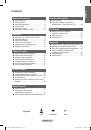
Оглавление инструкции
- Cover
- Eng
- User Instructions
- Contents
- Checking Parts
- Using the Stand-Base
- Control Panel
- Connection Panel
- Viewing the Remote Control
- Switching Your Television On and Off
- Viewing the Menus
- Plug & Play Feature
- Using the TOOLS Button
- Viewing External Signal Sources
- Editing Device Names
- Storing Channels Automatically
- Storing Channels Manually
- Adding / Locking Channels
- Sorting the Stored Channels
- Assigning Names to Channels
- Fine Tuning Channel Reception
- LNA (Low Noise Amplifier
- Changing the Picture Standard
- Customizing the Picture Settings
- Configuring Detailed Settings on the Picture
- Picture Options
- Resetting the Picture Settings to the Factory Defaults
- Sound Features
- Selecting the Sound Mode (depending on the model
- Connecting Headphones (Sold separately)
- Language / Melody / Light Effect / Entertainment /Energy Saving / PIP
- Setting up Your PC Software (Based on Windows XP)
- Input Mode (PC)
- Setting the PC
- Teletext Feature (depending on the model)
- Wall Mount Kit Specifications (VESA)
- Wall- mount adjustment (Sold separately)
- How to assemble the Stand-Base (depending on the model)
- Troubleshooting
- Specifications
- Rus
- Eng