Инструкция для Samsung PS42A410C3, PS42A410, PS42A412C4, PS50A410C3, PS50A410C1
 1
 2
 3
 4
 5
 6
 7
 8
 9
 10
 11
 12
 13
 14
 15
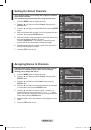 16
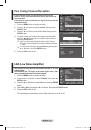 17
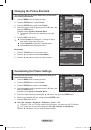 18
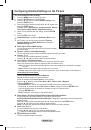 19
 20
 21
 22
 23
 24
 25
 26
 27
 28
 29
 30
 31
 32
 33
 34
 35
 36
 37
 38
 39
 40
 41
 42
 43
 44
 45
 46
 47
 48
 49
 50
 51
 52
 53
 54
 55
 56
 57
 58
 59
 60
 61
 62
 63
 64
 65
 66
 67
 68
 69
 70
 71
 72
 73
 74
English - 1
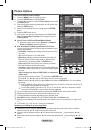
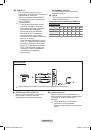
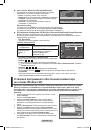
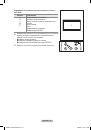
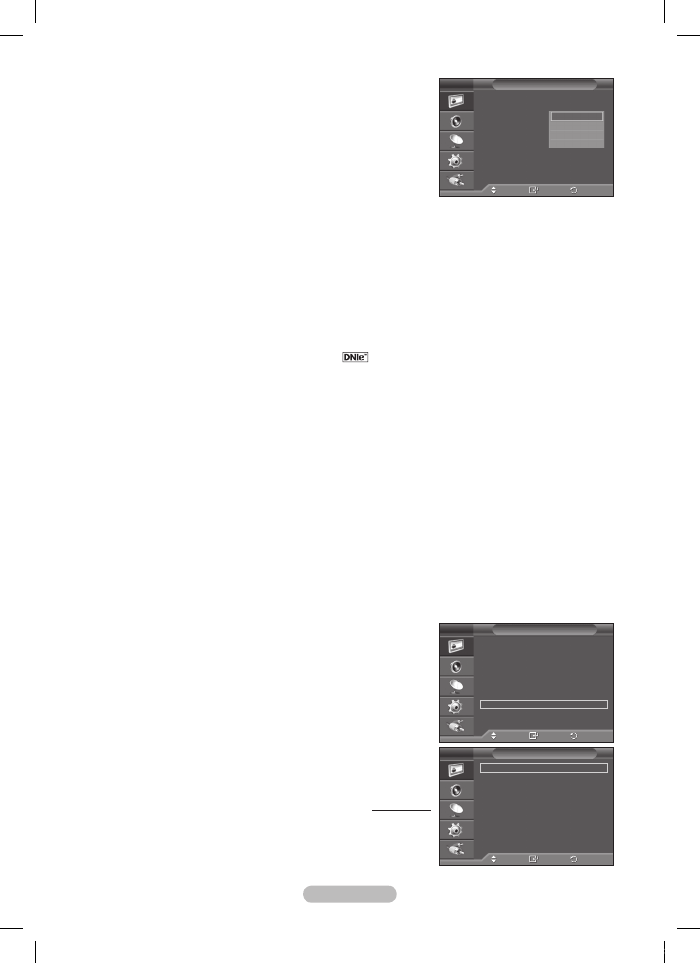
Screen Mode: 1:/Wide Zoom/Zoom/4:
When setting the picture size to Auto Wide in a 16:9 wide TV,
you can determine the picture size you want to see the 4:3
WSS (Wide Screen Service) image or nothing. Each individual
European country requires different picture size so this function
is intended for users to select it.
−
1:
: Sets the picture to 16:9 wide mode.
−
Wide Zoom
: Magnify the size of the picture more than 4:3.
−
Zoom
: Magnify the size of the picture vertically on screen.
−
4:
: Sets the picture to
4:
normal mode.
➢
This function is available in
Auto Wide
mode.
➢
This function is not available in
Component
or
HDMI
mode.
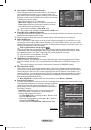
Digital NR: Off/Low/Medium/High/Auto
If the signal received by the television is weak, you can activate this feature to reduce any static and
ghosting that may appear on the screen.
➢
When the signal is weak, select one of the other options until the best picture is displayed.
DNIe: Off/Demo/On
This TV includes the DNIe function so as to provide a high visual quality. If you set DNIe to on, you
can view the screen with the DNIe feature activated. If you set the DNIe to Demo, you can view the
applied DNIe and normal pictures on the screen, for demonstration purposes. Using this function, you
can view the difference in the visual quality.
➢
DNIe
TM
(Digital Natural Image engine)
This feature brings you more detailed image with 3D noise reduction, detail enhancement, ntrast
enhancement and white enhancement. New image compensation Algorithm gives brighter, clearer,
more detailed image to you. DNIe
TM
technology will fit every signal into your eyes.
➢
This cofunction is not available in PC mode.
➢
DNIe is only available in Dynamic mode.
HDMI Black Level: Normal/Low
Using this function, you can adjust the image quality when the screen burn (appearance of black
level, low contrast, low color, etc.) is encountered by the HDMI input for RGB limited range (16 to
235).
➢
This function is active only when the externel input connects to HDMI(RGB signals).
Blue Only Mode: Off/On
This function is for AV device measurement experts. This function displays the blue signal only by
removing the red and green signals from the video signal so as to provide a Blue Filter effect that is
used to adjust the Colour and Tint of video equipment such as DVD players, Home Theaters, etc.
Using this function, you can adjust the Colour and Tint to preferred values appropriate to the signal
level of each video device using the Red/Green/Blue/Cyan/Magenta/Yellow Colour Bar Patterns,
without using an additional Blue Filter.
➢
Blue Only Mode
is available when the picture mode is set to
Movie
or
Standard
.
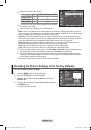
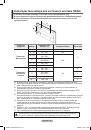
Screen Burn Protection
To reduce the possibility of screen burn, this unit is equipped with screen burn prevention technology.
This technology enables you to set picture movement up/down
(Vertical Line) and side to side (Horizontal Dot). The Time
setting allows you to program the time between movement of
the picture in minutes.
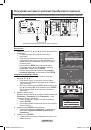
−
Pixel Shift
: Using this function, you can minutely move
pixels on the PDP in horizontal or vertical direction to
minimize after image on the screen.
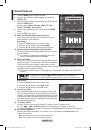
• Set
Pixel Shift
to
On
by pressing the ▲ or ▼ button, then
press the
ENTER
button.
• Select the required option by pressing the ▲ or ▼ button,
then press the
ENTER
button.
Available options:
Horizontal Dot
,
Vertical Line
,
Time
Continued...
Move
Enter
Return
Colour Tone
:
Normal
Size
:
Auto Wide
Screen Mode
:
1:
Digital NR
:
DNle
:
HDMI Black Level :
Blue only mode : Off
Screen Burn Protection
Picture Options
T V
1:
Wide Zoom
Zoom
4:
Move
Enter
Return
Colour Tone
:
Normal
Size
:
Auto Wide
Screen Mode
:
1:
Digital NR
:
Auto
DNle
: On
HDMI Black Level : Normal
Blue only mode : Off
Screen Burn Protection
Picture Options
T V
Move
Enter
Return
Pixel Shift
White
Scrolling
Side Gray
:
Dark
Screen Burn Protection
T V
BN68-01423EF-00Eng.indb 21
2008-04-14 오후 6:36:50
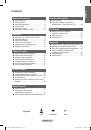
Оглавление инструкции
- Cover
- Eng
- User Instructions
- Contents
- Checking Parts
- Using the Stand-Base
- Control Panel
- Connection Panel
- Viewing the Remote Control
- Switching Your Television On and Off
- Viewing the Menus
- Plug & Play Feature
- Using the TOOLS Button
- Viewing External Signal Sources
- Editing Device Names
- Storing Channels Automatically
- Storing Channels Manually
- Adding / Locking Channels
- Sorting the Stored Channels
- Assigning Names to Channels
- Fine Tuning Channel Reception
- LNA (Low Noise Amplifier
- Changing the Picture Standard
- Customizing the Picture Settings
- Configuring Detailed Settings on the Picture
- Picture Options
- Resetting the Picture Settings to the Factory Defaults
- Sound Features
- Selecting the Sound Mode (depending on the model
- Connecting Headphones (Sold separately)
- Language / Melody / Light Effect / Entertainment /Energy Saving / PIP
- Setting up Your PC Software (Based on Windows XP)
- Input Mode (PC)
- Setting the PC
- Teletext Feature (depending on the model)
- Wall Mount Kit Specifications (VESA)
- Wall- mount adjustment (Sold separately)
- How to assemble the Stand-Base (depending on the model)
- Troubleshooting
- Specifications
- Rus
- Eng