Инструкция для Samsung PS42A410C3, PS42A410, PS42A412C4, PS50A410C3, PS50A410C1
 1
 2
 3
 4
 5
 6
 7
 8
 9
 10
 11
 12
 13
 14
 15
 16
 17
 18
 19
 20
 21
 22
 23
 24
 25
 26
 27
 28
 29
 30
 31
 32
 33
 34
 35
 36
 37
 38
 39
 40
 41
 42
 43
 44
 45
 46
 47
 48
 49
 50
 51
 52
 53
 54
 55
 56
 57
 58
 59
 60
 61
 62
 63
 64
 65
 66
 67
 68
 69
 70
 71
 72
 73
 74
English - 4
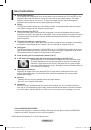
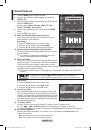
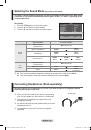
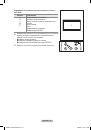
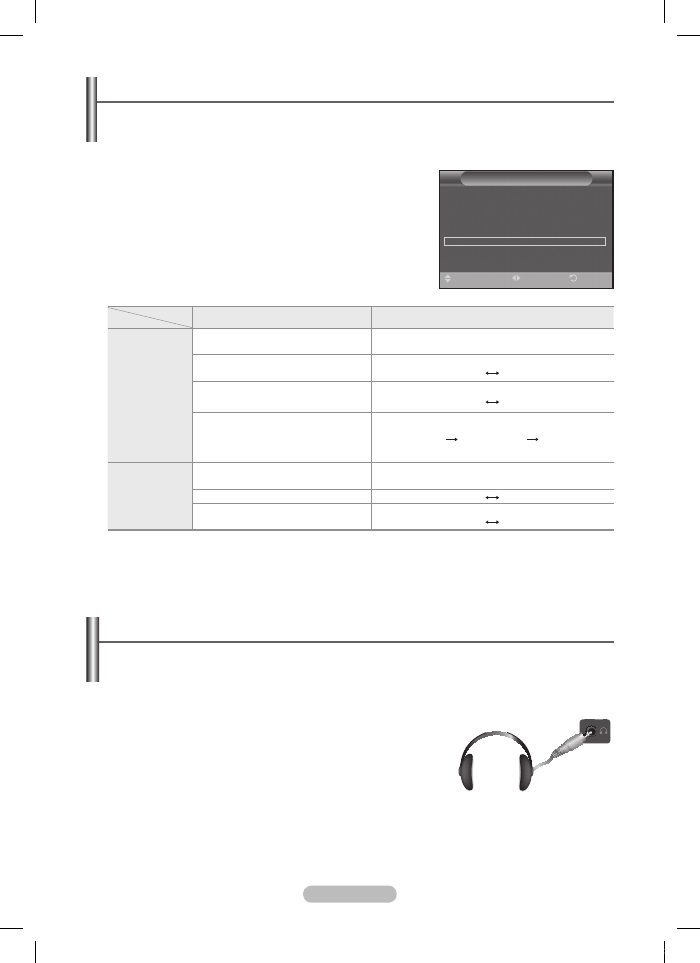
Selecting the Sound Mode
(depending on the model)
The DUAL I-II button displays/controls the processing and output of the audio signal. When power
is switched on, the mode is automatically preset to either “DUAL-I” or “Stereo”, depending on the
current transmission.
Easy Setting
1
Press the
TOOLS
button on the remote control.
Press the ▲ or ▼ button to select D
ual I-II
.
Press the ◄ or ► button to select the required option.
Type of broadcast
On-screen indication
NICAM
Stereo
Regular broadcast
(Standard audio)
Mono
(Normal use)
Regular + NICAM Mono
NICAM
Mono
(Normal)
NICAM Stereo
NICAM
stereo
Mono
(Normal)
NICAM DUAL-I/II
NICAM
dual-1
NICAM
dual-
Mono
(Normal)
A2
Stereo
Regular broadcast
(Standard audio)
Mono
(Normal use)
Bilingual or DUAL-I/II
Dual I
Dual II
Stereo
Stereo
Mono
(Forced mono)
➢
If the receiving conditions deteriorate, listening will be easier if the mode is set to
Mono
.
If the stereo signal is weak and automatic switching occurs, switch to
Mono
.
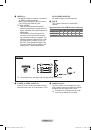
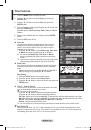
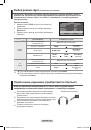
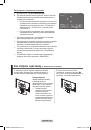
Connecting Headphones (Sold separately)
You can connect a set of headphones to your set if you wish to watch a TV programme without
disturbing other people in the room.
➢
When you insert the head set jack into the corresponding
port, you can operate only “Auto Volume” in Sound menu.
➢
Prolonged use of headphones at a high volume may
damage your hearing.
➢
You will not hear sound from the speakers when you connect
headphones to the TV.
➢
The headphone volume and TV volume are adjusted
separately.
TV Side Panel
Tools
Picture Mode
: Standard
Sound Mode
: Custom
Sleep Timer
: Off
SRS TS XT
: Off
Energy Saving
: Off
Dual I-II
◄ Mono
►
Exit
Adjust
Move
BN68-01423EF-00Eng.indb 24
2008-04-14 오후 6:36:51
Оглавление инструкции
- Cover
- Eng
- User Instructions
- Contents
- Checking Parts
- Using the Stand-Base
- Control Panel
- Connection Panel
- Viewing the Remote Control
- Switching Your Television On and Off
- Viewing the Menus
- Plug & Play Feature
- Using the TOOLS Button
- Viewing External Signal Sources
- Editing Device Names
- Storing Channels Automatically
- Storing Channels Manually
- Adding / Locking Channels
- Sorting the Stored Channels
- Assigning Names to Channels
- Fine Tuning Channel Reception
- LNA (Low Noise Amplifier
- Changing the Picture Standard
- Customizing the Picture Settings
- Configuring Detailed Settings on the Picture
- Picture Options
- Resetting the Picture Settings to the Factory Defaults
- Sound Features
- Selecting the Sound Mode (depending on the model
- Connecting Headphones (Sold separately)
- Language / Melody / Light Effect / Entertainment /Energy Saving / PIP
- Setting up Your PC Software (Based on Windows XP)
- Input Mode (PC)
- Setting the PC
- Teletext Feature (depending on the model)
- Wall Mount Kit Specifications (VESA)
- Wall- mount adjustment (Sold separately)
- How to assemble the Stand-Base (depending on the model)
- Troubleshooting
- Specifications
- Rus
- Eng