Инструкция для GIGABYTE GA-H55M-S2V (rev. 1.4), GA H55M S2V rev 1 4
 1
 2
 3
 4
 5
 6
 7
 8
 9
 10
 11
 12
 13
 14
 15
 16
 17
 18
 19
 20
 21
 22
 23
 24
 25
 26
 27
 28
 29
 30
 31
 32
 33
 34
 35
 36
 37
 38
 39
 40
 41
 42
 43
 44
 45
 46
 47
 48
 49
 50
 51
 52
 53
 54
 55
 56
 57
 58
 59
 60
 61
 62
 63
 64
 65
 66
 67
 68
 69
 70
 71
 72
 73
 74
 75
 76
 77
 78
 79
 80
BIOS Setup
- 48 -
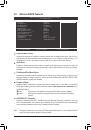
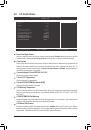
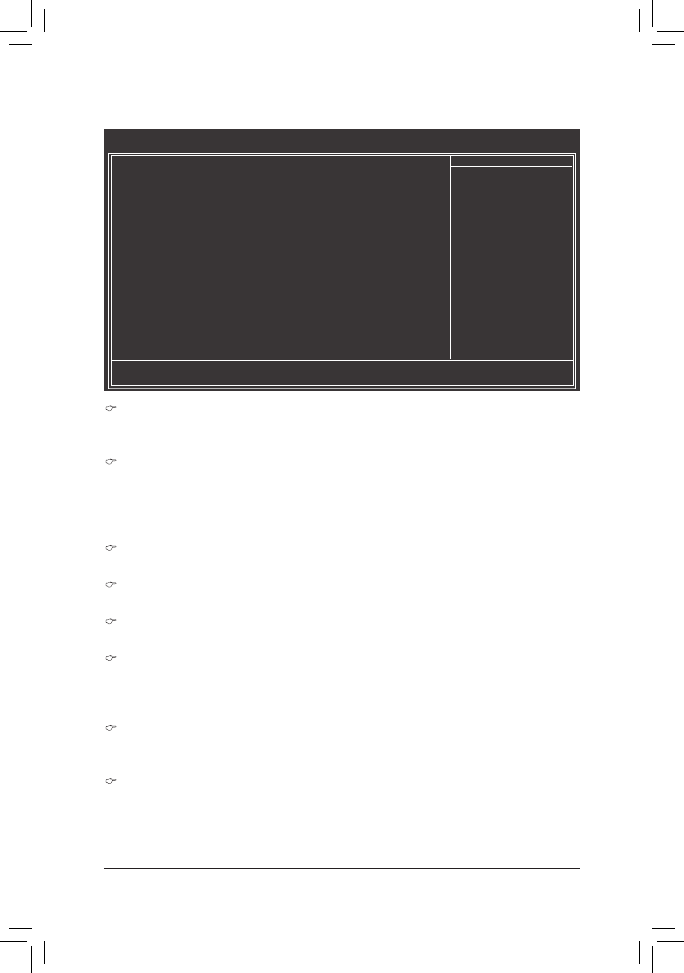
Reset Case Open Status
Keeps or clears the record of previous chassis intrusion status.
Enabled
clears the record of previous
chassis intrusion status and the
Case Opened
field will show "No" at next boot. (Default: Disabled)
Case Opened
Displays the detection status of the chassis intrusion detection device attached to the motherboard CI
header. If the system chassis cover is removed, this field will show "Yes", otherwise it will show "No". To
clear the chassis intrusion status record, set
Reset Case Open Status
to
Enabled
, save the settings to
the CMOS, and then restart your system.
Current Voltage(V) Vcore/DDR15V/+5V/+12V
Displays the current system voltages.
Current CPU Temperature
Displays current CPU temperature.
Current CPU/SYSTEM FAN Speed (RPM)
Displays current CPU/system fan speed.
CPU Warning Temperature
Sets the warning threshold for CPU temperature. When CPU temperature exceeds the threshold,
BIOS will emit warning sound. Options are: Disabled (default), 60
o
C/140
o
F, 70
o
C/158
o
F, 80
o
C/176
o
F,
90
o
C/194
o
F.
CPU/SYSTEM FAN Fail Warning
Allows the system to emit warning sound if the CPU/system fan is not connected or fails. Check the fan
condition or fan connection when this occurs. (Default: Disabled)
CPU Smart FAN Control
Enables or disables the CPU fan speed control function.
Enabled
allows the CPU fan to run at different
speed according to the CPU temperature. You can adjust the fan speed with EasyTune based on system
requirements. If disabled, the CPU fan runs at full speed. (Default: Enabled)
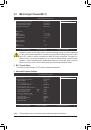
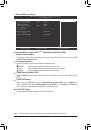
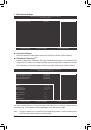
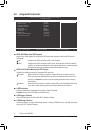
2-8 PC Health Status
CMOS Setup Utility-Copyright (C) 1984-2010 Award Software
PC Health Status
Reset Case Open Status
[Disabled]
Case Opened
No
Vcore
1.172V
DDR15V
1.516V
+5V
5.026V
+12V
12.112V
Current CPU Temperature
47
o
C
Current CPU FAN Speed
3375 RPM
Current SYSTEM FAN Speed
0 RPM
CPU Warning Temperature
[Disabled]
CPU FAN Fail Warning
[Disabled]
SYSTEM FAN Fail Warning
[Disabled]
CPU Smart FAN Control
[Enabled]
CPU Smart FAN Mode
[Auto]
higf
: Move
Enter: Select
+/-/PU/PD: Value
F10: Save
ESC: Exit
F1: General Help
F5: Previous Values
F6: Fail-Safe Defaults
F7: Optimized Defaults
Item Help
Menu Level
Оглавление инструкции
- Box Contents
- Optional Items
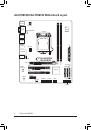
- GA-H55M-S2/GA-H55M-S2V Motherboard Layout
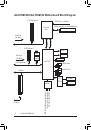
- GA-H55M-S2/GA-H55M-S2V Motherboard Block Diagram
- Chapter 1 Hardware Installation
- Chapter 2 BIOS Setup
- 2-1 Startup Screen
- 2-2 The Main Menu
- 2-3 MB Intelligent Tweaker(M.I.T.)
- 2-4 Standard CMOS Features
- 2-5 Advanced BIOS Features
- 2-6 Integrated Peripherals
- 2-7 Power Management Setup
- 2-8 PC Health Status
- 2-9 Load Fail-Safe Defaults
- 2-10 Load Optimized Defaults
- 2-11 Set Supervisor/User Password
- 2-12 Save & Exit Setup
- 2-13 Exit Without Saving
- Chapter 3 Drivers Installation
- Chapter 4 Unique Features
- Chapter 5 Appendix





