Инструкция для GIGABYTE GA-H55M-S2V (rev. 1.4), GA H55M S2V rev 1 4
 1
 2
 3
 4
 5
 6
 7
 8
 9
 10
 11
 12
 13
 14
 15
 16
 17
 18
 19
 20
 21
 22
 23
 24
 25
 26
 27
 28
 29
 30
 31
 32
 33
 34
 35
 36
 37
 38
 39
 40
 41
 42
 43
 44
 45
 46
 47
 48
 49
 50
 51
 52
 53
 54
 55
 56
 57
 58
 59
 60
 61
 62
 63
 64
 65
 66
 67
 68
 69
 70
 71
 72
 73
 74
 75
 76
 77
 78
 79
 80

- 33 -
BIOS Setup
(Note) This item is present only if you install a CPU that supports this feature. For more information about
Intel CPUs' unique features, please visit Intel's website.
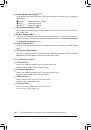
C3/C6 State Support
(Note)
Allows you to determine whether to let the CPU enter C3/C6/C7 mode in system halt state. When en-
abled, the CPU core frequency and voltage will be reduced during system halt state to decrease power
consumption. The C3/C6/C7 state is a more enhanced power-saving state than C1.
Auto
lets the BIOS
automatically configure this setting. (Default: Auto)
CPU Thermal Monitor
(Note)
Enables or disables Intel CPU Thermal Monitor function, a CPU overheating protection function. When
enabled, the CPU core frequency and voltage will be reduced when the CPU is overheated.
Auto
lets
the BIOS automatically configure this setting. (Default: Auto)
CPU EIST Function
(Note)
Enables or disables Enhanced Intel SpeedStep Technology (EIST). Depending on CPU loading, Intel
EIST technology can dynamically and effectively lower the CPU voltage and core frequency to decrease
average power consumption and heat production.
Auto
lets the BIOS automatically configure this set
-
ting. (Default: Auto)
Bi-Directional PROCHOT
(Note)
Auto
Lets the BIOS automatically configure this setting. (Default)
Enabled When the CPU or chipset detects that an overheating is occurring, PROCHOT signals will
be emitted to lower CPU performance to decrease heat production.
Disabled Only allows the CPU to detect whether an overheating is occurring to emit PROCHOT
signals.
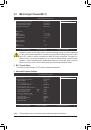
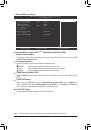
QPI Clock Ratio
Allows you to set the QPI clock ratio. Options are: Auto (default), x12~x44. The adjustable range is
dependent on the CPU being used. The item is adjustable only if a CPU with unlocked clock ratio is in-
stalled.
QPI Link Speed
Displays the current operating QPI link speed.
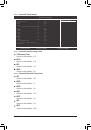
>>>>> Standard Clock Control
Base Clock(BCLK) Control
Enables or disables the control of CPU base clock.
Enabled
will allow the
BCLK Frequency(Mhz)
item
below to be configurable. Note: If your system fails to boot after overclocking, please wait for 20 seconds
to allow for automated system reboot, or clear the CMOS values to reset the board to default values.
(Default: Disabled)
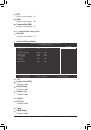
BCLK Frequency(Mhz)
Allows you to manually set the CPU base clock. The adjustable range is from 100 MHz to 600 MHz. This
item is configurable only if the
Base Clock(BCLK) Control
option is enabled.
Important:
It is highly recommended that the CPU frequency be set in accordance with the CPU specifi
-
cations.
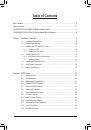
Оглавление инструкции
- Box Contents
- Optional Items
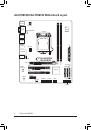
- GA-H55M-S2/GA-H55M-S2V Motherboard Layout
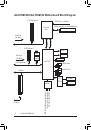
- GA-H55M-S2/GA-H55M-S2V Motherboard Block Diagram
- Chapter 1 Hardware Installation
- Chapter 2 BIOS Setup
- 2-1 Startup Screen
- 2-2 The Main Menu
- 2-3 MB Intelligent Tweaker(M.I.T.)
- 2-4 Standard CMOS Features
- 2-5 Advanced BIOS Features
- 2-6 Integrated Peripherals
- 2-7 Power Management Setup
- 2-8 PC Health Status
- 2-9 Load Fail-Safe Defaults
- 2-10 Load Optimized Defaults
- 2-11 Set Supervisor/User Password
- 2-12 Save & Exit Setup
- 2-13 Exit Without Saving
- Chapter 3 Drivers Installation
- Chapter 4 Unique Features
- Chapter 5 Appendix






