Инструкция для GIGABYTE GA-H55M-S2V (rev. 1.4), GA H55M S2V rev 1 4
 1
 2
 3
 4
 5
 6
 7
 8
 9
 10
 11
 12
 13
 14
 15
 16
 17
 18
 19
 20
 21
 22
 23
 24
 25
 26
 27
 28
 29
 30
 31
 32
 33
 34
 35
 36
 37
 38
 39
 40
 41
 42
 43
 44
 45
 46
 47
 48
 49
 50
 51
 52
 53
 54
 55
 56
 57
 58
 59
 60
 61
 62
 63
 64
 65
 66
 67
 68
 69
 70
 71
 72
 73
 74
 75
 76
 77
 78
 79
 80

BIOS Setup
- 34 -
(Note) This item appears only if you install a memory module that supports this feature.
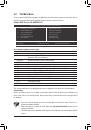
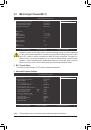
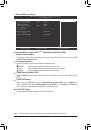
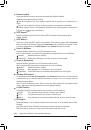
Extreme Memory Profile (X.M.P.)
(Note)
Allows the BIOS to read the SPD data on XMP memory module(s) to enhance memory performance
when enabled.
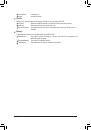
Disabled
Disables this function. (Default)
Profile1
Uses Profile 1 settings.
Profile2
(Note)
Uses Profile 2 settings.
System Memory Multiplier (SPD)
Allows you to set the system memory multiplier.
Auto
sets memory multiplier according to memory SPD
data. (Default: Auto)
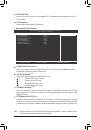
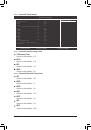
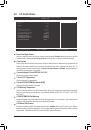
Memory Frequency(Mhz)
The first memory frequency value is the normal operating frequency of the memory being used; the
second is the memory frequency that is automatically adjusted according to the
BCLK Frequency(Mhz)
and
System Memory Multiplier
settings.
Internal Graphics Clock
Allows you to set the onboard graphics clock. The adjustable range is from 400 MHz to 2000 MHz. (Default:
Auto)
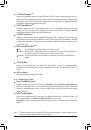
PCI Express Frequency(Mhz)
Allows you to manually set the PCIe clock frequency. The adjustable range is from 90 MHz to 150 MHz.
Auto
sets the PCIe clock frequency to standard 100 MHz. (Default: Auto)
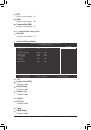
>>>>> Advanced Clock Control
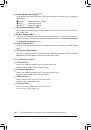
CPU Clock Drive
Allows you to adjust the amplitude of the CPU and the Chipset clock.
Options are: 700mV, 800mV, 900mV (default), 1000mV.
PCI Express Clock Drive
Allows you to adjust the amplitude of the PCI Express and Chipset clock.
Options are: 700mV, 800mV, 900mV (default), 1000mV.
CPU Clock Skew
Allows you to set the CPU clock prior to the Chipset clock.
Options are: 0ps~750ps. (Default: 0ps)
PCH Clock Skew
Allows you to set the Chipset clock prior to the CPU clock.
Options are: 0ps~750ps. (Default: 0ps)
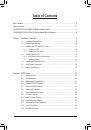
Оглавление инструкции
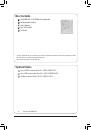
- Box Contents
- Optional Items
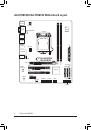
- GA-H55M-S2/GA-H55M-S2V Motherboard Layout
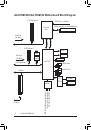
- GA-H55M-S2/GA-H55M-S2V Motherboard Block Diagram
- Chapter 1 Hardware Installation
- Chapter 2 BIOS Setup
- 2-1 Startup Screen
- 2-2 The Main Menu
- 2-3 MB Intelligent Tweaker(M.I.T.)
- 2-4 Standard CMOS Features
- 2-5 Advanced BIOS Features
- 2-6 Integrated Peripherals
- 2-7 Power Management Setup
- 2-8 PC Health Status
- 2-9 Load Fail-Safe Defaults
- 2-10 Load Optimized Defaults
- 2-11 Set Supervisor/User Password
- 2-12 Save & Exit Setup
- 2-13 Exit Without Saving
- Chapter 3 Drivers Installation
- Chapter 4 Unique Features
- Chapter 5 Appendix






