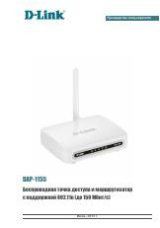
Инструкция для D-Link DES-3200-28, DES-3200-28/C1, DES-3200-26
 1
 2
 3
 4
 5
 6
 7
 8
 9
 10
 11
 12
 13
 14
 15
 16
 17
 18
 19
 20
 21
 22
 23
 24
 25
 26
 27
 28
 29
 30
 31
 32
 33
 34
 35
 36
 37
 38
 39
 40
 41
 42
 43
 44
 45
 46
 47
 48
 49
 50
 51
 52
 53
 54
 55
 56
 57
 58
 59
 60
 61
 62
 63
 64
 65
 66
 67
 68
 69
 70
 71
 72
 73
 74
 75
 76
 77
 78
 79
 80
 81
 82
 83
 84
 85
 86
 87
 88
 89
 90
 91
 92
 93
 94
 95
 96
 97
 98
 99
 100
 101
 102
 103
 104
 105
 106
 107
 108
 109
 110
 111
 112
 113
 114
 115
 116
 117
 118
 119
 120
 121
 122
 123
 124
 125
 126
 127
 128
 129
 130
 131
 132
 133
 134
 135
 136
 137
 138
 139
 140
 141
 142
 143
 144
 145
 146
 147
 148
 149
 150
 151
 152
 153
 154
 155
 156
 157
 158
 159
 160
 161
 162
 163
 164
 165
 166
 167
 168
 169
 170
 171
 172
 173
 174
 175
 176
 177
 178
 179
 180
 181
 182
 183
 184
 185
 186
 187
 188
 189
 190
 191
 192
 193
 194
 195
 196
 197
 198
 199
 200
 201
 202
 203
 204
 205
 206
 207
 208
 209
 210
 211
 212
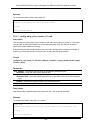 213
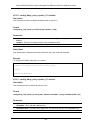 214
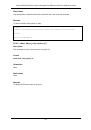 215
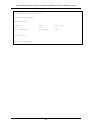 216
 217
 218
 219
 220
 221
 222
 223
 224
 225
 226
 227
 228
 229
 230
 231
 232
 233
 234
 235
 236
 237
 238
 239
 240
 241
 242
 243
 244
 245
 246
 247
 248
 249
 250
 251
 252
 253
 254
 255
 256
 257
 258
 259
 260
 261
 262
 263
 264
 265
 266
 267
 268
 269
 270
 271
 272
 273
 274
 275
 276
 277
 278
 279
 280
 281
 282
 283
 284
 285
 286
 287
 288
 289
 290
 291
 292
 293
 294
 295
 296
 297
 298
 299
 300
 301
 302
 303
 304
 305
 306
 307
 308
 309
 310
 311
 312
 313
 314
 315
 316
 317
 318
 319
 320
 321
 322
 323
 324
 325
 326
 327
 328
 329
 330
 331
 332
 333
 334
 335
 336
 337
 338
 339
 340
 341
 342
 343
 344
 345
 346
 347
 348
 349
 350
 351
 352
 353
 354
 355
 356
 357
 358
 359
 360
 361
 362
 363
 364
 365
 366
 367
 368
 369
 370
 371
 372
 373
 374
 375
 376
 377
 378
 379
 380
 381
 382
 383
 384
 385
 386
 387
 388
 389
 390
 391
 392
 393
 394
 395
 396
 397
 398
 399
 400
 401
 402
 403
 404
 405
 406
 407
 408
 409
 410
 411
 412
 413
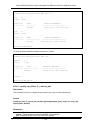 414
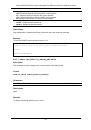 415
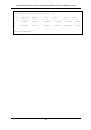 416
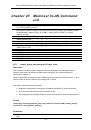 417
 418
 419
 420
 421
 422
 423
 424
 425
 426
 427
 428
 429
 430
 431
 432
 433
 434
 435
 436
 437
 438
 439
 440
 441
 442
 443
 444
 445
 446
 447
 448
 449
 450
 451
 452
 453
 454
 455
 456
 457
 458
 459
 460
 461
 462
 463
 464
 465
 466
 467
 468
 469
 470
 471
 472
 473
 474
 475
 476
 477
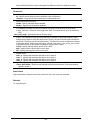 478
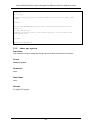 479
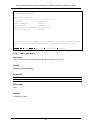 480
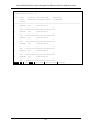 481
 482
 483
 484
 485
 486
 487
 488
 489
 490
 491
 492
 493
 494
 495
 496
 497
 498
 499
 500
 501
 502
 503
 504
 505
 506
 507
 508
 509
 510
 511
 512
 513
 514
 515
 516
 517
 518
 519
 520
 521
 522
 523
 524
 525
 526
 527
 528
 529
 530
 531
 532
 533
 534
 535
 536
 537
 538
 539
 540
 541
 542
 543
 544
 545
 546
 547
 548
 549
 550
 551
 552
 553
 554
 555
 556
 557
 558
 559
 560
 561
 562
 563
 564
 565
 566
 567
 568
 569
 570
 571
 572
 573
 574
 575
 576
 577
 578
 579
 580
 581
 582
 583
 584
 585
 586
 587
 588
 589
 590
 591
 592
 593
 594
 595
 596
 597
 598
 599
 600
 601
 602
 603
 604
 605
 606
 607
 608
 609
 610
 611
 612
 613
 614
 615
 616
 617
 618
 619
 620
 621
 622
 623
 624
 625
 626
 627
 628
 629
 630
 631
 632
 633
 634
 635
 636
 637
 638
 639
 640
 641
 642
 643
 644
 645
 646
 647
 648
 649
 650
 651
 652

xStack
®
DES-3200 Series Layer 2 Managed Fast Ethernet Switch CLI Reference Guide
122
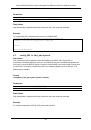
10-14
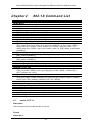
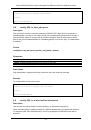
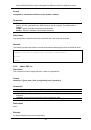
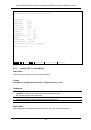
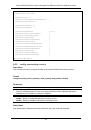
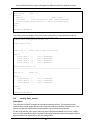
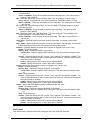
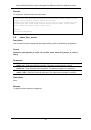
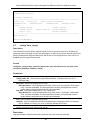
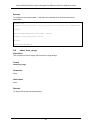
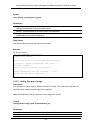
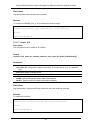
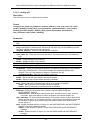
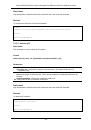
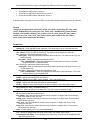
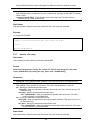
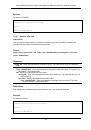
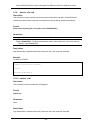
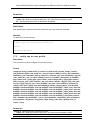
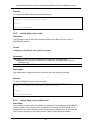
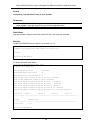
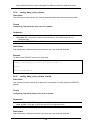
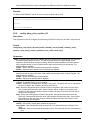
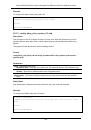
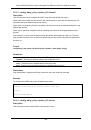
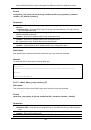
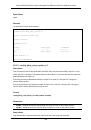
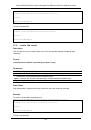
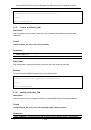
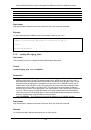
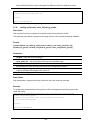
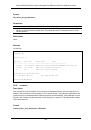
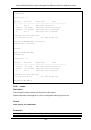
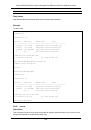
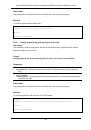
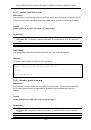
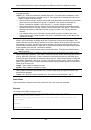
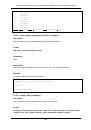
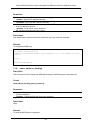
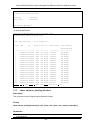
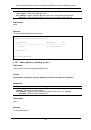
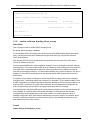
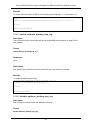
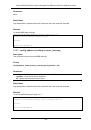
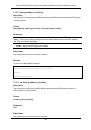
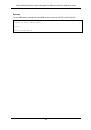
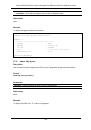
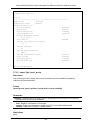
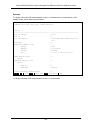
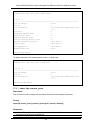
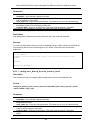
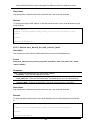
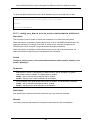
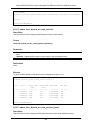
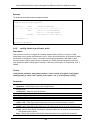
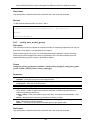
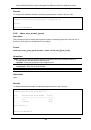
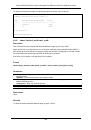
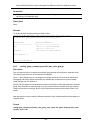
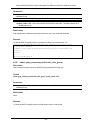
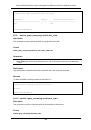
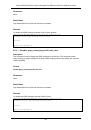
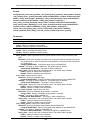
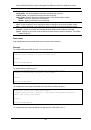
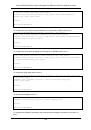
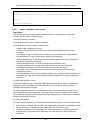
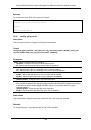
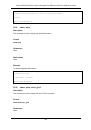
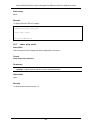
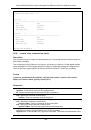
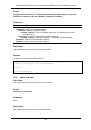
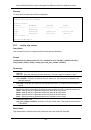
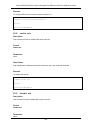
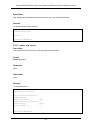
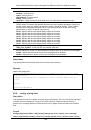
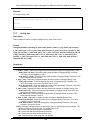
config ipif
Description
This command is used to configure the IP interface.
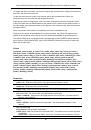
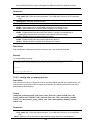
Format
config ipif <ipif_name 12> [{ipaddress <network_address> | vlan <vlan_name 32> | state
[enable | disable]} | bootp | dhcp | ipv6 [ipv6address <ipv6networkaddr> | state [enable|
disable]] |ipv4 state [enable | disable] | dhcp_option12 [hostname <hostname63> |
clear_hostname | state [enable | disable]]]
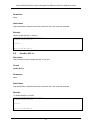
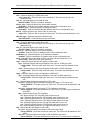
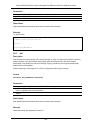
Parameters
<ipif_name 12>
- Enter the IP interface name used here. This name can be up to 12 characters
long.
ipaddress
- (Optional) Configures a network on an ipif. The address should specify a host
address and length of network mask. Since an ipif can have only one IPv4 address, the new
configured address will overwrite the original one.
<network_address>
- Enter the network address used here.
vlan
- (Optional) Specify the name of the VLAN here.
<vlan_name 32>
- Enter the VLAN name used here. This name can be up to 32 characters
long.
state
- (Optional) Enable or disable the state of the interface.
enable
- Enable the state of the interface.
disable
- Disable the state of the interface.
bootp
- Use BOOTP to obtain the IPv4 address.
dhcp
- Use DHCP to obtain the IPv4 address.
ipv6
- Specify that the IPv6 configuration will be done.
ipv6address
- Specify the IPv6 network address. The address should specify a host address
and length of network prefix. There can be multiple IPv6 addresses defined on an
interface. Thus, as a new address is defined, it is added on this ipif.
<ipv6networkaddr>
- Enter the IPv6 address used here.
state
- Specify that the IPv6 interface state will be set to enabled or disabled.
enable
- Specify that the IPv6 interface sate will be enabled.
disable
- Specify that the IPv6 interface sate will be disabled.
ipv4
- Specify that the IPv4 configuration will be done.
state
- Specify that the IPv4 interface state will be set to enabled or disabled.
enable
- Specify that the IPv4 interface sate will be enabled.
disable
- Specify that the IPv4 interface sate will be disabled.
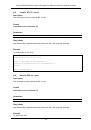
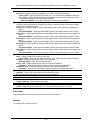
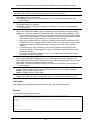
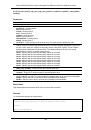
dhcp_option12
- Specify the DHCP option 12.
hostname
- Specify the host name to be inserted in the DHCPDISCOVER and
DHCPREQUEST message.
<hostname 63>
- Enter a name starting with a letter, end with a letter or digit, and have
only letters, digits, and hyphen as interior characters; the maximal length is 63.
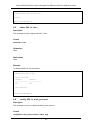
clear_hostname
- To clear the hostname setting. If host name is empty, system name will be
used to encode option 12. The length of system is more than 63, the superfluous chars will
be truncated. If system name is also empty, then product model name will be used to
encode option 12.
state
- Enable or disable insertion of option 12 in the DHCPDISCOVER and DHCPREQUEST
message. The state is disable by default.
enable
- Enable insertion of option 12 in the DHCPDISCOVER and DHCPREQUEST
message.
disable
- Disable insertion of option 12 in the DHCPDISCOVER and DHCPREQUEST
message.
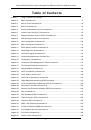
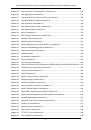
Оглавление инструкции
- Chapter 1 Using Command Line Interface
- Chapter 2 Basic Command List
- 2-1 show session
- 2-2 show serial_port
- 2-3 config serial_port
- 2-4 enable clipaging
- 2-5 disable clipaging
- 2-6 login
- 2-7 logout
- 2-8 ?
- 2-9 clear
- 2-10 show command_history
- 2-11 config command_history
- 2-12 config greeting_message
- 2-13 show greeting_message
- 2-14 config command_prompt
- 2-15 config terminal width
- 2-16 show terminal width
- 2-17 config ports
- 2-18 show ports
- Chapter 3 802.1Q VLAN Command List
- 3-1 create vlan
- 3-2 create vlan vlanid
- 3-3 delete vlan
- 3-4 delete vlan vlanid
- 3-5 config vlan
- 3-6 config vlan vlanid
- 3-7 config port_vlan
- 3-8 show vlan
- 3-9 show vlan ports
- 3-10 show vlan vlanid
- 3-11 show port_vlan
- 3-12 enable pvid auto assign
- 3-13 disable pvid auto assign
- 3-14 show pvid auto_assign
- 3-15 config gvrp
- 3-16 show gvrp
- 3-17 enable gvrp
- 3-18 disable gvrp
- Chapter 4 802.1X Command List
- 4-1 enable 802.1x
- 4-2 disable 802.1x
- 4-3 create 802.1x user
- 4-4 delete 802.1x user
- 4-5 show 802.1x user
- 4-6 config 802.1x auth_protocol
- 4-7 config 802.1x fwd_pdu system
- 4-8 config 802.1x fwd_pdu ports
- 4-9 config 802.1x authorization attributes
- 4-10 show 802.1x
- 4-11 config 802.1x capability
- 4-12 config 802.1x max_users
- 4-13 config 802.1x auth_parameter
- 4-14 config 802.1x auth_mode
- 4-15 config 802.1x init
- 4-16 config 802.1x reauth
- 4-17 create 802.1x guest_vlan
- 4-18 delete 802.1x guest_vlan
- 4-19 config 802.1x guest_vlan
- 4-20 show 802.1x guest_vlan
- 4-21 config radius add
- 4-22 config radius delete
- 4-23 config radius
- 4-24 show radius
- 4-25 show auth_statistics
- 4-26 show auth_diagnostics
- 4-27 show auth_session_statistics
- 4-28 show auth_client
- 4-29 show acct_client
- 4-30 config accounting service
- 4-31 show accounting service
- Chapter 5 Access Authentication Control Command List
- 5-1 enable password encryption
- 5-2 disable password encryption
- 5-3 enable authen_policy
- 5-4 disable authen_policy
- 5-5 show authen_policy
- 5-6 create authen_login
- 5-7 config authen_login
- 5-8 delete authen_login
- 5-9 show authen_login
- 5-10 create authen_enable
- 5-11 config authen_enable
- 5-12 delete authen_enable
- 5-13 show authen_enable
- 5-14 config authen application
- 5-15 show authen application
- 5-16 create authen server_group
- 5-17 config authen server_group
- 5-18 delete authen server_group
- 5-19 show authen server_group
- 5-20 create authen server_host
- 5-21 config authen server_host
- 5-22 delete authen server_host
- 5-23 show authen server_host
- 5-24 config authen parameter response_timeout
- 5-25 config authen parameter attempt
- 5-26 show authen parameter
- 5-27 enable admin
- 5-28 config admin local_enable
- Chapter 6 Access Control List (ACL) Command List
- Chapter 7 Address Resolution Protocol (ARP) Command List
- Chapter 8 ARP Spoofing Prevention Command List
- Chapter 9 Auto-Configuration Command List
- Chapter 10 Basic Commands Command List
- 10-1 create account
- 10-2 config account
- 10-3 show account
- 10-4 delete account
- 10-5 show switch
- 10-6 enable telnet
- 10-7 disable telnet
- 10-8 enable web
- 10-9 disable web
- 10-10 reboot
- 10-11 reset
- 10-12 config firmware image
- 10-13 create ipif
- 10-14 config ipif
- 10-15 delete ipif
- 10-16 enable ipif
- 10-17 disable ipif
- 10-18 show ipif
- 10-19 enable ipif_ipv6_link_local_auto
- 10-20 disable ipif_ipv6_link_local_auto
- 10-21 show ipif_ipv6_link_local_auto
- Chapter 11 BPDU Attack Protection Command List
- Chapter 12 Cable Diagnostics Command List
- Chapter 13 Command Logging Command List
- Chapter 14 Compound Authentication Command List
- Chapter 15 Configuration Command List
- Chapter 16 Connectivity Fault Management (CFM) Command List
- 16-1 create cfm md
- 16-2 config cfm md
- 16-3 create cfm ma
- 16-4 config cfm ma
- 16-5 create cfm mep
- 16-6 config cfm mep
- 16-7 delete cfm mep
- 16-8 delete cfm ma
- 16-9 delete cfm md
- 16-10 enable cfm
- 16-11 disable cfm
- 16-12 config cfm ports
- 16-13 show cfm ports
- 16-14 show cfm
- 16-15 show cfm fault
- 16-16 show cfm port
- 16-17 cfm loopback
- 16-18 cfm linktrace
- 16-19 show cfm linktrace
- 16-20 delete cfm linktrace
- 16-21 show cfm mipccm
- 16-22 config cfm mp_ltr_all
- 16-23 show cfm mp_ltr_all
- 16-24 show cfm remote_mep
- 16-25 show cfm pkt_cnt
- 16-26 clear cfm pkt_cnt
- Chapter 17 CPU Interface Filtering Command List
- Chapter 18 Debug Software Command List
- Chapter 19 DHCP Local Relay Command List
- 19-1 config dhcp_local_relay vlan
- 19-2 config dhcp_local_relay vlan vlanid
- 19-3 config dhcp_local_relay option_82 circuit_id
- 19-4 config dhcp_local_relay option_82 ports
- 19-5 config dhcp_local_relay option_82 remote_id
- 19-6 enable dhcp_local_relay
- 19-7 disable dhcp_local_relay
- 19-8 show dhcp_local_relay
- 19-9 show dhcp_local_relay option_82 ports
- Chapter 20 DHCP Relay Command List
- 20-1 config dhcp_relay
- 20-2 config dhcp_relay add
- 20-3 config dhcp_relay add vlanid
- 20-4 config dhcp_relay delete
- 20-5 config dhcp_relay delete vlanid
- 20-6 config dhcp_relay option_82
- 20-7 config dhcp_relay option_82 circuit_id
- 20-8 enable dhcp_relay
- 20-9 disable dhcp_relay
- 20-10 show dhcp_relay
- 20-11 config dhcp_relay option_60
- 20-12 config dhcp_relay option_60 add
- 20-13 config dhcp_relay option_60 default
- 20-14 config dhcp_relay option_60 delete
- 20-15 show dhcp_relay option_60
- 20-16 config dhcp_relay option_61
- 20-17 config dhcp_relay option_61 add
- 20-18 config dhcp_relay option_61 default
- 20-19 config dhcp_relay option_61 delete
- 20-20 show dhcp_relay option_61
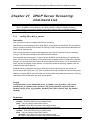
- Chapter 21 DHCP Server Screening Command List
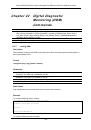
- Chapter 22 Digital Diagnostic Monitoring (DDM) Commands
- Chapter 23 D-Link Unidirectional Link Detection (DULD) Command List
- Chapter 24 DoS Attack Prevention Command List
- Chapter 25 Ethernet Ring Protection Switching (ERPS) Command List
- Chapter 26 Filter Command List
- Chapter 27 Filter Database (FDB) Command List
- Chapter 28 Flash File System (FFS) Command List
- Chapter 29 Gratuitous ARP Command List
- Chapter 30 IGMP / MLD Snooping Command List
- 30-1 config igmp_snooping
- 30-2 config igmp_snooping rate_limit
- 30-3 config igmp_snooping querier
- 30-4 config igmp access_authentication ports
- 30-5 config router_ports
- 30-6 config router_ports_forbidden
- 30-7 enable igmp_snooping
- 30-8 disable igmp_snooping
- 30-9 create igmp_snooping static_group
- 30-10 delete igmp_snooping static_group
- 30-11 config igmp_snooping static_group
- 30-12 show igmp_snooping static_group
- 30-13 config igmp_snooping data_driven_learning
- 30-14 config igmp_snooping data_driven_learning max_learned_entry
- 30-15 clear igmp_snooping data_driven_group
- 30-16 show igmp_snooping
- 30-17 show igmp_snooping rate_limit
- 30-18 show igmp_snooping group
- 30-19 show igmp_snooping forwarding
- 30-20 show router_ports
- 30-21 show igmp_snooping statistics counter
- 30-22 show igmp access_authentication ports
- 30-23 clear igmp_snooping statistics counter
- 30-24 config mld_snooping
- 30-25 config mld_snooping querier
- 30-26 config mld_snooping router_ports
- 30-27 config mld_snooping router_ports_forbidden
- 30-28 enable mld_snooping
- 30-29 disable mld_snooping
- 30-30 show mld_snooping
- 30-31 show mld_snooping group
- 30-32 show mld_snooping forwarding
- 30-33 show mld_snooping mrouter_ports
- 30-34 create mld_snooping static_group
- 30-35 delete mld_snooping static_group
- 30-36 config mld_snooping static_group
- 30-37 show mld_snooping static_group
- 30-38 config mld_snooping data_driven_learning
- 30-39 config mld_snooping data_driven_learning max_learned_entry
- 30-40 clear mld_snooping data_driven_group
- 30-41 show mld_snooping statistic counter
- 30-42 clear mld_snooping statistics counter
- 30-43 config mld_snooping rate_limit
- 30-44 show mld_snooping rate_limit
- Chapter 31 IP-MAC-Port Binding (IMPB) Command List
- 31-1 create address_binding ip_mac
- 31-2 config address_binding ip_mac ports
- 31-3 delete address_binding blocked
- 31-4 delete address_binding ip_mac
- 31-5 config address_binding ip_mac ipaddress
- 31-6 show address_binding
- 31-7 show address_binding blocked
- 31-8 show address_binding ip_mac
- 31-9 enable address_binding dhcp_snoop
- 31-10 disable address_binding dhcp_snoop
- 31-11 clear address_binding dhcp_snoop binding_entry ports
- 31-12 show address_binding dhcp_snoop
- 31-13 show address_binding dhcp_snoop binding_entry
- 31-14 config address_binding dhcp_snoop max_entry
- 31-15 enable address_binding trap_log
- 31-16 disable address_binding trap_log
- 31-17 config address_binding recover_learning
- 31-18 debug address_binding
- 31-19 no debug address_binding
- Chapter 32 IPv6 Neighbor Discover Command List
- Chapter 33 IPv6 Route Command List
- Chapter 34 Jumbo Frame Command List
- Chapter 35 Layer 2 Protocol Tunneling (L2PT) Command List
- Chapter 36 Link Aggregation Command List
- Chapter 37 Link Layer Discovery Protocol (LLDP) Command List
- 37-1 enable lldp
- 37-2 disable lldp
- 37-3 config lldp
- 37-4 config lldp notification_interval
- 37-5 config lldp ports
- 37-6 config lldp forward_ message
- 37-7 show lldp
- 37-8 show lldp mgt_addr
- 37-9 show lldp ports
- 37-10 show lldp local_ports
- 37-11 show lldp remote_ports
- 37-12 show lldp statistics
- 37-13 show lldp statistics ports
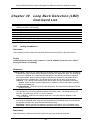
- Chapter 38 Loop Back Detection (LBD) Command List
- Chapter 39 MAC Notification Command List
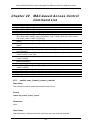
- Chapter 40 MAC-based Access Control Command List
- 40-1 enable mac_based_access_control
- 40-2 disable mac_based_access_control
- 40-3 config mac_based_access_control password
- 40-4 config mac_based_access_control method
- 40-5 config mac_based_access_control guest_vlan
- 40-6 config mac_based_access_control ports
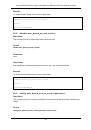
- 40-7 create mac_based_access_control
- 40-8 delete mac_based_access_control
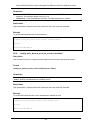
- 40-9 clear mac_based_access_control auth_state
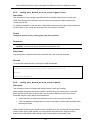
- 40-10 create mac_based_access_control_local
- 40-11 config mac_based_access_control_local
- 40-12 delete mac_based_access_control_local
- 40-13 config mac_based_access_control authorization attributes
- 40-14 show mac_based_access_control
- 40-15 show mac_based_access_control_local
- 40-16 show mac_based_access_control auth_state
- 40-17 config mac_based_access_control max_users
- 40-18 config mac_based_access_control trap state
- 40-19 config mac_based_access_control log state
- Chapter 41 MAC-based VLAN Command List
- Chapter 42 Mirror Command List
- Chapter 43 MSTP debug enhancement Command List
- Chapter 44 Multicast Filter Command List
- 44-1 create mcast_filter_profile
- 44-2 config mcast_filter_profile
- 44-3 config mcast_filter_profile ipv6
- 44-4 delete mcast_filter_profile
- 44-5 show mcast_filter_profile
- 44-6 config limited_multicast_addr
- 44-7 config max_mcast_group
- 44-8 show max_mcast_group
- 44-9 show limited_multicast_addr
- 44-10 config cpu_filter l3_control_pkt
- 44-11 show cpu_filter l3_control_pkt ports
- Chapter 45 Multicast VLAN Command List
- 45-1 create igmp_snooping multicast_vlan
- 45-2 config igmp_snooping multicast_vlan
- 45-3 create igmp_snooping multicast_vlan_group_profile
- 45-4 config igmp_snooping multicast_vlan_group_profile
- 45-5 delete igmp_snooping multicast_vlan_group_profile
- 45-6 show igmp_snooping multicast_vlan_group_profile
- 45-7 config igmp_snooping multicast_vlan_group
- 45-8 show igmp_snooping multicast_vlan_group
- 45-9 delete igmp_snooping multicast_vlan
- 45-10 enable igmp_snooping multicast_vlan
- 45-11 disable igmp_snooping multicast_vlan
- 45-12 config igmp_snooping multicast_vlan forward_unmatched
- 45-13 show igmp_snooping multicast_vlan
- Chapter 46 Multiple Spanning Tree Protocol (MSTP) Command List
- 46-1 enable stp
- 46-2 disable stp
- 46-3 config stp
- 46-4 show stp
- 46-5 create stp instance_id
- 46-6 config stp instance_id
- 46-7 delete stp instance_id
- 46-8 config stp mst_config_id
- 46-9 show stp mst_config_id
- 46-10 config stp mst_ports
- 46-11 config stp ports
- 46-12 show stp ports
- 46-13 config stp priority
- 46-14 config stp version
- 46-15 show stp instance
- Chapter 47 Network Load Balancing (NLB) Command List
- Chapter 48 Network Monitoring Command List
- Chapter 49 OAM Commands
- Chapter 50 Peripherals Command List
- Chapter 51 Ping Command List
- Chapter 52 Port Security Command List
- 52-1 config port_security system max_learning_addr
- 52-2 config port_security ports
- 52-3 config port_security vlan
- 52-4 delete port_security_entry
- 52-5 clear port_security_entry
- 52-6 show port_security_entry
- 52-7 show port_security
- 52-8 enable port_security trap_log
- 52-9 disable port_security trap_log
- Chapter 53 Power over Ethernet (PoE) Command List (DES-3200-28P and DES-3200-52P Only)
- Chapter 54 PPPoE Circuit ID Insertions Command List
- Chapter 55 Protocol VLAN Command List
- Chapter 56 QinQ Command List
- Chapter 57 Quality of Service (QoS) Command List
- 57-1 config bandwidth_control
- 57-2 show bandwidth_control
- 57-3 config per_queue bandwidth_control
- 57-4 show per_queue bandwidth_control
- 57-5 config scheduling
- 57-6 config scheduling_mechanism
- 57-7 show scheduling
- 57-8 show scheduling_mechanism
- 57-9 config 802.1p user_priority
- 57-10 show 802.1p user_priority
- 57-11 config 802.1p default_priority
- 57-12 show 802.1p default_priority
- 57-13 config dscp trust
- 57-14 config 802.1p map
- 57-15 show 802.1p map 1p_color
- 57-16 show dscp trust
- 57-17 config dscp map
- 57-18 show dscp map
- Chapter 58 Safeguard Engine Command List
- Chapter 59 Secure Shell (SSH) Command List
- Chapter 60 Secure Sockets Layer (SSL) Command List
- Chapter 61 Show Technical Support Command List
- Chapter 62 Simple Mail Transfer Protocol (SMTP) Command List
- Chapter 63 Simple Network Management Protocol (SNMP) Command List
- 63-1 create snmp community
- 63-2 delete snmp community
- 63-3 show snmp community
- 63-4 create snmp user
- 63-5 delete snmp user
- 63-6 show snmp user
- 63-7 create snmp group
- 63-8 delete snmp group
- 63-9 show snmp groups
- 63-10 create snmp view
- 63-11 delete snmp view
- 63-12 show snmp view
- 63-13 create snmp host
- 63-14 delete snmp host
- 63-15 show snmp host
- 63-16 config snmp engineID
- 63-17 show snmp engineID
- 63-18 enable snmp
- 63-19 disable snmp
- 63-20 config snmp system_name
- 63-21 config snmp system_location
- 63-22 config snmp system_contact
- 63-23 enable snmp traps
- 63-24 disable snmp traps
- 63-25 enable snmp authenticate_traps
- 63-26 disable snmp authenticate_traps
- 63-27 enable snmp linkchange_traps
- 63-28 disable snmp linkchange_traps
- 63-29 config snmp linkchange_traps ports
- 63-30 config snmp coldstart_traps
- 63-31 config snmp warmstart_traps
- 63-32 show snmp traps
- 63-33 config rmon trap
- 63-34 show rmon
- Chapter 64 Single IP Management Command List
- Chapter 65 Syslog and Trap Source-interface Command List
- Chapter 66 System Log Command List
- 66-1 clear log
- 66-2 show log
- 66-3 show log_software_module
- 66-4 enable syslog
- 66-5 disable syslog
- 66-6 show syslog
- 66-7 create syslog host
- 66-8 config syslog host
- 66-9 delete syslog host
- 66-10 show syslog host
- 66-11 config log_save_timing
- 66-12 show log_save_timing
- 66-13 show attack_log
- 66-14 clear attack_log
- Chapter 67 System Severity Command List
- Chapter 68 Telnet Client Command List
- Chapter 69 TFTP/FTP Client Command List
- Chapter 70 Time and SNTP Command List
- Chapter 71 Trace Route Command List
- Chapter 72 Traffic Control Command List
- Chapter 73 Traffic Segmentation Command List
- Chapter 74 Trusted Host Command List
- Chapter 75 Unicast Routing Command List
- Chapter 76 VLAN Trunking Command List
- Chapter 77 Password Recovery Command List