Инструкция для Samsung LE-37 B530P7, LE-37 B530 P7W
 1
 2
 3
 4
 5
 6
 7
 8
 9
 10
 11
 12
 13
 14
 15
 16
 17
 18
 19
 20
 21
 22
 23
 24
 25
 26
 27
 28
 29
 30
 31
 32
 33
 34
 35
 36
 37
 38
 39
 40
 41
 42
 43
 44
 45
 46
 47
 48
 49
 50
 51
 52
 53
 54
 55
 56
 57
 58
 59
 60
 61

English - 1
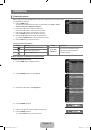
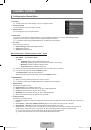
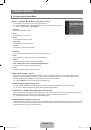
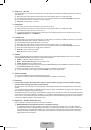
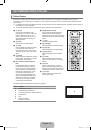
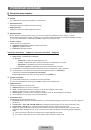
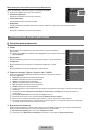
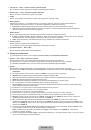
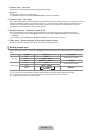
SOUND CONTROL
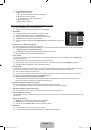
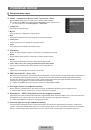
Configuring the Sound Menu
Mode → Standard / Music / Movie / Clear Voice / Custom
You can select a sound mode to suit your personal preferences.
Press the
TOOLS
button to display the
Tools
menu. You can also configure the sound
mode by selecting
Tools
→
Sound Mode
.
Standard
Selects the normal sound mode.
Music
Emphasizes music over voices.
Movie
Provides the best sound for movies.
Clear Voice
Emphasizes voice over other sounds.
Custom
Recalls your customized sound settings.
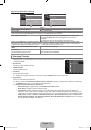
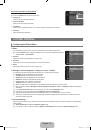
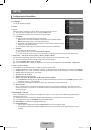
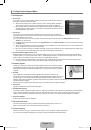
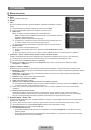
Equalizer
The sound settings can be adjusted to suit your personal preferences.
Mode
You can select a sound mode to suit your personal preferences.
Balance
Controls the balance between the right and left speakers.
100Hz / 300Hz / 1KHz / 3KHz / 10KHz (Bandwidth Adjustment)
To adjust the level of different bandwidth frequencies
Reset
Resets the equalizer settings to the default values.
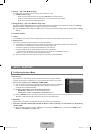
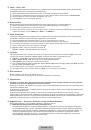
SRS TruSurround HD → Off / On
SRS TruSurround HD is a patented SRS technology that solves the problem of playing 5.1 multichannel content over two
speakers. TruSurround delivers a compelling, virtual surround sound experience through any two-speaker playback system,
including internal television speakers. It is fully compatible with all multichannel formats.
Press the
SRS
button on the remote control to select
Off
or
On
.
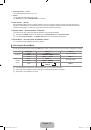
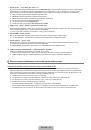
Audio Language (digital channels only)
You can change the default value for audio languages. Displays the language information for the incoming stream.
You can only select the language among the actual languages being broadcast.
Audio Format → MPEG / Dolby Digital (digital channels only)
When sound is emitted from both the main speaker and the audio receiver, a sound echo may occur due to the decoding speed
difference between the main speaker and the audio receiver. In this case, use the TV Speaker function.
The Audio Format appears according to the broadcasting signal.
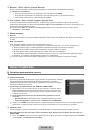
Audio Description (digital channels only)
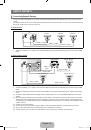
This is an auxiliary audio function that provides an additional audio track for visually challenged persons. This function handles the
Audio Stream for the AD (Audio Description), when it is sent along with the Main audio from the broadcaster. Users can turn the
Audio Description On or Off and control the volume.
¦
❑
T
❑
❑
O
❑
N
❑
N
❑
Mode
: Custom
►
Equalizer
SRS TruSurround HD : Off
Audio Language
: - - -
Audio Format
: - - -
Audio Description
Auto Volume
: Off
Sound
BN68-01893F-Eng.indd 16
2009-02-24 �� 2:57:21