Инструкция для JVC KD-AVX22
 1
 2
 3
 4
 5
 6
 7
 8
 9
 10
 11
 12
 13
 14
 15
 16
 17
 18
 19
 20
 21
 22
 23
 24
 25
 26
 27
 28
 29
 30
 31
 32
 33
 34
 35
 36
 37
 38
 39
 40
 41
 42
 43
 44
 45
 46
 47
 48
 49
 50
 51
 52
 53
 54
 55
 56
 57
 58
 59
 60
 61
 62
 63
 64
 65
 66
 67
 68
 69
 70
 71
 72
 73
 74
 75
 76
 77
 78
 79
 80
 81
 82
 83
 84
 85
 86
 87
 88
 89
 90
 91
 92
 93
 94
 95
 96
 97
 98
 99
 100
 101
 102
 103
 104
 105
 106
 107
 108
 109
 110
 111
 112
 113
 114
 115
 116
 117
 118
 119
 120
 121
 122
 123
 124
 125
 126
 127
 128
 129
 130
 131
 132
 133
 134
 135
 136
 137
 138
 139
 140
 141
 142
 143
 144
 145
 146
 147
 148
 149
 150
 151
 152
 153
 154
 155
 156
 157
 158
 159
 160
 161
 162
 163
 164
 165
 166
 167
 168
 169
 170
 171
 172
 173
 174
 175
 176
 177
 178
 179
 180
 181
 182
 183
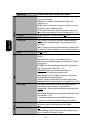 184
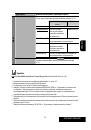 185
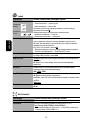 186
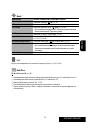 187
 188
 189
 190
 191
 192
 193
 194
 195
 196
 197
 198
 199
 200
 201
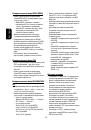
• “DVD Logo” is a trademark of DVD Format/Logo
Licensing Corporation registered in the US, Japan and
other countries.
• DivX, DivX Ultra Certified, and associated logos are
trademarks of DivX, Inc. and are used under license.
• Official DivX® Ultra Certified product
• Plays all versions of DivX® video (including DivX® 6)
with enhanced playback of DivX® media files and the
DivX® Media Format
• Microsoft and Windows Media are either registered
trademarks or trademarks of Microsoft Corporation in
the United States and/or other countries.
• iPod and iTunes are trademarks of Apple Inc.,
registered in the U.S. and other countries.
ENGLISH
60
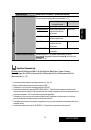
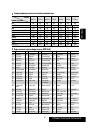
About sounds reproduced through the rear
terminals
• Speaker out/analog discrete output—LINE OUT
(FRONT/REAR)/CENTER OUT/SUBWOOFER OUT:
Multi-channel signals are emitted for a multi-
channel encoded software. (When Dual Zone is
activated, the same signal emitted through 2nd
AUDIO OUT plugs are emitted for the main source
“Disc.”)
• 2nd AUDIO OUT: 2-channel signal is emitted when
Dual Zone is activated. When playing a multi-
channel encoded disc, multi-channel signals are
downmixed.
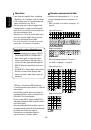
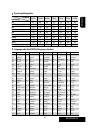
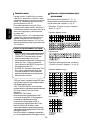
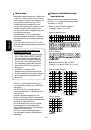
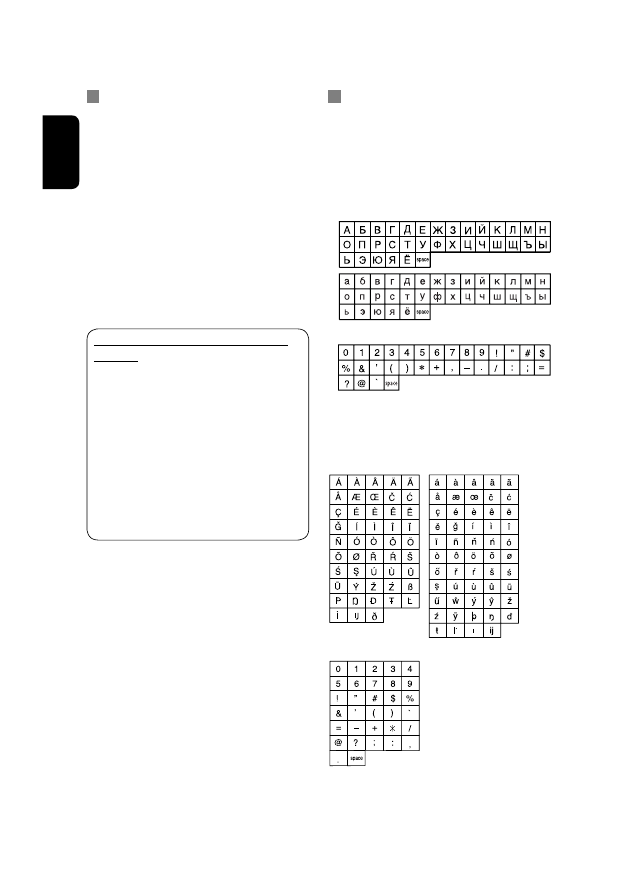
Characters you can enter for titles
In addition to the roman alphabet (A – Z, a – z), you
can use the following characters to assign titles. (
☞
page 47)
• When <Руccĸий> is selected for <Language>. (
☞
page 49)
Upper and lower cases
Numbers and symbols
• When any language other than <Руccĸий> is
selected for <Language>. (
☞
page 49)
Upper and lower cases
Numbers and symbols
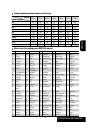
Menu items
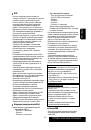
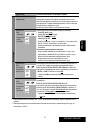
• If you change the <Amplifier Gain> setting from
<High Power> to <Low Power> while the volume
level is set higher than “30,” the unit automatically
changes the volume level to “VOL 30.”
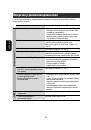
• After you change any of <Menu Language/Audio
Language/Subtitle> settings, turn off then on the
power, and re-insert the disc (or insert another disc)
so that your setting takes effect.
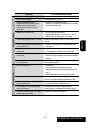
• When you select <16:9> for a picture whose aspect
ratio is 4:3, the picture slightly changes due to the
process for converting the picture width.
• Even if <4:3 Pan Scan> is selected, the screen size
may become <4:3 Letterbox> for some discs.