Инструкция для LG 42LA621V, 42LA620V, 32LN655V, 32LN570V, 32LA662V
 1
 2
 3
 4
 5
 6
 7
 8
 9
 10
 11
 12
 13
 14
 15
 16
 17
 18
 19
 20
 21
 22
 23
 24
 25
 26
 27
 28
 29
 30
 31
 32
 33
 34
 35
 36
 37
 38
 39
 40
 41
 42
 43
 44
 45
 46
 47
 48
 49
 50
 51
 52
 53
 54
 55
 56
 57
 58
 59
 60
 61
 62
 63
 64
 65
 66
 67
 68
 69
 70
 71
 72
 73
 74
 75
 76
 77
 78
 79
 80
 81
 82
 83
 84
 85
 86
 87
 88
 89
 90
 91
 92
 93
 94
 95
 96
 97
 98
 99
 100
 101
 102
 103
 104
 105
 106
 107
 108
 109
 110
 111
 112
 113
 114
 115
 116
 117
 118
 119
 120
 121
 122
 123
 124
 125
 126
 127
 128
 129
 130
 131
 132
 133
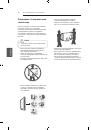 134
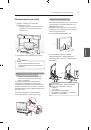 135
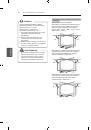 136
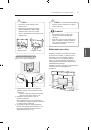 137
 138
 139
 140
 141
 142
 143
 144
 145
 146
 147
 148
 149
 150
 151
 152
 153
 154
 155
 156
 157
 158
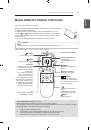
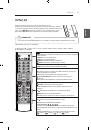
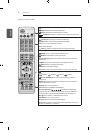
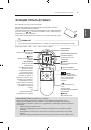
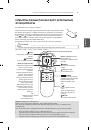
MAGIC REMOTE CONTROL FUNCTIONS
27
ENGLISH
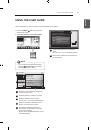
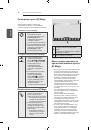
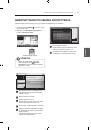
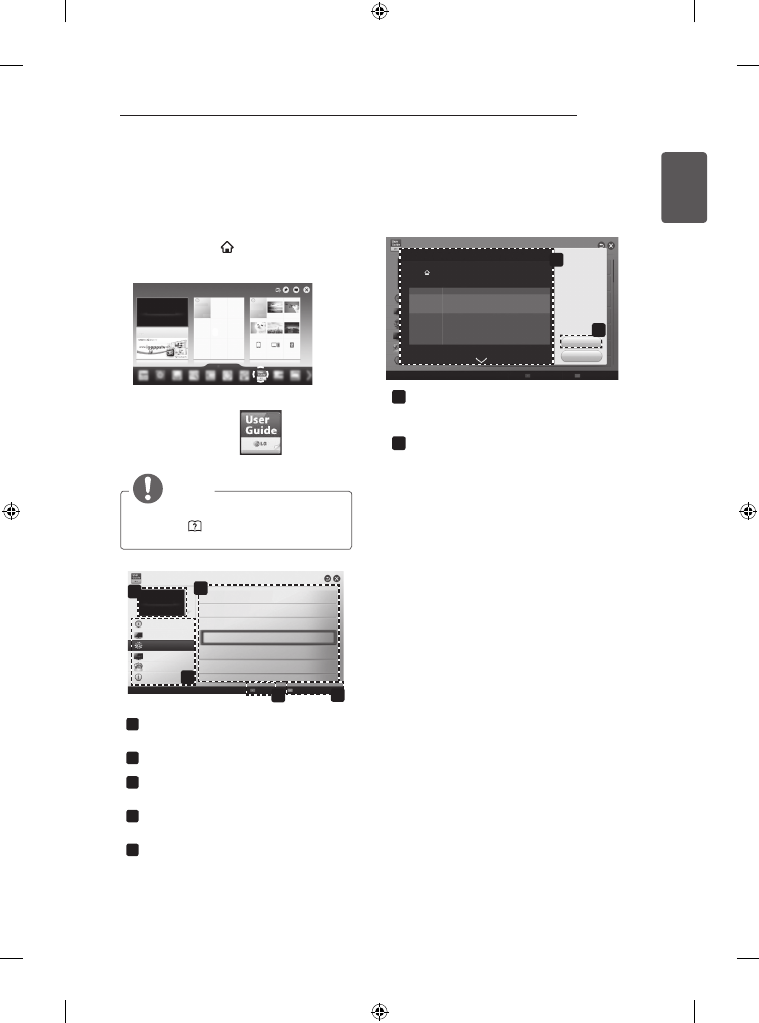
USING THE USER GUIDE
USING THE USER GUIdE
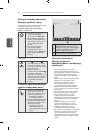
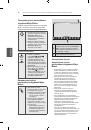
User Guide allows you to more easily access the detailed TV information.
1 Press the
SMART
button to access the
Smart Home menu.
2 Select
User Guide
and press
Wheel(OK)
.
User Guide
User Guide
NOTE
y
You can also access the User Guide by
pressing (
User Guide
) in the remote
control.(Only LA62**, LA64**)
To use input device
To set TV lock options
To set country
Disabled Assisstance
To set Magic remote control
To set language
To set time options
User Guide
3
1
OPTION
PROGRAMME Setting
PICTURE, SOUND Setting
LG SMART Function
Advanced Function
Information
2
4
5
Index
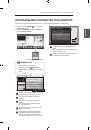
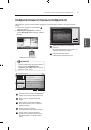
Online User Guide
1
Shows the current watching programme
or input source screen.
2
Allows to select the category you want.
3
Allows to select the item you want.
You can use
ꕌ
/
ꕍ
to move between pages.
4
Allows to browse the description of the
function you want from the index.
5
Provides the detailed information on
the functions of LG Smart TV when the
Internet is connected.
(It may not be available depending on the
country/language.)
1
2
OPTION > To set language
SMART
Settings
OPTION
Language
Selects Menu Language and Audio Language displayed on the screen.
Menu Language
Audio Language
Selects a language for the display text.
[In Digital Mode Only]
When watching a digital broadcast containing several audio
languages, you can select the language you want.
Subtitle
Language
[In Digital mode Only]
Use the Subtitle function when two or more subtitle
languages are broadcast.
✎
If subtitle data in a selected language is not
broadcast, the default language subtitle will
be displayed.
Try Now
Close
Index
Online User Guide
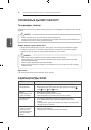
1
Shows the description of the selected
menu.
You can use
ꕌ
/
ꕍ
to move between pages.
2
Moves to the selected menu directly from
the User Guide.