Инструкция для LG 42LA621V, 42LA620V, 32LN655V, 32LN570V, 32LA662V
 1
 2
 3
 4
 5
 6
 7
 8
 9
 10
 11
 12
 13
 14
 15
 16
 17
 18
 19
 20
 21
 22
 23
 24
 25
 26
 27
 28
 29
 30
 31
 32
 33
 34
 35
 36
 37
 38
 39
 40
 41
 42
 43
 44
 45
 46
 47
 48
 49
 50
 51
 52
 53
 54
 55
 56
 57
 58
 59
 60
 61
 62
 63
 64
 65
 66
 67
 68
 69
 70
 71
 72
 73
 74
 75
 76
 77
 78
 79
 80
 81
 82
 83
 84
 85
 86
 87
 88
 89
 90
 91
 92
 93
 94
 95
 96
 97
 98
 99
 100
 101
 102
 103
 104
 105
 106
 107
 108
 109
 110
 111
 112
 113
 114
 115
 116
 117
 118
 119
 120
 121
 122
 123
 124
 125
 126
 127
 128
 129
 130
 131
 132
 133
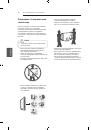 134
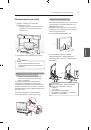 135
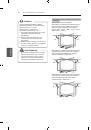 136
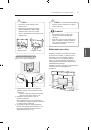 137
 138
 139
 140
 141
 142
 143
 144
 145
 146
 147
 148
 149
 150
 151
 152
 153
 154
 155
 156
 157
 158
13
ENGLISH
ASSEMBLING AND PREPARING
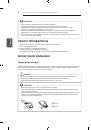
NOTE
y
Image shown may differ from your TV.
y
Your TV’s OSD (On Screen Display) may differ slightly from that shown in this manual.
y
The available menus and options may differ from the input source or product model that you are
using.
y
New features may be added to this TV in the future.
y
The TV can be placed in standby mode in order to reduce the power consumption. And the TV
should be turned off if it will not be watched for some time, as this will reduce energy consumption.
y
The energy consumed during use can be significantly reduced if the level of brightness of the
picture is reduced, and this will reduce the overall running cost.
INSTALLATION PROCEdURE
1 Open the package and make sure all the accessories are included.
2 Attach the stand to the TV set.
3 Connect an external device to the TV set.
4 Make sure the network connection is available.
You can use the TV network functions only when the network connection is made.
ASSEMBLING ANd PREPARING
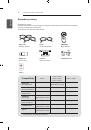
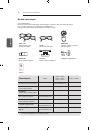
Unpacking
Check your product box for the following items. If there are any missing accessories, contact the local
dealer where you purchased your product. The illustrations in this manual may differ from the actual
product and item.
CAUTION
y
Do not use any unapproved items to ensure the safety and product life span.
y
Any damage or injuries caused by using unapproved items are not covered by the warranty.
y
Some models have a thin film attached on to the screen and this must not be removed.
NOTE
y
The items supplied with your product may vary depending on the model.
y
Product specifications or contents of this manual may be changed without prior notice due to
upgrade of product functions.
y
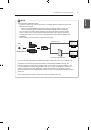
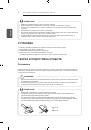
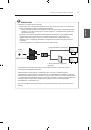
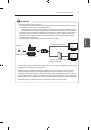
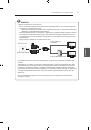
For an optimal connection, HDMI cables and USB devices should have bezels less than 10 mm
thick and 18 mm width. Use an extension cable that supports USB 2.0 if the USB cable or USB
memory stick does not fit into your TV’s USB port.
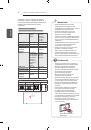
*A 10 mm
*B 18 mm
FREEZE
RATIO
L/R SELECT
ENTER
BACK
EXIT
Q.MENU
INFO
MENU
CH
VOL
P
A
G
E
FAV
3D
MUTE
1 2 3
4 5 6
7 8
0
9
MARK
LIST
FLASHBK
ENERGY
SAVING
TV
AV MODE INPUT
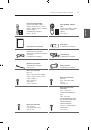
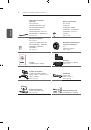
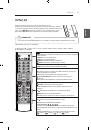
Remote control and batteries
(AAA)
(Only LA62**, LA64**, LA66**,
LA69**, LA71**, LA74**, LN570*,
LN575*, LN577*, LN578*, LN61**,
LN65**)
(Depending on model)
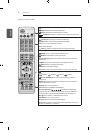
(See p. 23, 24)
P
/Q.MENU
FREEZE
RATIO
L/R SELECT
ENTER
BACK
EXIT
Q.MENU
INFO
MENU
CH
VOL
P
A
G
E
FAV
3D
MUTE
1 2 3
4 5 6
7 8
0
9
MARK
LIST
FLASHBK
ENERGY
SAVING
TV
AV MODE INPUT
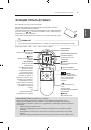
Magic Remote Control,
Batteries (AA)
(Only LA66**, LA69**,
LA74**, LA71**, LN578*,
LN65**)
(See p. 25)
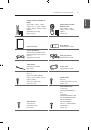
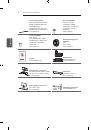
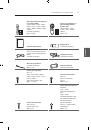
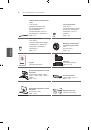
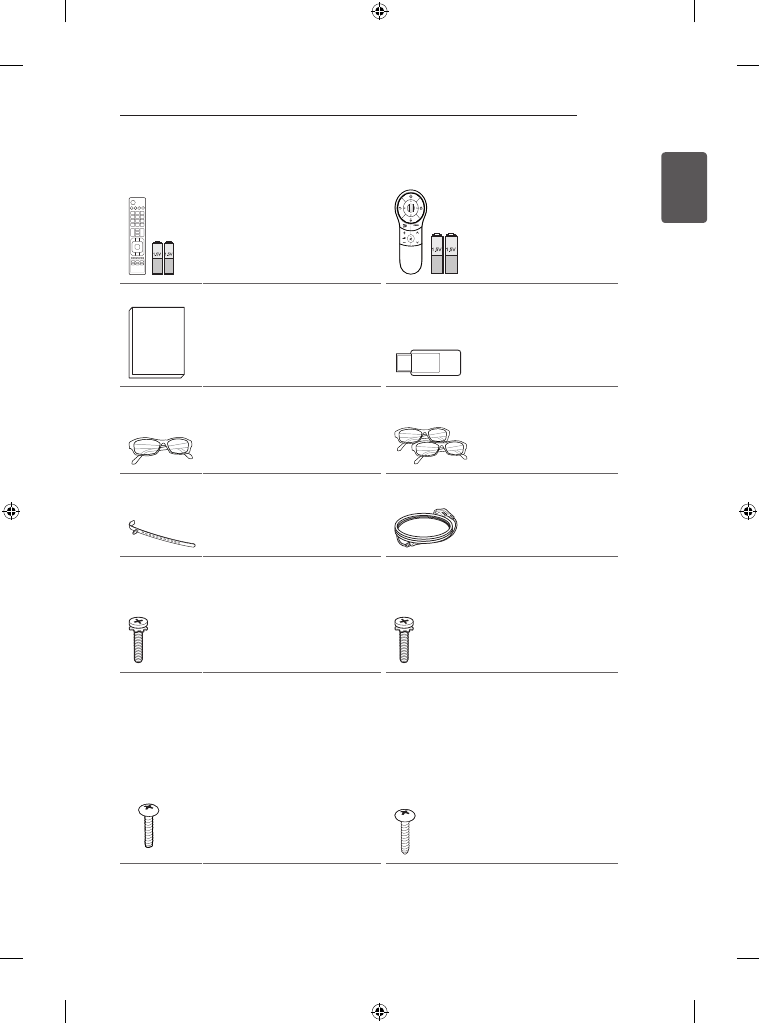
Owner’s manual
Wi-Fi dongle
(Depending on model)
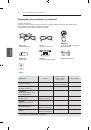
Cinema 3d Glasses
The number of 3D glasses may
differ depending on the model or
country.
(Depending on model)
dual play glasses
(Depending on model)
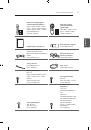
Cable Holder
(Depending on model)
(See p. A-6)
Power Cord
(Depending on model)
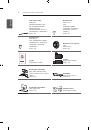
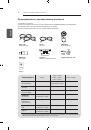
Stand Screws
M4 x 14
(8 EA: Only LN57**-ZE/ZK,
LA62**, LA64**, LA66**, LA71**,
LN61**, LN65**)
(4 EA: Only LN57**-ZA)
(See p. A-3,A-5)
Stand Screws
M4 x 20
(4 EA: Only LA69**, LA74**)
(See p. A-4)
Stand Screws
3 EA, P5 x 25
(Only LN57**-ZA)
(See p.A-5)
desk-mount Screw
(1 EA : Only
32/39/42/47/50/60LN57**-
ZA)
(2 EA :Only
32/39/42/47/50LN57**-ZE/
ZK, 32/39/42/47/50LA62**,
32/42/47/50LA64**,
32/42/47/50LA66**,
47LA71**, 32/42/47LN61**,
32/42LN65**)
(See p. 19)