Инструкция для LG 32LA660V
 1
 2
 3
 4
 5
 6
 7
 8
 9
 10
 11
 12
 13
 14
 15
 16
 17
 18
 19
 20
 21
 22
 23
 24
 25
 26
 27
 28
 29
 30
 31
 32
 33
 34
 35
 36
 37
 38
 39
 40
ENG
ENGLISH
3
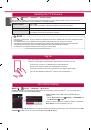
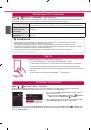
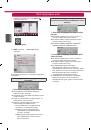
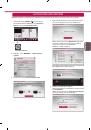
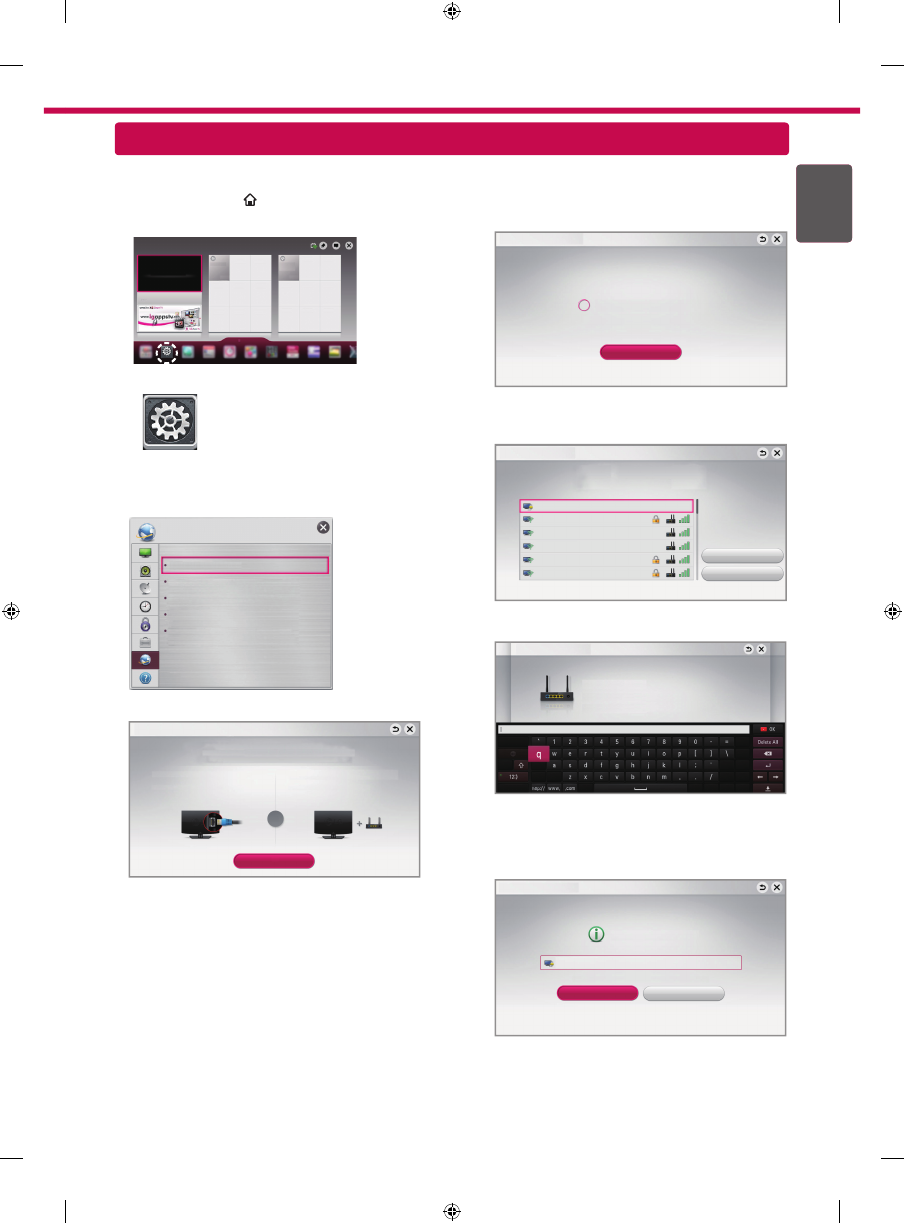
Network Setting
Premium Apps are pre-installed on the TV. These may vary by country.
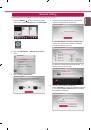
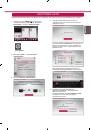
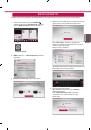
1 Press the
SMART
REC
button to access the Smart
Home menu. Select
Settings
and press
Wheel(OK)
.
Settings
More
More
Settings
2 Select the
NETWORK
→
Network Connection
menu.
Network Connection
Network Status
Wi-Fi Direct
Miracast
TM
/Intel's WiDi
NETWORK
My TV Name : 42LA660S-ZA
3 Select the
Start Connection
.
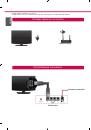
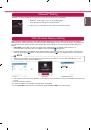
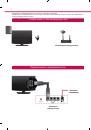
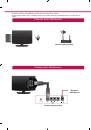
Connect to your wired or wireless network.
Network Connection
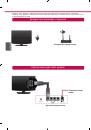
To connect to a wired network:
Connect a LAN cable to the back of TV.
To connect to a wireless network:
Requires a wireless router or access point.
Start Connection
or
Enjoy various Smart TV features through network.
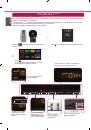
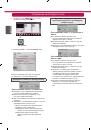
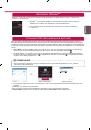
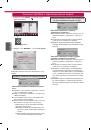
4 The device automatically tries to connect to the
network available(wired network first).
Cancel
Connecting to the network.
Network Connection
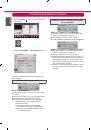
If you select
Cancel
or it fails to connect to the
network, the network list available is displayed.
Choose the network you want.
Choose the network you want.
Wired Network
Wireless : AAA
Wireless : BBB
Wireless : CCC
Wireless : 11111
Wireless : 22222
Manual Setup
Refresh List
Network Connection
For wireless routers that have the
ꔒ
symbol, you
need to enter the security key.
Network Connection
Wireless : AAA
Forgot your password? Contact your AP manufacturer.
Enter security key of network.
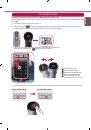
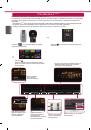
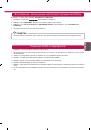
5 The connected network is displayed.
Select
Complete
to confirm the network connection.
If you select the
Other Network List
, the network
list available is displayed.
Network is connected.
Wireless:AAA
Select [Other Network List] to connect to another network.
Complete
Other Network List
Network Connection
Оглавление инструкции
- CIS_01_MBM63817852_Eng_Built in.pdf
- CIS_02_MBM63817852_Rus_Built in
- CIS_03_MBM63817852_Kaz_Built in
- CIS_04_MBM63817852_Ukr_Built in
- pagenation_Rev16_MBM63817852.pdf
- MFL