Инструкция для Zyxel Prestige 791R EE
 1
 2
 3
 4
 5
 6
 7
 8
 9
 10
 11
 12
 13
 14
 15
 16
 17
 18
 19
 20
 21
 22
 23
 24
 25
 26
 27
 28
 29
 30
 31
 32
 33
 34
 35
 36
 37
 38
 39
 40
 41
 42
 43
 44
 45
 46
 47
 48
 49
 50
 51
 52
 53
 54
 55
 56
 57
 58
 59
 60
 61
 62
 63
 64
 65
 66
 67
 68
 69
 70
 71
 72
 73
 74
 75
 76
 77
 78
 79
 80
 81
 82
 83
 84
 85
 86
 87
 88
 89
 90
 91
 92
 93
 94
 95
 96
 97
 98
 99
 100
 101
 102
 103
 104
 105
 106
 107
 108
 109
 110
 111
 112
 113
 114
 115
 116
 117
 118
 119
 120
 121
 122
 123
 124
 125
 126
 127
 128
 129
 130
 131
 132
 133
 134
 135
 136
 137
 138
 139
 140
 141
 142
 143
 144
 145
 146
 147
 148
 149
 150
 151
 152
 153
 154
 155
 156
 157
 158
 159
 160
 161
 162
 163
 164
 165
 166
 167
 168
 169
 170
 171
 172
 173
 174
 175
 176
 177
 178
 179
 180
 181
 182
 183
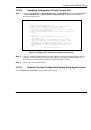 184
 185
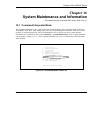 186
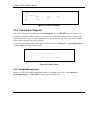 187
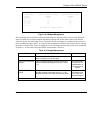 188
 189
 190
 191
 192
 193
 194
 195
 196
 197
 198
 199
 200
 201
 202
 203
 204
 205
 206
 207
 208
 209
 210
 211
 212
 213
 214
 215
 216
 217
 218
 219
 220
 221
 222
 223
 224
 225
 226
 227
 228
 229
 230
 231
 232
 233
 234
 235
 236
 237
 238

Prestige 791R G.SHDSL Router
Preface xix
Preface
Congratulations on your purchase of the Prestige 791R G.SHDSL Router.
The Prestige is a high-performance router for Internet/LAN access via a telephone line. Your Prestige
supports multi-protocol routing for TCP/IP, as well as transparent bridging for other protocols.
The Prestige supports symmetrical multi-rate data transmission speeds 72 Kbps up to 2312 Kbps. The
actual rate depends on the copper category of your telephone wires, distance from the central office and the
type of DSL service you subscribe to. Its 10/100M auto-negotiating LAN interface enables fast data transfer
of either 10Mbps or 100Mbps in either half-duplex or full-duplex mode depending on your Ethernet
network. See the following section for more background information on DSL.
The Prestige uses TC-PAM line code with echo cancellation for high data rate transmissions over a single-
twisted telephone wire pair without being affected by bridge taps or mixed cable links. It also provides high
immunity from background noise.
Your Prestige is easy to install and configure. All functions are configurable via the SMT (System
Management Terminal) and web configurator. Advanced users may configure the Prestige using CLI
(Command Line Interface) commands.
Please visit our web site at
www.zyxel.com
for the latest release notes and product information.
Don’t forget to register your Prestige (fast, easy online registration at
www.zyxel.com
) for free future product updates and information.
About This User's Guide
This manual is designed to guide you through the configuration of your Prestige for its various applications.
Primarily SMT menus are shown, but web configurator screens are shown for features that do not have
SMT menus or the recommendation is to configure via web configurator.
Related Documentation
Supporting Disk
Refer to the included CD for support documents.
Quick Start Guide
The Quick Start Guide is designed to help you get up and running right away. It contains a detailed
easy-to-follow connection diagram, default settings, handy checklists and information on setting
up your network and configuring for Internet access.
ZyXEL Web Site
The ZyXEL download library at www.zyxel.com contains additional support documentation.
Please also refer to www.zyxel.com for an online glossary of networking terms.
Оглавление инструкции
- Prestige 791R
- Table of Contents
- List of Figures
- List of Tables
- Preface
- What is DSL
- Part1.pdf
- Getting to Know Your G.SHDSL Router
- Hardware Installation
- Initial Setup
- WAN
- Dial Backup
- LAN
- Internet Access
- Part2.pdf
- Remote Node Configuration
- Static Route Setup
- Bridging Setup
- Network Address Translation (NAT)
- Part3.pdf
- Filter Configuration
- SNMP Configuration
- System Maintenance
- Firmware and Configuration File Maintenance
- Filename Conventions
- Backup Configuration
- Restore Configuration
- Uploading Firmware and Configuration Files
- Firmware File Upload
- Configuration File Upload
- FTP File Upload Command from the DOS Prompt Example
- FTP Session Example of Firmware File Upload
- TFTP File Upload
- TFTP Upload Command Example
- Uploading Via Console Port
- Uploading Firmware File Via Console Port
- Example Xmodem Firmware Upload Using HyperTerminal
- Uploading Configuration File Via Console Port
- Example Xmodem Configuration Upload Using HyperTerminal
- System Maintenance and Information
- IP Policy Routing
- Call Scheduling
- Remote Management
- Part4.pdf