Инструкция для JVC KW-AVX820
 1
 2
 3
 4
 5
 6
 7
 8
 9
 10
 11
 12
 13
 14
 15
 16
 17
 18
 19
 20
 21
 22
 23
 24
 25
 26
 27
 28
 29
 30
 31
 32
 33
 34
 35
 36
 37
 38
 39
 40
 41
 42
 43
 44
 45
 46
 47
 48
 49
 50
 51
 52
 53
 54
 55
 56
 57
 58
 59
 60
 61
 62
 63
 64
 65
 66
 67
 68
 69
 70
 71
 72
 73
 74
 75
 76
 77
 78
 79
 80
 81
 82
 83
 84
 85
 86
 87
 88
 89
 90
 91
 92
 93
 94
 95
 96
 97
 98
 99
 100
 101
 102
 103
 104
 105
 106
 107
 108
 109
 110
 111
 112
 113
 114
 115
 116
 117
 118
 119
 120
 121
 122
 123
 124
 125
 126
 127
 128
 129
 130
 131
 132
 133
 134
 135
 136
 137
 138
 139
 140
 141
 142
 143
 144
 145
 146
 147
 148
 149
 150
 151
 152
 153
 154
 155
 156
 157
 158
 159
 160
 161
 162
 163
 164
 165
 166
 167
 168
 169
 170
 171
 172
 173
 174
 175
 176
 177
 178
 179
 180
 181
 182
 183
 184
 185
 186
 187
 188
 189
 190
 191
 192
 193
 194
 195
 196
 197
 198
 199
 200
 201
 202
 203
 204
 205
 206
 207
 208
 209
 210
 211
 212
 213
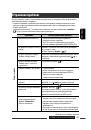
17
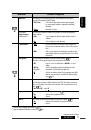
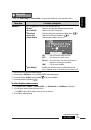
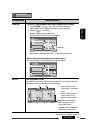
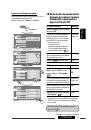
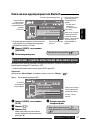
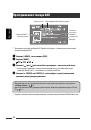
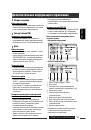
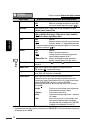
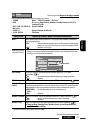
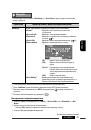
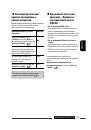
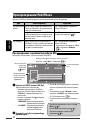
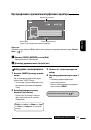
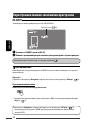
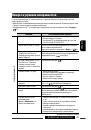
AV MENU
ENGLISH
Continued on the next page
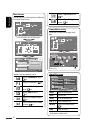
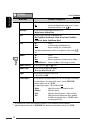
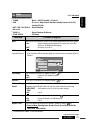
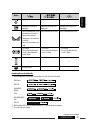
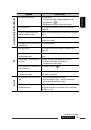
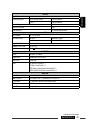
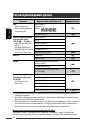
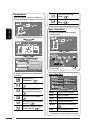
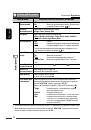
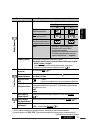
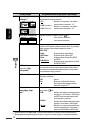
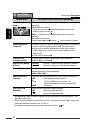
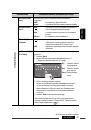
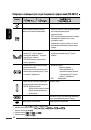
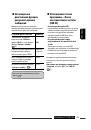
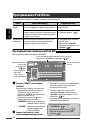
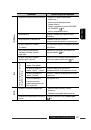
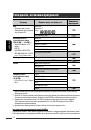
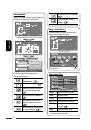
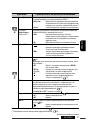
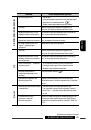
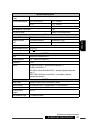
Menu item
Selectable setting/item
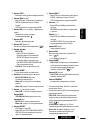
Disc
Down Mix
*
5
When playing back a multi-channel disc, this setting affects the signals
reproduced through the LINE OUT plugs.
♦
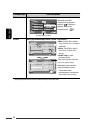
Dolby Surr.
♦
Stereo
: Select this to enjoy multi-channel surround audio
by connecting an amplifier compatible with Dolby
Surround.
: Normally select this.
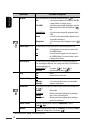
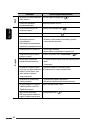
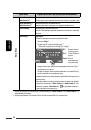
D.
(Dynamic)
Range Compres.
(Compression)
*
5
You can enjoy a powerful sound at a low volume level while playing Dolby
Digital software.
♦
Auto
♦
On
:
Select to apply the effect to multi-channel encoded
software.
:
Select to always use this function.
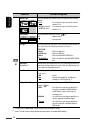
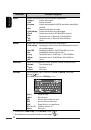
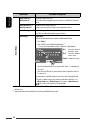
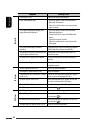
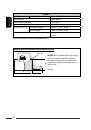
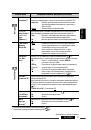
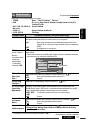
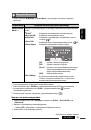
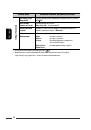
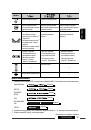
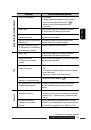
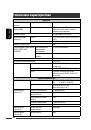
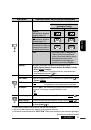
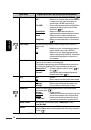
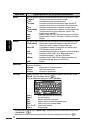
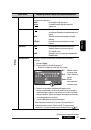
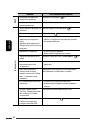
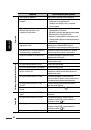
Tuner
IF Band Width
♦
Auto
♦
Wide
:
Increases the tuner selectivity to reduce interference
noises between adjacent stations. (Stereo effect may be
lost.)
:
Subject to the interference from adjacent stations, but
sound quality will not be degraded and the stereo effect
will remain.
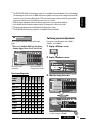
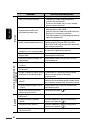
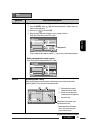
AF Regional
You can change the Network-Tracking Reception setting. (
32)
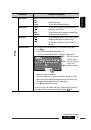
When the received signals from the current station become weak...
♦
Of
♦
AF Reg.
(Regional)
♦
AF
:
Cancels—not selectable when <
DAB AF
> is set to
<
On
>.
:
Switches to another station broadcasting the same
programme. The REG indicator lights up.
:
Switches to another station. The programme may differ
from the one currently received (the AF indicator lights
up). (
32)
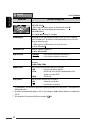
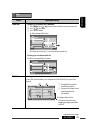
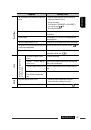
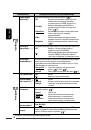
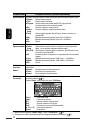
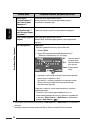
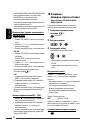
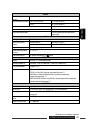
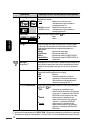
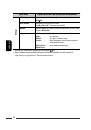
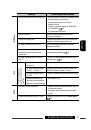
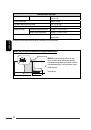
TA Volume
You can adjust the preset TA volume level.
When the unit switches to Traffic Announcement (TA), the volume changes to
the preset TA volume level if the current volume level is lower than the preset
level. (
31)
♦
00
to
30
or
50
*
7
, Initial
15
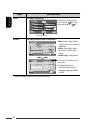
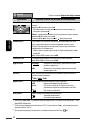
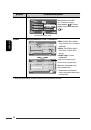
Program Search
You can turn on and off the Programme Search. (
32)
♦
On
♦
Off
:
Activates the Programme Search.
:
Cancels.
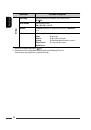
DAB AF
*
8
You can turn on and off the Alternative Frequency Reception. (
49)
♦
On
♦
Off
:
Activates the Alternative Frequency Reception.
:
Cancels.
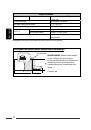
*
7
Depends on the amplifier gain control.
(
20)
*
8
Appears only when DAB tuner is connected.
(
48)