Инструкция для Samsung PS-50 A450P2
 1
 2
 3
 4
 5
 6
 7
 8
 9
 10
 11
 12
 13
 14
 15
 16
 17
 18
 19
 20
 21
 22
 23
 24
 25
 26
 27
 28
 29
 30
 31
 32
 33
 34
 35
 36
 37
 38
 39
 40
 41
 42
 43
 44
 45
 46
 47
 48
 49
 50
 51
 52
 53
 54
 55
 56
 57
 58
 59
 60
 61
 62
 63
 64
 65
 66
 67
 68
 69
 70
 71
 72
 73
 74
 75
 76
 77
 78
 79
 80
 81
 82
 83
 84
 85
 86
 87
 88
 89
 90
 91
 92
 93
 94
 95
 96
 97
 98
 99
 100
 101
 102
 103
 104
 105
 106
 107
 108
 109
 110
 111
 112
 113
 114
 115
 116
 117
 118
 119
 120
 121
 122
English -
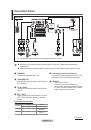
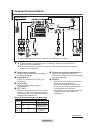
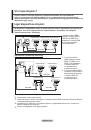
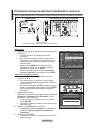
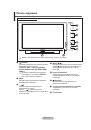
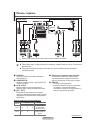
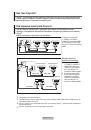
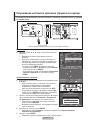
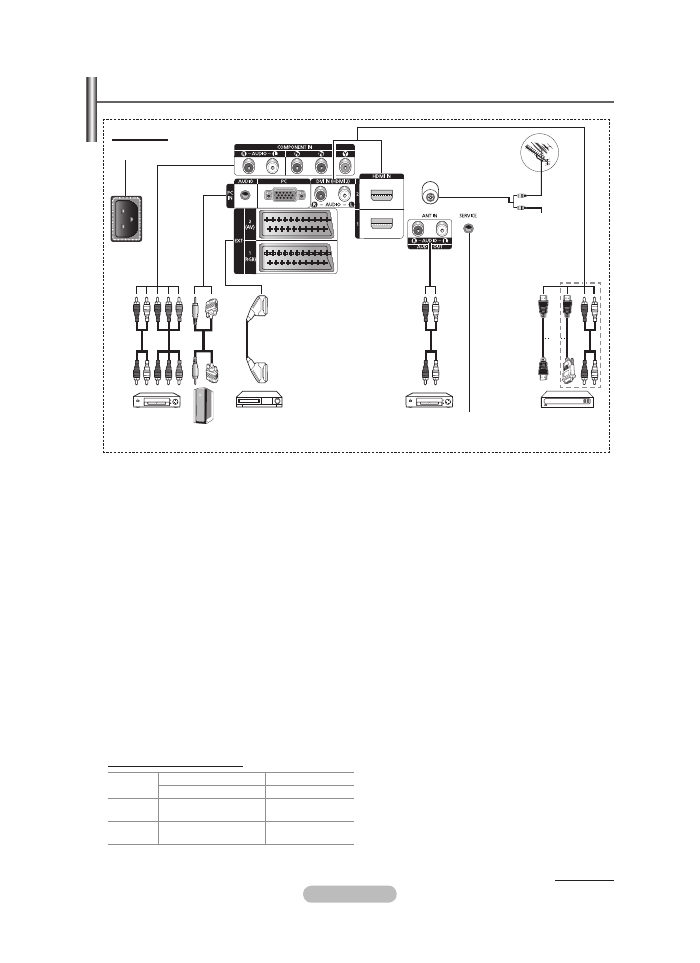
Connection Panel
Continued...
☛
Whenever you connect an audio or video system to your set, ensure that all elements are
switched off.
When connecting an external device, match the colour of the connection terminal to the cable.
1
POWER IN
Connect the supplied power cord.
2
COMPONENT IN
Audio (AUDIO L/R) and video (Y/P
B
/P
R
) inputs
for Component.
3
PC IN / AUDIO
Connect to the video and audio output jack on
your PC.
4
EXT 1, EXT
Inputs or outputs for external devices, such as
VCR, DVD, video game device or video disc
players.
Input/Output Specification
Connector
Input
Output
Video Audio(L/R) RGB
Video + Audio(L/R)
EXT 1
✔
✔
✔
Only TV output is
available.
EXT 2
✔
✔
Output you can
choose.
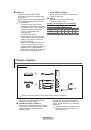
5
Connecting external Audio Devices
Connect RCA audio signals from the TV to an
external source, such as Audio equipment.
6
SERVICE
− Connector for service.
− Connect the serial jack between the
electro-motion wall mount bracket and your
TV when you want to adjust the TV viewing
angle using your remote control.
Rear Panel
➢
The product colour and shape may vary depending on the model.
Cable Television
Network
1
4
3
2
5
7
8
6
or
or
BN68-01417F-00.indb 6
2008-04-07 오후 7:10:53
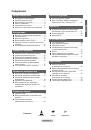
Оглавление инструкции
- Cover
- Eng
- User Instructions
- Contents
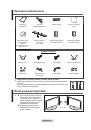
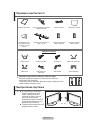
- Checking Parts
- Using the Stand-Base
- Control Panel
- Connection Panel
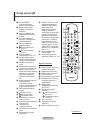
- Viewing the Remote Control
- Switching Your Television On and Off
- Viewing the Menus
- Plug & Play Feature
- Using the TOOLS Button
- Viewing External Signal Sources
- Editing Device Names
- Storing Channels Automatically
- Storing Channels Manually
- Adding / Locking Channels
- Sorting the Stored Channels
- Assigning Names to Channels
- Fine Tuning Channel Reception
- LNA (Low Noise Amplifier
- Changing the Picture Standard
- Customizing the Picture Settings
- Configuring Detailed Settings on the Picture
- Picture Options
- Resetting the Picture Settings to the Factory Defaults
- Sound Features
- Selecting the Sound Mode (depending on the model
- Connecting Headphones (Sold separately
- Time Features
- Language / Melody / Light Effect / Entertainment /Energy Saving / PIP
- Setting up Your PC Software (Based on Windows XP)
- Input Mode (PC)
- Setting the PC
- What is Anynet+?
- Connecting Anynet+ Devices
- Setting Up Anynet+
- Scanning and Switching between Anynet+ Devices
- Recording
- Listening through a Receiver
- Check Points before Requesting Service
- Teletext Feature (depending on the model)
- Wall Mount Kit Specifications (VESA)
- Wall- mount adjustment (Sold separately)
- How to assemble the Stand-Base (depending on the model
- Troubleshooting
- Specifications
- Rus
- Ukr
- Eng