Инструкция для Samsung PS-50 A450P2
 1
 2
 3
 4
 5
 6
 7
 8
 9
 10
 11
 12
 13
 14
 15
 16
 17
 18
 19
 20
 21
 22
 23
 24
 25
 26
 27
 28
 29
 30
 31
 32
 33
 34
 35
 36
 37
 38
 39
 40
 41
 42
 43
 44
 45
 46
 47
 48
 49
 50
 51
 52
 53
 54
 55
 56
 57
 58
 59
 60
 61
 62
 63
 64
 65
 66
 67
 68
 69
 70
 71
 72
 73
 74
 75
 76
 77
 78
 79
 80
 81
 82
 83
 84
 85
 86
 87
 88
 89
 90
 91
 92
 93
 94
 95
 96
 97
 98
 99
 100
 101
 102
 103
 104
 105
 106
 107
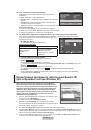 108
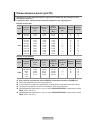 109
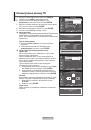 110
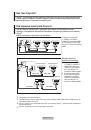 111
 112
 113
 114
 115
 116
 117
 118
 119
 120
 121
 122
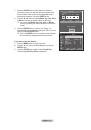
English - 1
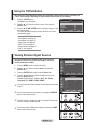
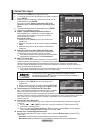
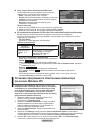
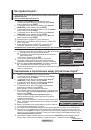
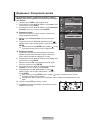
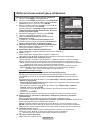
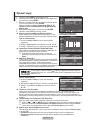
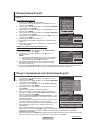
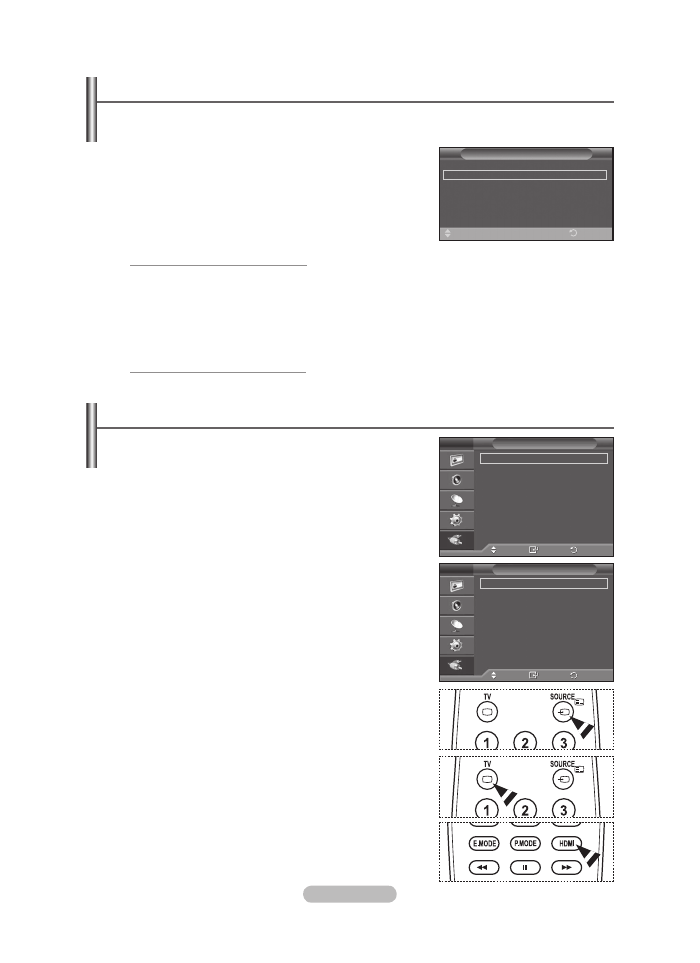
Viewing External Signal Sources
You can switch between viewing signals from connected
equipment, such as a VCR, DVD, Set-Top Box, and the TV
source (broadcast or cable).
1
Press the
MENU
button to display the menu.
Press the ▲ or ▼ button to select
Input
, then press the
ENTER
button.
Press the
ENTER
button again to select
Source List
.
4
Press the ▲ or ▼ button to select the signal source, then
press the
ENTER
button.
Available signal sources:
TV
,
Ext.1
,
Ext.
,
AV
,
S-Video
,
Component
,
PC
,
HDMI1
,
HDMI
,
HDMI
➢
You can choose only those external devices that are connected
to the TV.
➢
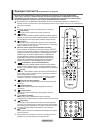
You can select these options simply by pressing the
SOURCE
button on the remote control.
➢
To watch television programme again, press the
TV
button and
select the channel number required.
➢
You can also watch HDMI mode simply by pressing the
HDMI
button on the remote control.
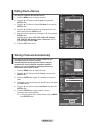
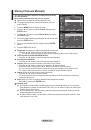
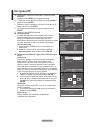
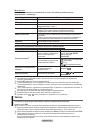
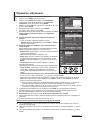
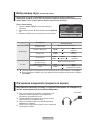
Using the TOOLS Button
You can use the TOOLS button to select your frequently used functions quickly and easily. The
“Tools” menu changes depending on which external input mode you are viewing.
1
Press the
TOOLS
button.
The
Tools
menu will appear.
Press the ▲ or ▼ button to select a menu, then press the
ENTER
button.
Press the ▲/▼/◄/►/
ENTER
buttons to display, change, or use
the selected items.
For a more detailed description of each function, refer to the
corresponding page.
• Anynet+(HDMI-CEC), see page 30
• Picture Mode, see page 18
• Sound Mode, see page 23
• Sleep Timer, see page 25
• SRS TS XT, see page 23
• Energy Saving, see page 27
• Dual I-II, see page 24
Move
Enter
Return
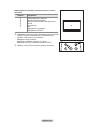
Source List
:
TV
Edit Name
Anynet+ (HDMI-CEC)
Input
T V
Move
Enter
Return
TV
Ext.1
: −−−−
Ext.
: −−−−
AV
: −−−−
S-Video
: −−−−
Component
: −−−−
PC
: −−−−
HDMI1
: −−−−
HDMI
: −−−−
HDMI
: −−−−
Source List
T V
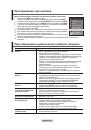
Tools
Anynet+ (HDMI-CEC)
Picture Mode
: Standard
Sound Mode
: Custom
Sleep Timer
: Off
SRS TS XT
: Off
Energy Saving
: Off
Dual I-II
: Mono
◄ ►
Adjust
Exit
Move
BN68-01417F-00.indb 12
2008-04-07 오후 7:11:01
Оглавление инструкции
- Cover
- Eng
- User Instructions
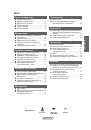
- Contents
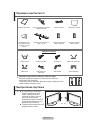
- Checking Parts
- Using the Stand-Base
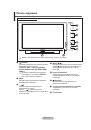
- Control Panel
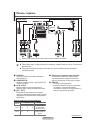
- Connection Panel
- Viewing the Remote Control
- Switching Your Television On and Off
- Viewing the Menus
- Plug & Play Feature
- Using the TOOLS Button
- Viewing External Signal Sources
- Editing Device Names
- Storing Channels Automatically
- Storing Channels Manually
- Adding / Locking Channels
- Sorting the Stored Channels
- Assigning Names to Channels
- Fine Tuning Channel Reception
- LNA (Low Noise Amplifier
- Changing the Picture Standard
- Customizing the Picture Settings
- Configuring Detailed Settings on the Picture
- Picture Options
- Resetting the Picture Settings to the Factory Defaults
- Sound Features
- Selecting the Sound Mode (depending on the model
- Connecting Headphones (Sold separately
- Time Features
- Language / Melody / Light Effect / Entertainment /Energy Saving / PIP
- Setting up Your PC Software (Based on Windows XP)
- Input Mode (PC)
- Setting the PC
- What is Anynet+?
- Connecting Anynet+ Devices
- Setting Up Anynet+
- Scanning and Switching between Anynet+ Devices
- Recording
- Listening through a Receiver
- Check Points before Requesting Service
- Teletext Feature (depending on the model)
- Wall Mount Kit Specifications (VESA)
- Wall- mount adjustment (Sold separately)
- How to assemble the Stand-Base (depending on the model
- Troubleshooting
- Specifications
- Rus
- Ukr
- Eng