Инструкция для Samsung PS-50 A450P2
 1
 2
 3
 4
 5
 6
 7
 8
 9
 10
 11
 12
 13
 14
 15
 16
 17
 18
 19
 20
 21
 22
 23
 24
 25
 26
 27
 28
 29
 30
 31
 32
 33
 34
 35
 36
 37
 38
 39
 40
 41
 42
 43
 44
 45
 46
 47
 48
 49
 50
 51
 52
 53
 54
 55
 56
 57
 58
 59
 60
 61
 62
 63
 64
 65
 66
 67
 68
 69
 70
 71
 72
 73
 74
 75
 76
 77
 78
 79
 80
 81
 82
 83
 84
 85
 86
 87
 88
 89
 90
 91
 92
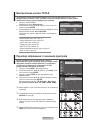 93
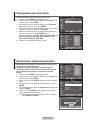 94
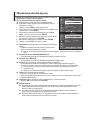 95
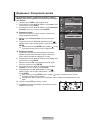 96
 97
 98
 99
 100
 101
 102
 103
 104
 105
 106
 107
 108
 109
 110
 111
 112
 113
 114
 115
 116
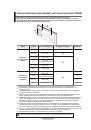 117
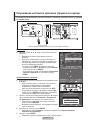 118
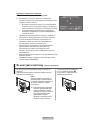 119
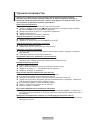 120
 121
 122

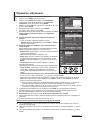
English -
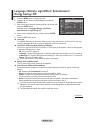
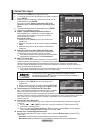
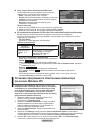
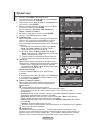
Language / Melody / Light Effect / Entertainment /
Energy Saving / PIP
1
Press the
MENU
button to display the menu.
Press the ▲ or ▼ button to select
Setup
, then press the
ENTER
button.
Select the required option by pressing the ▲ or ▼ button, then
press the
ENTER
button.
Available options:
Language
,
Melody
,
Light Effect
,
Entertainment
,
Energy Saving, PIP
4
When you are satisfied with your setting, press the
ENTER
button.
5
Press the
EXIT
button to exit.
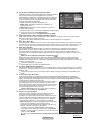
Language
It is variable depending on the model. When you start using the television for the first time, you must
select the language which will be used for displaying menus and indications.
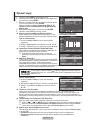
Light Effect
:
Off/In Standby/In Watching TV/Always
You can turn on/off the blue LED on the front of TV according to the situation. Use it for saving power
or when the LED dazzles your eyes.
−
Off
: The blue LED is always off.
−
In Standby
: The blue LED lights while in Standby mode and it turns off when your TV is turned on.
−
In Watching TV
: The blue LED lights when watching TV and it turns off when your TV is turned off.
−
Always
: The blue LED always lights.
➢
Set the Light Effect to Off to reduce the power consumption.
Melody
:
Off/Low/Medium/High
The TV power on/off melody sound can be adjusted.
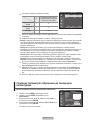
Entertainment
:
Off/Sports/Cinema/Game
Entertainment mode enables you to select the optimal display and sound for sports, cinema and
games.
−
Off
: Switches the
Entertainment
function off.
−
Sports
: Provides the optimal picture and sound quality for sports.
−
Cinema
: Provides the optimal picture and sound quality for movie watching.
You can experience a richer picture and enhanced sound.
−
Game
: Provides the optimal picture and sound quality for games. This mode accelerates the
playing speed when using an external game console connected to the TV.
➢
If you set any of the three Entertainment modes to On, the settings will be locked and can not be
adjusted. If you want to make Picture and Sound mode adjustments, the Entertainment mode
must be turned off.
➢
The Entertainment settings are saved for each input source.
Continued...
Move
Enter
Return
Plug & Play
Language
:
English
Time
Light Effect
: In Watching TV
Wall-Mount Adjustment
Melody
:
Off
Entertainment
:
Off
Energy Saving
:
Off
PIP
Setup
T V
BN68-01417F-00.indb 26
2008-04-07 오후 7:11:14
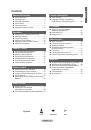
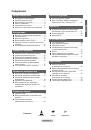
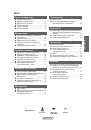
Оглавление инструкции
- Cover
- Eng
- User Instructions
- Contents
- Checking Parts
- Using the Stand-Base
- Control Panel
- Connection Panel
- Viewing the Remote Control
- Switching Your Television On and Off
- Viewing the Menus
- Plug & Play Feature
- Using the TOOLS Button
- Viewing External Signal Sources
- Editing Device Names
- Storing Channels Automatically
- Storing Channels Manually
- Adding / Locking Channels
- Sorting the Stored Channels
- Assigning Names to Channels
- Fine Tuning Channel Reception
- LNA (Low Noise Amplifier
- Changing the Picture Standard
- Customizing the Picture Settings
- Configuring Detailed Settings on the Picture
- Picture Options
- Resetting the Picture Settings to the Factory Defaults
- Sound Features
- Selecting the Sound Mode (depending on the model
- Connecting Headphones (Sold separately
- Time Features
- Language / Melody / Light Effect / Entertainment /Energy Saving / PIP
- Setting up Your PC Software (Based on Windows XP)
- Input Mode (PC)
- Setting the PC
- What is Anynet+?
- Connecting Anynet+ Devices
- Setting Up Anynet+
- Scanning and Switching between Anynet+ Devices
- Recording
- Listening through a Receiver
- Check Points before Requesting Service
- Teletext Feature (depending on the model)
- Wall Mount Kit Specifications (VESA)
- Wall- mount adjustment (Sold separately)
- How to assemble the Stand-Base (depending on the model
- Troubleshooting
- Specifications
- Rus
- Ukr
- Eng