Инструкция для Samsung PS-50 A450P2
 1
 2
 3
 4
 5
 6
 7
 8
 9
 10
 11
 12
 13
 14
 15
 16
 17
 18
 19
 20
 21
 22
 23
 24
 25
 26
 27
 28
 29
 30
 31
 32
 33
 34
 35
 36
 37
 38
 39
 40
 41
 42
 43
 44
 45
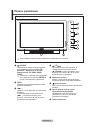 46
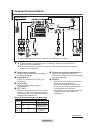 47
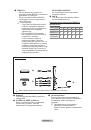 48
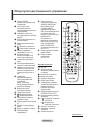 49
 50
 51
 52
 53
 54
 55
 56
 57
 58
 59
 60
 61
 62
 63
 64
 65
 66
 67
 68
 69
 70
 71
 72
 73
 74
 75
 76
 77
 78
 79
 80
 81
 82
 83
 84
 85
 86
 87
 88
 89
 90
 91
 92
 93
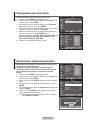 94
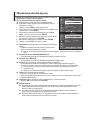 95
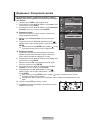 96
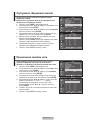 97
 98
 99
 100
 101
 102
 103
 104
 105
 106
 107
 108
 109
 110
 111
 112
 113
 114
 115
 116
 117
 118
 119
 120
 121
 122
English -
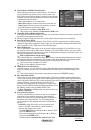
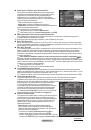
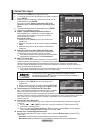
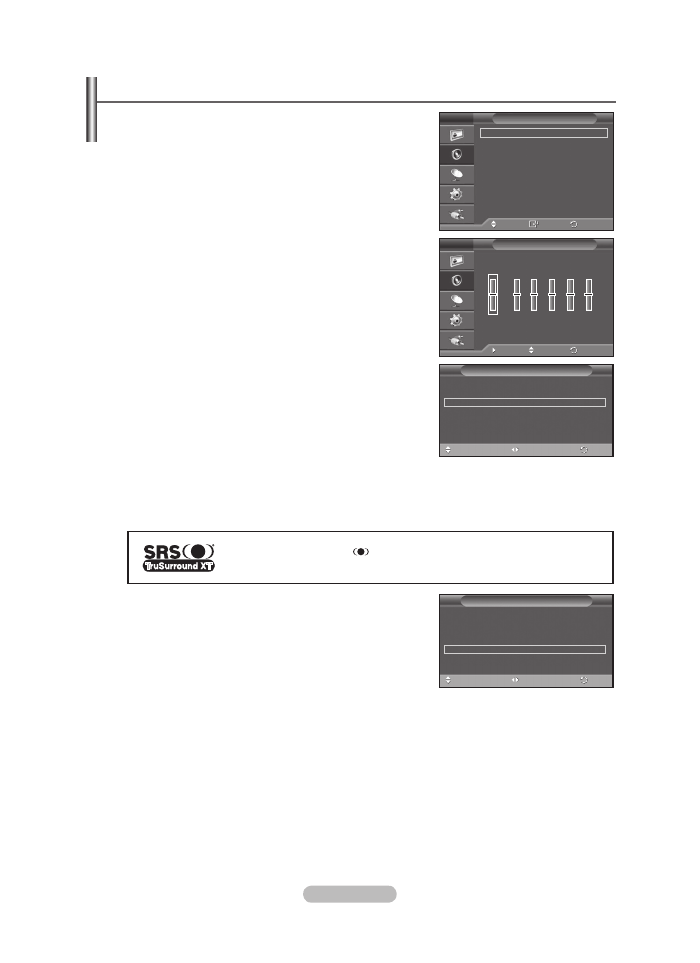
Sound Features
1
Press the
MENU
button to display the menu.
Press the ▲ or ▼ button to select
Sound
, then press the
ENTER
button.
Select the required option by pressing the ▲ or ▼ button, then
press the
ENTER
button.
Available options:
Mode
,
Equalizer
,
SRS TS XT
,
Auto
Volume
,
TV Speaker
,
Select Sound
4
When you are satisfied with your setting, press the
ENTER
button.
5
Press the
EXIT
button to exit.
Mode
:
Standard/Music/Movie/Speech/Custom
You can select the type of special sound effect to be used
when watching a given broadcast.
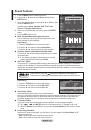
Easy Setting
1
Press the
TOOLS
button on the remote control.
Press the ▲ or ▼ button to select
Sound Mode
.
Press the ◄ or ► button to select the required option.
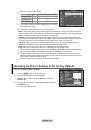
Equalizer
:
Balance/100Hz/00Hz/1kHz/kHz/10kHz
The television has several settings which allow you to control
the sound quality.
➢
If you make any changes to these settings, the sound
mode is automatically switched to
Custom
.
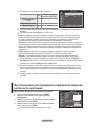
SRS TS XT
:
Off/On
TruSurround XT is a patented SRS technology that solves the problem of playing 5.1 multichannel
content over two speakers. TruSurround delivers a compelling, virtual surround sound experience
through any two-speaker playback system, including internal television speakers. It is fully compatible
with all multichannel formats.
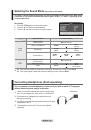
Easy Setting
1
Press the
TOOLS
button on the remote control.
Press the ▲ or ▼ button to select
SRS TS XT
.
Press the ◄ or ► button to select
Off
or
On
.
Auto Volume
:
Off/On
Each broadcasting station has its own signal conditions,
and so it is not easy to adjust the volume every time the channel is changed. This feature lets you
automatically adjust the volume of the desired channel by lowering the sound output when the
modulation signal is high or by raising the sound output when the modulation signal is low.
TV Speaker
:
Off/On
If you want to hear the sound through separate speakers, cancel the internal amplifier.
➢
The
+
,
-
and
MUTE
buttons do not operate when the TV Speaker is set to Off.
➢
When
TV Speaker
is set to
Off
, you can operate only
Sound Select
(in PIP mode) in Sound
menu.
Sound Select
:
Main/Sub
When the PIP feature is activated, you can listen to you can operate only
Sound Select
(in PIP
mode) in Sound menu.
-
Main
: Used to listen to the sound of the main picture.
-
Sub
: Used to listen to the sound of the sub picture.
Move
Enter
Return
Mode
:
Custom
Equalizer
SRS TS XT
:
Off
Auto Volume
:
Off
TV Speaker
:
Off
Select Sound
: Main
Sound
T V
Move
Adjust
Return
Equalizer
T V
Balance
100Hz 00Hz 1kHz
kHz 10kHz
+
0
-
R
L
+
0
-
Tools
Anynet+ (HDMI-CEC)
Picture Mode
: Standard
Sound Mode
◄ Custom
►
Sleep Timer
: Off
SRS TS XT
: Off
Energy Saving
: Off
Dual I-II
: Mono
Tools
Anynet+ (HDMI-CEC)
Picture Mode
: Standard
Sound Mode
: Custom
Sleep Timer
: Off
SRS TS XT
◄ Off
►
Energy Saving
: Off
Dual I-II
: Mono
Move
Adjust
Exit
Move
Adjust
Exit
TruSurround XT, SRS and
Symbol are trademarks of SRS Labs, Inc.
TruSurround XT technology is incorporated under license from SRS Labs, Inc.
BN68-01417F-00.indb 23
2008-04-07 오후 7:11:12
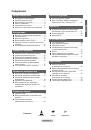
Оглавление инструкции
- Cover
- Eng
- User Instructions
- Contents
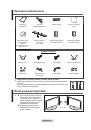
- Checking Parts
- Using the Stand-Base
- Control Panel
- Connection Panel
- Viewing the Remote Control
- Switching Your Television On and Off
- Viewing the Menus
- Plug & Play Feature
- Using the TOOLS Button
- Viewing External Signal Sources
- Editing Device Names
- Storing Channels Automatically
- Storing Channels Manually
- Adding / Locking Channels
- Sorting the Stored Channels
- Assigning Names to Channels
- Fine Tuning Channel Reception
- LNA (Low Noise Amplifier
- Changing the Picture Standard
- Customizing the Picture Settings
- Configuring Detailed Settings on the Picture
- Picture Options
- Resetting the Picture Settings to the Factory Defaults
- Sound Features
- Selecting the Sound Mode (depending on the model
- Connecting Headphones (Sold separately
- Time Features
- Language / Melody / Light Effect / Entertainment /Energy Saving / PIP
- Setting up Your PC Software (Based on Windows XP)
- Input Mode (PC)
- Setting the PC
- What is Anynet+?
- Connecting Anynet+ Devices
- Setting Up Anynet+
- Scanning and Switching between Anynet+ Devices
- Recording
- Listening through a Receiver
- Check Points before Requesting Service
- Teletext Feature (depending on the model)
- Wall Mount Kit Specifications (VESA)
- Wall- mount adjustment (Sold separately)
- How to assemble the Stand-Base (depending on the model
- Troubleshooting
- Specifications
- Rus
- Ukr
- Eng