Инструкция для Sony Cyber-Shot DSC-W530
 1
 2
 3
 4
 5
 6
 7
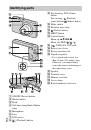 8
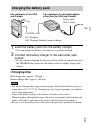 9
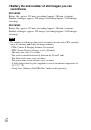 10
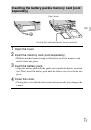 11
 12
 13
 14
 15
 16
 17
 18
 19
 20
 21
 22
 23
 24
 25
 26
 27
 28
 29
 30
 31
 32
 33
 34
 35
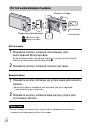 36
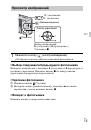 37
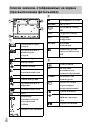 38
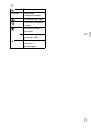 39
 40
 41
 42
 43
 44
 45
 46
 47
 48
 49
 50
 51
 52
 53
 54
 55
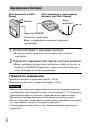 56
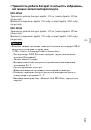 57
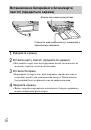 58
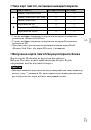 59
 60
 61
 62
 63
 64
 65
 66
 67
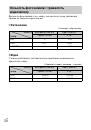 68
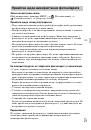 69
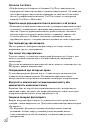 70
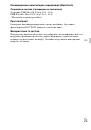 71
 72
 73
 74
 75
 76
 77
 78
 79
 80
GB
17
GB
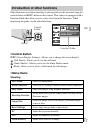
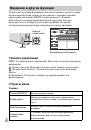
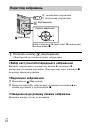
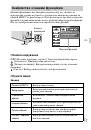
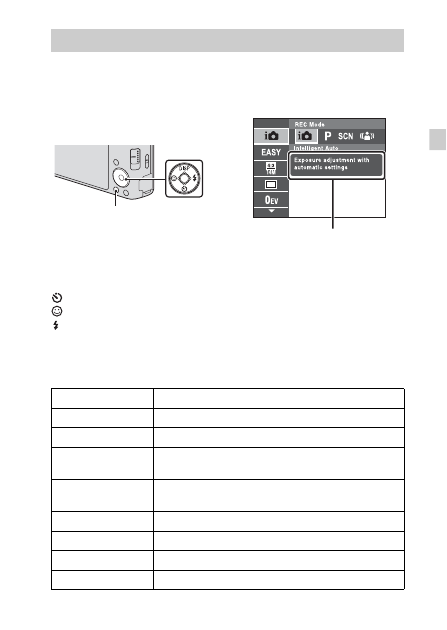
Other functions used when shooting or playing back can be operated using the
control button or MENU button on the camera. This camera is equipped with a
Function Guide that allows you to easily select from the functions. While
displaying the guide, try the other functions.
x
Control button
DISP
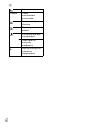
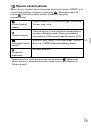
(Screen Display Settings): Allows you to change the screen display.
(Self-Timer): Allows you to use the self-timer.
(Smile Shutter): Allows you to use the Smile Shutter mode.
(Flash): Allows you to select a flash mode for still images.
x
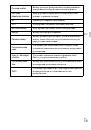
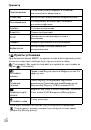
Menu Items
Shooting
Introduction of other functions
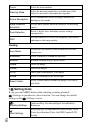
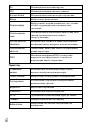
REC Mode
Select recording mode.
Scene Selection
Select pre-set settings to match various scene conditions.
Easy Mode
Shoot still images using minimal functions.
Shooting Direction
Set the direction to pan the camera when shooting Sweep
Panorama images.
Image Size
Select the image size for still images, panorama images
or movie files.
Burst Settings
Select single-image mode or burst mode.
EV
Adjust the exposure manually.
ISO
Adjust the luminous sensitivity.
White Balance
Adjust color tones of an image.
MENU
Control
button
Function Guide
Оглавление инструкции
- English
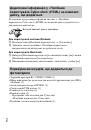
- Refer to “Cyber-shot User Guide” (HTML) on supplied CD-ROM
- Checking the accessories supplied
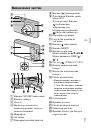
- Identifying parts
- Charging the battery pack
- Inserting the battery pack/a memory card (sold separately)
- Setting the date and time
- Shooting still images/movies
- Viewing images
- List of icons displayed on the screen (When shooting still images)
- Introduction of other functions
- Number of still images and recordable time of movies
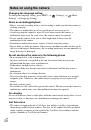
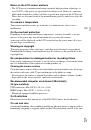
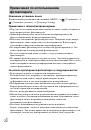
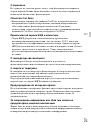
- Notes on using the camera
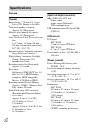
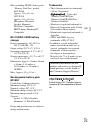
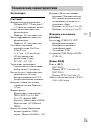
- Specifications
- Русский
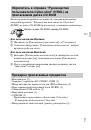
- Обратитесь к справке “Руководство пользователя Cyber-shot” (HTML) на прилагаемом диске CD-ROM
- Проверка прилагаемых предметов
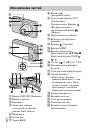
- Обозначение частей
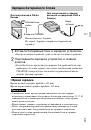
- Зарядка батарейного блока
- Установка батарейного блока/карты памяти (продается отдельно)
- Установка даты и времени
- Фотосъемка/видеосъемка
- Просмотр изображений
- Список значков, отображаемых на экране (при выполнении фотосъемки)
- Введение в другие функции
- Количество фотоснимков и время видеозаписи
- Примечания по использованию фотоаппарата
- Технические характеристики
- Українська
- Додаткова інформація у «Посібник користувача Cyber-shot» (HTML) на компактдиску, що додається
- Перевірка аксесуарів, що додаються до фотоапарата
- Визначення частин
- Заряджання батареї
- Встановлення батарейного блока/карти пам’яті (продається окремо)
- Налаштування дати й часу
- Налаштування дати й часу
- Перегляд зображень
- Список піктограм, які відображаються на екрані (під час фотозйомки)
- Знайомство з іншими функціями
- Кількість фотознімків і тривалість відеозапису
- Примітки щодо використання фотоапарата
- Технічні характеристики