Инструкция для Sony Cyber-Shot DSC-W530
 1
 2
 3
 4
 5
 6
 7
 8
 9
 10
 11
 12
 13
 14
 15
 16
 17
 18
 19
 20
 21
 22
 23
 24
 25
 26
 27
 28
 29
 30
 31
 32
 33
 34
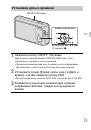 35
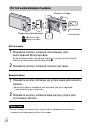 36
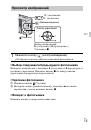 37
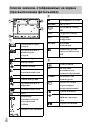 38
 39
 40
 41
 42
 43
 44
 45
 46
 47
 48
 49
 50
 51
 52
 53
 54
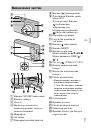 55
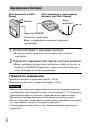 56
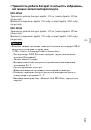 57
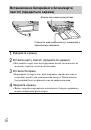 58
 59
 60
 61
 62
 63
 64
 65
 66
 67
 68
 69
 70
 71
 72
 73
 74
 75
 76
 77
 78
 79
 80
GB
18
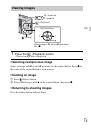
Viewing
x
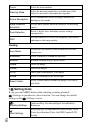
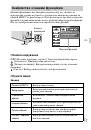
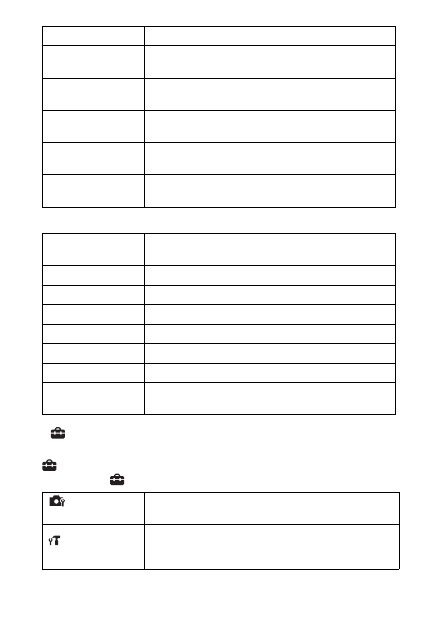
Setting items
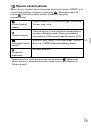
If you press the MENU button while shooting or during playback,
(Settings) is provided as a final selection. You can change the default
settings on the
(Settings) screen.
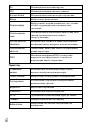
Focus
Select the focus method.
Metering Mode
Select the metering mode that sets which part of the
subject to measure to determine the exposure.
Scene Recognition
Set to automatically detect shooting conditions in
Intelligent Auto mode.
Smile Detection
Sensitivity
Set the Smile Shutter function sensitivity for detecting
smiles.
Face Detection
Select to detect faces and adjust various settings
automatically.
DRO
Set DRO function to correct the brightness and contrast
and improve the image quality.
Easy Mode
Set the text-size increases and all indicators become
easier to see.
Slideshow
Select a method of continuous playback.
Retouch
Retouch an image using various effects.
Delete
Delete an image.
Protect
Protect the images.
DPOF
Add a print order mark to a still image.
Rotate
Rotate a still image to the left or right.
Select Folder
Select a folder which contains the images you want to
play back.
Shooting Settings
Grid Line/Disp. Resolution/Digital Zoom/Red Eye
Reduction
Main Settings
Beep/Language Setting/Function Guide/Display color/
Power Save/Initialize/Video Out/USB Connect/LUN
Setting
Оглавление инструкции
- English
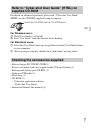
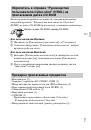
- Refer to “Cyber-shot User Guide” (HTML) on supplied CD-ROM
- Checking the accessories supplied
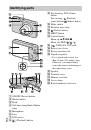
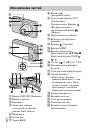
- Identifying parts
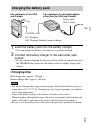
- Charging the battery pack
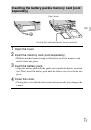
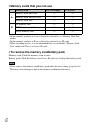
- Inserting the battery pack/a memory card (sold separately)
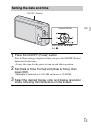
- Setting the date and time
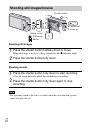
- Shooting still images/movies
- Viewing images
- List of icons displayed on the screen (When shooting still images)
- Introduction of other functions
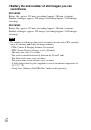
- Number of still images and recordable time of movies
- Notes on using the camera
- Specifications
- Русский
- Обратитесь к справке “Руководство пользователя Cyber-shot” (HTML) на прилагаемом диске CD-ROM
- Проверка прилагаемых предметов
- Обозначение частей
- Зарядка батарейного блока
- Установка батарейного блока/карты памяти (продается отдельно)
- Установка даты и времени
- Фотосъемка/видеосъемка
- Просмотр изображений
- Список значков, отображаемых на экране (при выполнении фотосъемки)
- Введение в другие функции
- Количество фотоснимков и время видеозаписи
- Примечания по использованию фотоаппарата
- Технические характеристики
- Українська
- Додаткова інформація у «Посібник користувача Cyber-shot» (HTML) на компактдиску, що додається
- Перевірка аксесуарів, що додаються до фотоапарата
- Визначення частин
- Заряджання батареї
- Встановлення батарейного блока/карти пам’яті (продається окремо)
- Налаштування дати й часу
- Налаштування дати й часу
- Перегляд зображень
- Список піктограм, які відображаються на екрані (під час фотозйомки)
- Знайомство з іншими функціями
- Кількість фотознімків і тривалість відеозапису
- Примітки щодо використання фотоапарата
- Технічні характеристики