Инструкция для Sony Cyber-Shot DSC-W530
Инструкция в формате - PDF
Количество страниц - 80 страниц
Размер - 4.2 МБ
Доступно - Бесплатное скачивание
Доступно - Онлайн чтение
 1
 2
 3
 4
 5
 6
 7
 8
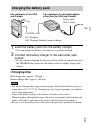 9
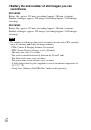 10
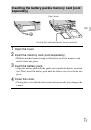 11
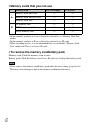 12
 13
 14
 15
 16
 17
 18
 19
 20
 21
 22
 23
 24
 25
 26
 27
 28
 29
 30
 31
 32
 33
 34
 35
 36
 37
 38
 39
 40
 41
 42
 43
 44
 45
 46
 47
 48
 49
 50
 51
 52
 53
 54
 55
 56
 57
 58
 59
 60
 61
 62
 63
 64
 65
 66
 67
 68
 69
 70
 71
 72
 73
 74
 75
 76
 77
 78
 79
 80
GB
14
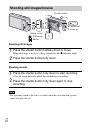
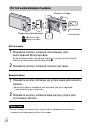
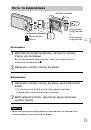
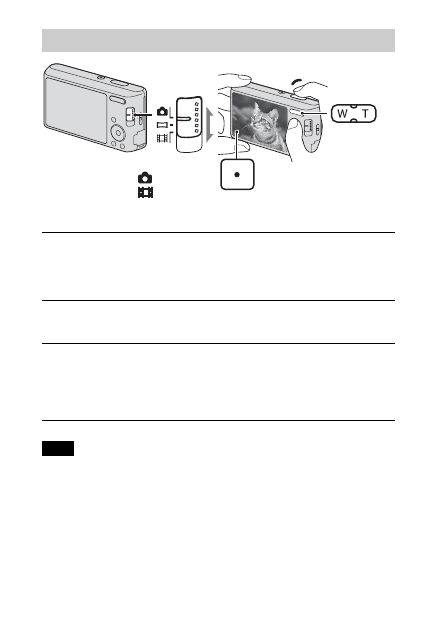
Shooting still images
Shooting movies
• The operating sound of the lens is recorded when the zoom function operates
while shooting a movie.
Shooting still images/movies
1
Press the shutter button halfway down to focus.
When the image is in focus, a beep sounds and the
z
indicator lights.
2
Press the shutter button fully down.
1
Press the shutter button fully down to start recording.
• Use the zoom button to adjust the zoom before recording.
2
Press the shutter button fully down again to stop
recording.
Note
Mode switch
Shutter button
W: zoom out
T: zoom in
: Still image
: Movie
Оглавление инструкции
- English
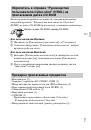
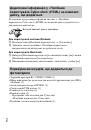
- Refer to “Cyber-shot User Guide” (HTML) on supplied CD-ROM
- Checking the accessories supplied
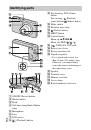
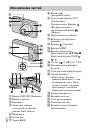
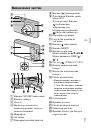
- Identifying parts
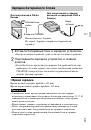
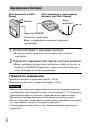
- Charging the battery pack
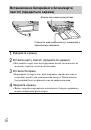
- Inserting the battery pack/a memory card (sold separately)
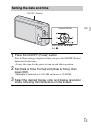
- Setting the date and time
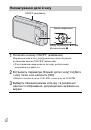
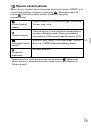
- Shooting still images/movies
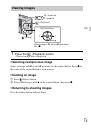
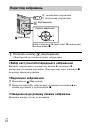
- Viewing images
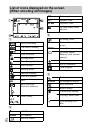
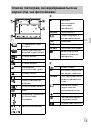
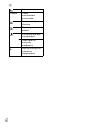
- List of icons displayed on the screen (When shooting still images)
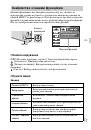
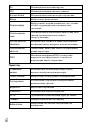
- Introduction of other functions
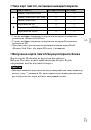
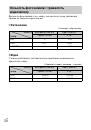
- Number of still images and recordable time of movies
- Notes on using the camera
- Specifications
- Русский
- Обратитесь к справке “Руководство пользователя Cyber-shot” (HTML) на прилагаемом диске CD-ROM
- Проверка прилагаемых предметов
- Обозначение частей
- Зарядка батарейного блока
- Установка батарейного блока/карты памяти (продается отдельно)
- Установка даты и времени
- Фотосъемка/видеосъемка
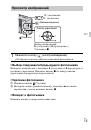
- Просмотр изображений
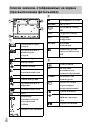
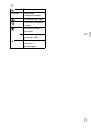
- Список значков, отображаемых на экране (при выполнении фотосъемки)
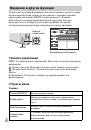
- Введение в другие функции
- Количество фотоснимков и время видеозаписи
- Примечания по использованию фотоаппарата
- Технические характеристики
- Українська
- Додаткова інформація у «Посібник користувача Cyber-shot» (HTML) на компактдиску, що додається
- Перевірка аксесуарів, що додаються до фотоапарата
- Визначення частин
- Заряджання батареї
- Встановлення батарейного блока/карти пам’яті (продається окремо)
- Налаштування дати й часу
- Налаштування дати й часу
- Перегляд зображень
- Список піктограм, які відображаються на екрані (під час фотозйомки)
- Знайомство з іншими функціями
- Кількість фотознімків і тривалість відеозапису
- Примітки щодо використання фотоапарата
- Технічні характеристики