Инструкция для Dell XPS 15 (L501x)
Инструкция в формате - PDF
Количество страниц - 26 страниц
Размер - 0.4 МБ
Доступно - Бесплатное скачивание
Доступно - Онлайн чтение
 1
 2
 3
 4
 5
 6
 7
 8
 9
 10
 11
 12
 13
 14
 15
 16
 17
 18
 19
 20
 21
 22
 23
 24
 25
 26

September 2010
Setting Up and Using 3D TV
This document provides information about setting up and using the 3D TV features available on your computer.
NOTE:
To know if your TV supports the 3D features available on your computer, see the system requirements
at
www.nvidia.com/3dtv
.
Setting Up 3D TV
1
Connect your computer to the 3D TV using a HDMI cable.
NOTE:
The HDMI cable transmits both audio and video signals.
2
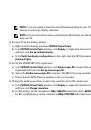
Set up the HDMI 1.4 3D TV:
a
Browse to the TV’s 3D menu settings.
b
Set the 3D mode to
Automatic
.
c
Set the eye order for the glasses to
default
or
normal
.
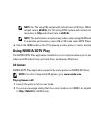
NOTE:
Do not change the eye order settings when using NVIDIA 3DTV Play as the application
controls the timing of the glasses.