Инструкция для Samsung UE46D6530WS, UE40D6510WS, UE32D6530WS, UE32D6510WS, UE55D6530WS
 1
 2
 3
 4
 5
 6
 7
 8
 9
 10
 11
 12
 13
 14
 15
 16
 17
 18
 19
 20
 21
 22
 23
 24
 25
 26
 27
 28
 29
 30
 31
 32
 33
 34
 35
 36
 37
 38
 39
 40
 41
 42
 43
 44
 45
 46
 47
 48
 49
 50
 51
 52
 53
 54
 55
 56
 57
 58
 59
 60
 61
 62
 63
 64
 65
 66
 67
 68
 69
 70
 71
 72
 73
 74
 75
 76
 77
 78
 79
 80
 81
 82
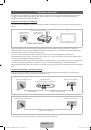
English - 14
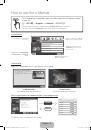
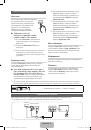
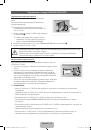
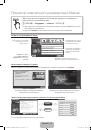
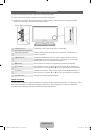
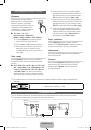
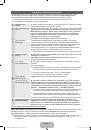
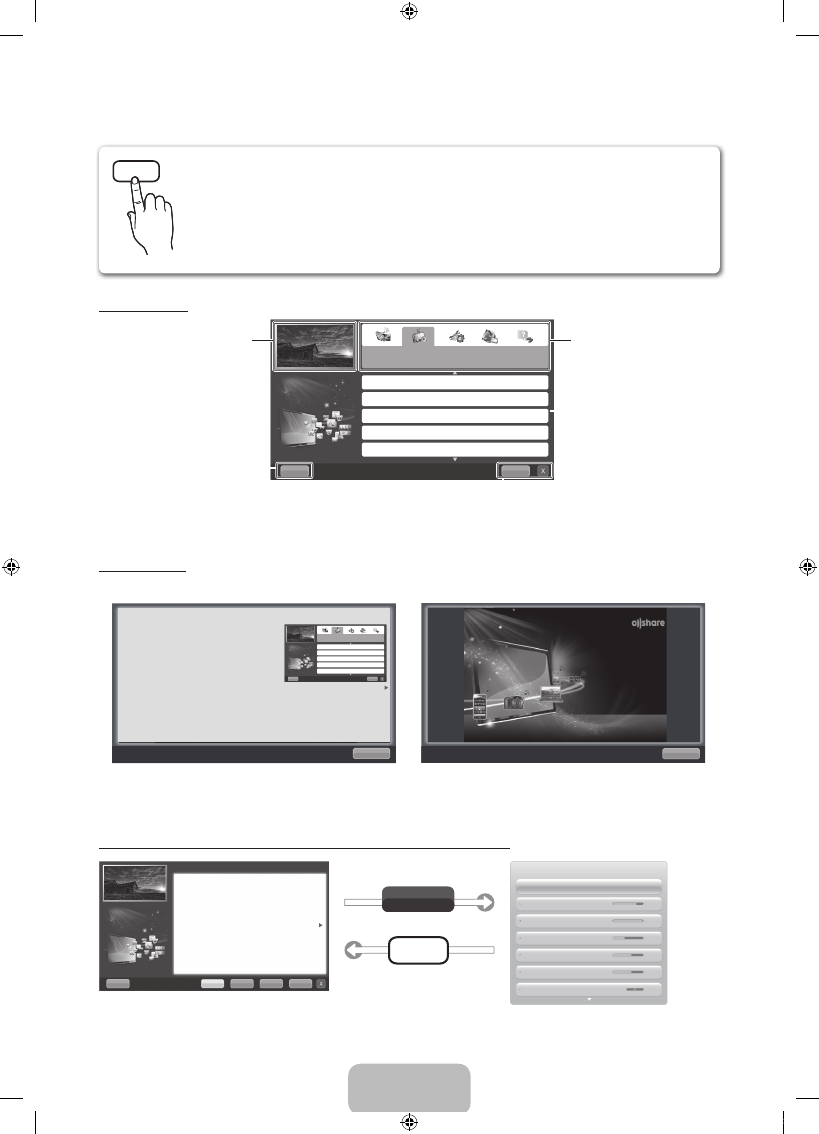
How to use the e-Manual
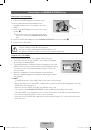
Screen Display
Using the Help
Display the e-Manual Guide & the Product Guide by pressing
Help
.
<e-Manual Guide>
The e-Manual guide appears as above.
<Product Guide>
The product guide appears as above.
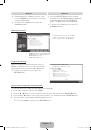
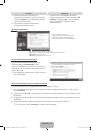
How to toggle between the e-Manual and the corresponding menu(s).
✎
This function is not enabled in some menus.
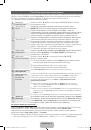
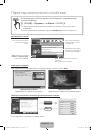
E-MANUAL
You can read the introduction and instructions about the TV features stored
in your TV.
O
MENU
m
→
Support
→
e-Manual
→
ENTER
E
✎
If you want to return to e-Manual, press
E-MANUAL
button on remote.
✎
You can’t use the
Try Now
function, if the menu is not activated.
Basic Features
Changing the Preset Picture Mode
Adjusting Picture Settings
Changing the Picture Size
Changing the Picture Options
Setting up the TV with Your PC
Index
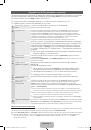
Help
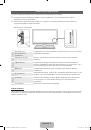
TV Screen: Displays the current input
source screen.
Help
: Displays the
e-Manual Guide
or
Product guide
. Press
ENTER
E
button.
Change the category. Press
l
or
r
button to select category you want.
Displays the sub-menu list. Press
ENTER
E
button to select sub-
menu you want.
Index
: Displays index screen.
X
: Exit the e-Manual.
Return
Changing the Preset Picture Mode
You can read the introduction and instructions about
the TV features stored in your TV.
O
MENU
m
→
Support
→
e-Manual
→
ENTER
E
Basic Features
Changing the Preset Picture Mode
Adjusting Picture Settings
Changing the Picture Size
Changing the Picture Options
Setting up the TV with Your PC
Index
Help
Return
Sync media from multiple devices with AllShare
AllShare™ syncs your digital devices so you can
enjoy music, movies and photos from your PC,
camera and mobile devices, on your larger TV
screen. Connects you to multiple PCs, as well.
Help
Try Now
Home
Zoom
Index
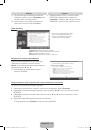
Basic Features > Changing the Preset Picture Mode (5/10)
Changing the Preset Picture Mode
O
MENU
m
→
Picture
→
Picture Mode
→
ENTER
E
■
Picture Mode
t
Select your preferred picture type.
•
Dynamic
: Suitable for a bright room.
•
Standard
: Suitable for a normal environment.
•
Natural
: Suitable for reducing eye strain.
•
Movie
: Suitable for watching movies in a dark room.
•
Entertain
: Suitable for watching movies and games.
N
It is only available when connecting a PC.
Picture
Picture Mode
Standard
Tint (G/R)
G 50
R 50
Colour
50
Sharpness
50
Brightness
45
Contrast
100
Backlight
14
E-MANUAL
Try Now
[UD6500-RU]BN68-03482J-01L04.indb 14
2011-05-09 오후 3:59:54