Инструкция для Samsung BD-C6900P, BD-C6900
 1
 2
 3
 4
 5
 6
 7
 8
 9
 10
 11
 12
 13
 14
 15
 16
 17
 18
 19
 20
 21
 22
 23
 24
 25
 26
 27
 28
 29
 30
 31
 32
 33
 34
 35
 36
 37
 38
 39
 40
 41
 42
 43
 44
 45
 46
 47
 48
 49
 50
 51
 52
 53
 54
 55
 56
 57
 58
 59
 60
 61
 62
 63
 64
 65
 66
 67
 68
 69
 70
 71
 72
 73
 74
 75
 76
 77
 78
 79
 80
 81
 82
 83
 84
 85
 86
 87
 88
 89
 90
 91
 92
 93
 94
 95
 96
 97
 98
 99
 100
 101
 102
 103
 104
 105
 106
 107
 108
 109
 110
 111
 112
 113
 114
 115
 116
 117
 118
 119
 120
 121
 122
 123
 124
 125
 126
 127
 128
 129
 130
 131
 132
 133
 134
 135
 136
 137
 138
 139
 140
 141
 142
 143
 144
 145
 146
 147
 148
 149
 150
 151
 152
 153
 154
 155
 156
 157
 158
 159
 160
 161
 162
 163
 164
 165
 166
 167
 168
 169
 170
 171
 172
 173
 174
 175
 176
 177
 178
 179
 180
 181
 182
 183
 184
 185
 186
 187
 188
 189
 190
 191
 192
 193
 194
 195
 196
 197
 198
 199
 200
 201
 202
 203
 204
 205
 206
 207
 208
 209
 210
 211
 212
 213
 214
 215
 216
 217
 218
 219
 220
 221
 222
 223
 224
 225
 226
 227
 228
 229
 230
 231
 232
 233
 234
 235
 236
 237
 238
 239
 240
 241
 242
 243
 244
 245
 246
 247
 248
 249
 250
 251
 252
 253
 254
 255
 256
 257

English
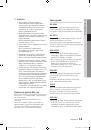
Blu-ray Disc Features
Blu-ray Discs support the highest quality HD video
available in the industry - Large capacity means
no compromise on video quality. Furthermore, a
Blu-ray Disc has the same familiar size and look
as a DVD.
The following Blu-ray Disc features are disc
dependant and will vary.
Appearance and navigation of features will also
vary from disc to disc.
Not all discs will have the features described
below.
Video highlights
The BD-ROM format supports three highly advanced
video codecs, including AVC, VC-1 and MPEG-2.
HD video resolutions are also available:
1920 x 1080 High Definition
1280 x 720 High Definition
For High-Definition Playback
To view high-definition contents on a Blu-ray Disc,
an HDTV (High Definition Television) is required.
Some Blu-ray Discs may require you to use the
product's HDMI OUT to view high-definition
content. The ability to view high-definition content
on Blu-ray Discs may be limited depending on the
resolution of your TV.
Interactivity
Certain Blu-ray Discs may contain Animated
menus and Trivia games.
User Browsable Slideshows
With Blu-ray Discs, you can browse through still
pictures while audio plays in the background.
•
•
Subtitles
Depending on what is contained on the Blu-ray
Disc, you may be able to select different font
styles, sizes and colours for the subtitles. Subtitles
may also be animated, scrolled or faded in and
out.
BD-LIVE
You can use a Blu-ray Disc supporting BD-LIVE
to download contents provided by the disc
manufacturer through a network connection.
Blu-ray Disc Player Features
Internet@TV
You can download various for-a-fee or free-of-
charge applications through a network connection.
With these, you can access Internet services and
content such as news, weather forecasts,
stock market quotes, games, movies and music.
3D
This product can play 3D contents through an
HDMI cable.
To implement the 3D effect, connect a 3D device
(3D-compliant AV receiver, 3D-compliant TV) to
the product using an HDMI cable, and play the 3D
content while wearing 3D vision glasses.
Key features
01960K-BD-C6900-XER-ENG-TSEC.ind2 2
2010-03-30 오후 4:04:59