Инструкция для LG 32LB561V
 1
 2
 3
 4
 5
 6
 7
 8
 9
 10
 11
 12
 13
 14
 15
 16
 17
 18
 19
 20
 21
 22
 23
 24
 25
 26
 27
 28
 29
 30
 31
 32
 33
 34
 35
 36
 37
 38
 39
 40
 41
 42
 43
 44
 45
 46
 47
 48
 49
 50
 51
 52
 53
 54
 55
 56
 57
 58
 59
 60
 61
 62
 63
 64
 65
 66
 67
 68
 69
 70
 71
 72
 73
 74
 75
 76
 77
 78
 79
 80
 81
 82
 83
 84
 85
 86
 87
 88
 89
 90
 91
 92
 93
 94
 95
 96
 97
 98
 99
 100
 101
 102
 103
 104
 105
 106
 107
 108
 109
 110
 111
 112
 113
 114
 115
 116
 117
 118
 119
 120
 121
 122
 123
 124
 125
 126
 127
 128
 129
 130
 131
 132
 133
 134
 135
 136
 137
 138
 139
 140
 141
 142
 143
 144
 145
 146
 147
 148
 149
 150
 151
 152
 153
 154
 155
 156
 157
 158
 159
 160
 161
 162
 163
 164
 165
 166
 167
 168
 169
 170
 171
 172
 173
 174
 175
 176
 177
 178
 179
 180
 181
 182
 183
 184
 185
 186
 187
 188
 189
 190
 191
 192
 193
 194
 195
 196
 197
 198
 199
 200
 201
 202
 203
 204
 205
 206
 207
 208
 209
 210
 211
 212
 213
 214
 215
 216
 217
 218
 219
 220
 221
 222
 223
 224
 225
 226
 227
 228
 229
 230
 231
 232
 233
 234
 235
 236
 237
 238
 239
 240
 241
 242
 243
 244
 245
 246
 247
 248
 249
 250
 251
 252
 253
 254
 255
 256
 257
 258
 259
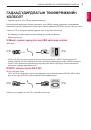 260
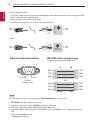 261
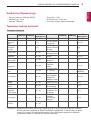 262
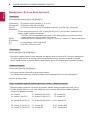 263
 264
 265
 266
 267
 268
 269
 270
24
ENG
EN
G
LIS
H
SETTINGS
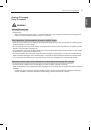
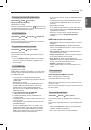
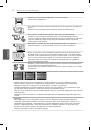
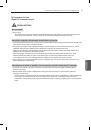
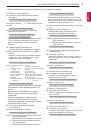
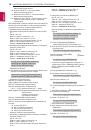
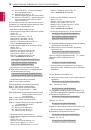
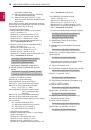
To remove the USB device
Q.MENU USB Device
Select a USB storage device that you want to remove.
When you see a message that the USB device has
been removed, separate the device from the TV.
y
Once a USB device has been selected for removal,
it can no longer be read. Remove the USB storage
device and then re-connect it.
Using a USB storage device - warning
y
If the USB storage device has a built-in auto
recognition program or uses its own driver, it may
not work.
y
Some USB storage devices may not work or may
work incorrectly.
y
Use only USB storage devices formatted with the
Windows FAT32 or NTFS File System.
y
For external USB HDDs, it is recommended that you
use devices with a rated voltage of less than 5 V
and a rated current of less than 500 mA.
y
It is recommended that you use USB memory sticks
of 32 GB or less and USB HDDs of 1 TB or less.
y
If a USB HDD with power-saving function does not
work properly, turn the power off and on. For more
information, refer to the user manual of the USB
HDD.
y
Data in the USB storage device can be damaged, so
be sure to back up important files to other devices.
Data maintenance is the user’s responsibility and
the manufacturer is not responsible for data loss.
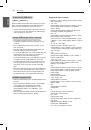
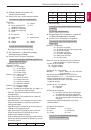
My Media supporting file
y
Maximum data transfer rate : 20 Mbps (Mega bit per
second)
y
External supported subtitle formats : *.srt (SubRip),
*.smi (SAMI), *.sub (SubViewer, MicroDVD,
DVDsubtitleSystem, SubIdx(Vobsub)), *.ass/*.
ssa (SubStation Alpha), *.txt (TMplayer), *.psb
(PowerDivX)
y
Internal supported subtitle formats: XSUB (Supports
internal subtitles generated from DivX6)
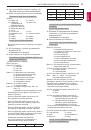
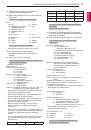
Supported Video Formats
y
Maximum: 1920 x 1080 @ 30p (only Motion JPEG
640 x 480 @ 30p)
y
.asf, .wmv
[Video] MPEG-2, MPEG-4 Part2, DivX3.11, DivX4,
DivX5, DivX6, XViD, H.264/AVC, VC1(WMV3,
WVC1), MP43
[Audio] WMA Standard, WMA9(Pro), MP3, AAC,
AC3, MP3, 3D WMV Single Stream.
y
divx, .avi
[Video] MPEG-2, MPEG-4 Part2, DivX3.11, DivX4,
DivX5, DivX6, XViD, H.264/AVC
[Audio] HE-AAC, LPCM, ADPCM, MPEG- 1 Layer
I, MPEG-1 Layer II, Dolby Digital, MPEG-1 Layer III
(MP3)
y
.ts, .trp, .tp, .mts, .m2ts
[Video] H.264/AVC, MPEG-2, AVS, VC1
[Audio] MPEG-1 Layer I, MPEG-1 Layer II, MPEG-
1 Layer III (MP3), Dolby Digital, Dolby Digital Plus,
AAC, HE-AAC
y
.vob
[Video] MPEG-1, MPEG-2
[Audio] Dolby Digital, MPEG-1 Layer I, MPEG- 1
Layer II, DVD-LPCM
y
.mp4, .m4v, .mov
[Video] MPEG-2, MPEG-4 Part2, DivX3.11, DivX4,
DivX5, DivX6, XVID, H.264/AVC [Audio] AAC,
MPEG-1 Layer III (MP3)
y
.mkv
[Video] MPEG-2, MPEG-4 Part2, DivX3.11, DivX4,
DivX5, DivX6, XVID, H.264/AVC [Audio] HE-AAC,
Dolby Digital, MPEG-1 Layer III (MP3), LPCM
y
motion JPEG
[Video] MJPEG
[Audio] LPCM, ADPCM
y
.mpg, .mpeg, .mpe
[Video] MPEG-1, MPEG-2
[Audio] MPEG-1 Layer I, MPEG-1 Layer II, Dolby
Digital, LPCM
y
dat
[Video] MPEG-1, MPEG-2
[Audio] MP2
y
flv
[Video] Sorenson H.263, H.264/AVC
[Audio] MP3, AAC, HE-AAC
y
*rm, *rmvb
[Video] RV30, RV40
[Audio] Dolby Digital, AAC, HE-AAC, RA6(Cook)
y
3gp, 3gp2
[Video] H.264/AVC, MPEG-4 Part2
[Audio] AAC, AMR(NB/WB)
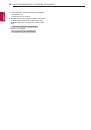
y
*rm / *rmvb : Depending on model