Инструкция для Samsung LE22B450C4W, LE19B450C4W
 1
 2
 3
 4
 5
 6
 7
 8
 9
 10
 11
 12
 13
 14
 15
 16
 17
 18
 19
 20
 21
 22
 23
 24
 25
 26
 27
 28
 29
 30
 31
 32
 33
 34
 35
 36
 37
 38
 39
 40
 41
 42
 43
 44
 45
 46
 47
 48
 49
 50
 51
 52
 53
 54
 55
 56
 57
 58
 59
 60
 61
 62
 63
 64
 65
 66
 67
 68
 69
 70
 71
 72
 73
 74
 75
 76
 77
 78
 79
 80
 81
 82
 83
 84
 85
 86
 87
 88
 89
 90
 91
English - 26
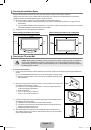
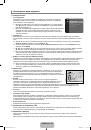
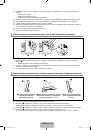
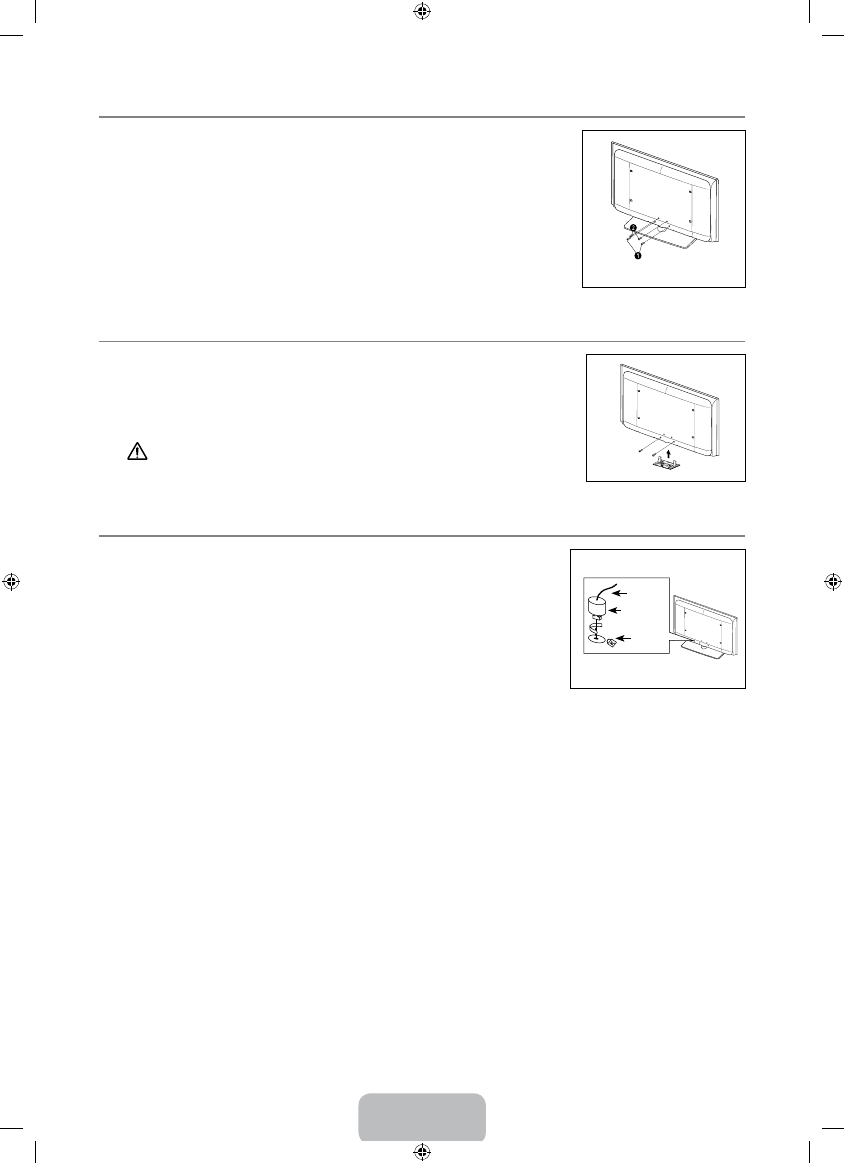
Installing the Stand
1.
Attach your LCD TV to the stand.
Two or more people should carry the TV.
Make sure to distinguish between the front and back of the stand when assembling
them.
To make sure the TV is installed on the stand at a proper level, do not apply excess
downward pressure to the upper left of right sides of the TV.
2.
Fasten two screws at position
1
and then fasten two screw at position
2
.
Stand the product up and fasten the screws. If you fasten the screws with the LCD TV
placed down, it may lean to one side.
The stand is installed for models with the screen size of 37 inch and above.
N
N
N
N
N
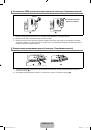
Installing the Wall Mount Kit
Wall mount items (sold separately) allow you to mount the TV on the wall.
For detailed information on installing the wall mount, see the instructions provided with the
Wall Mount items. Contact a technician for assistance when installing the wall mounted
bracket.
Samsung Electronics is not responsible for any damage to the product or injury to yourself or
others if you elect to install the TV on your own.
Do not install your Wall Mount Kit while your TV is turned on. It may result in personal
injury due to electric shock.
Remove the stand and cover the bottom hole with a cap and fasten with two screws.
N
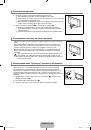
Using the Anti-Theft Kensington Lock
The Kensington Lock is a device used to physically fix the system when using it in a public
place. The appearance and locking method may differ from the illustration depending on the
manufacturer. Refer to the manual provided with the Kensington Lock for proper use. The
locking device has to be purchased separately. The location of the Kensington Lock may be
different depending on its model.
1.
Insert the locking device into the Kensington slot on the LCD TV (
1
) and turn it in the
locking direction (
2
).
2.
Connect the Kensington Lock cable (
3
).
3.
Fix the Kensington Lock to a desk or a heavy stationary object.
3
1
2
¦
¦
¦
BN68-01980G.indb 26
2009-04-21 �� 5:53:20
Оглавление инструкции
- GENERAL INFORMATION
- OPERATION
- CHANNEL CONTROL
- PICTURE CONTROL
- SOUND CONTROL
- SETUP
- INPUT / SUPPORT
- RECOMMENDATIONS FOR USE
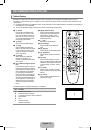
- Teletext Feature
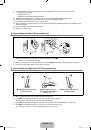
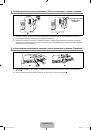
- How to Adjust the Stand (19inch model only)
- How to Adjust the Angle of the TV (19inch model only)
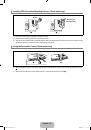
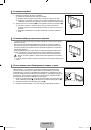
- Installing VESA Compliant Mounting Devices (19inch model only)
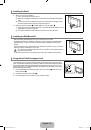
- Using the Decoration Covers (19inch model only)
- Installing the Stand
- Installing the Wall Mount Kit
- Using the Anti-Theft Kensington Lock
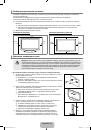
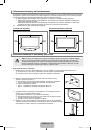
- Securing the Installation Space
- Securing the TV to the Wall
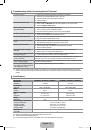
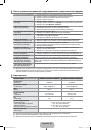
- Troubleshooting: Before Contacting Service Personnel
- Specifications