Инструкция для Samsung UE27D5000NW
 1
 2
 3
 4
 5
 6
 7
 8
 9
 10
 11
 12
 13
 14
 15
 16
 17
 18
 19
 20
 21
 22
 23
 24
 25
 26
 27
 28
 29
 30
 31
 32
 33
 34
 35
 36
 37
 38
 39
 40
 41
 42
 43
 44
 45
 46
 47
 48
 49
 50
 51
 52
 53
 54
 55
 56
 57
 58
 59
 60
 61
 62
 63
 64
 65
English - 12
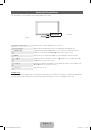
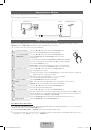
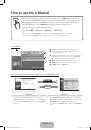
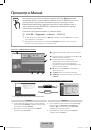
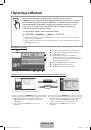
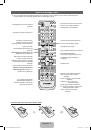
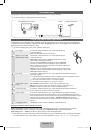
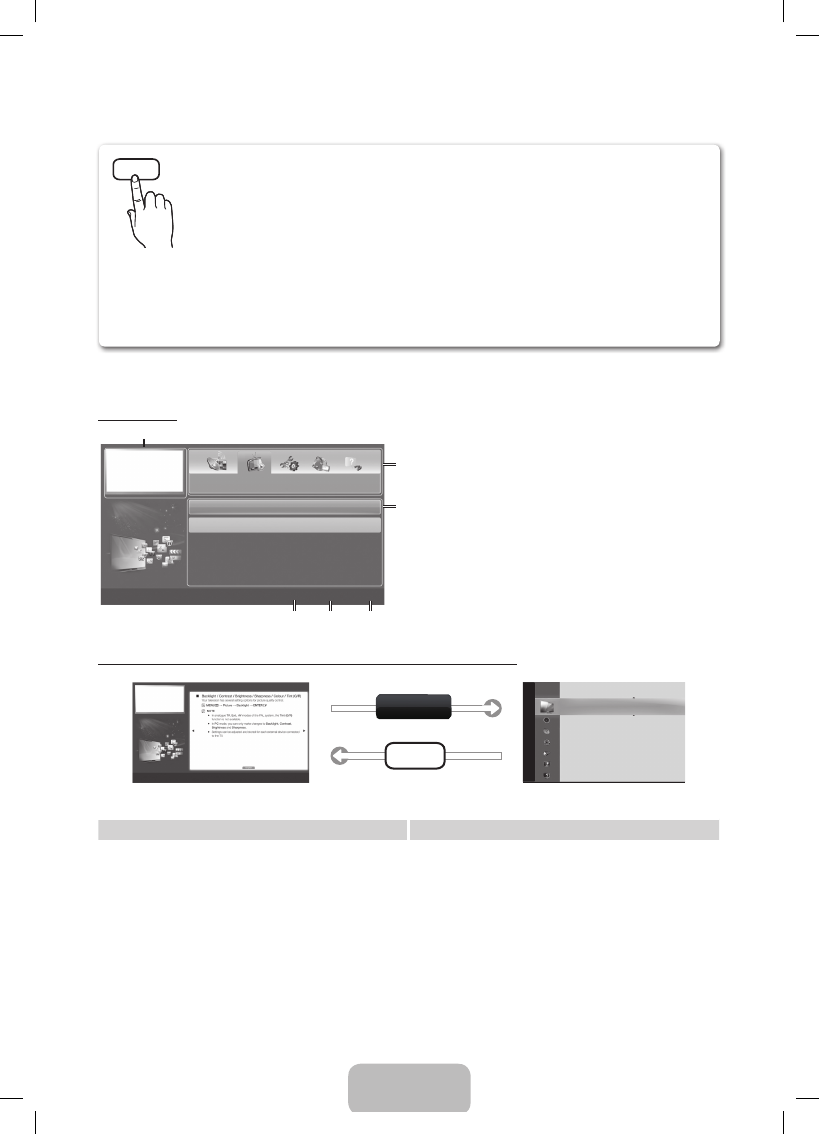
How to use the e-Manual
Screen Display
1
4
5
6
2
3
BasicxFeatures
PicturexMenu
SoundxMenu
}
xIndexxxx
E
xEnterxxx
e
xExitx
1
Currently displayed video, TV programme, etc.
2
The category list. Press
◄
or
►
button to select
category you want.
3
Displays the sub-menu list. Use the arrow buttons on
your remote to move the cursor. Press
ENTER
E
button to select the sub-menu you want.
4
}
Blue (
Index
): Displays the index screen.
5
E
Enter
: Selects a category or sub-menu.
6
e
Exit
: Exit the
e-Manual
.
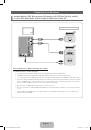
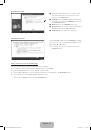
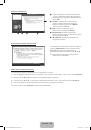
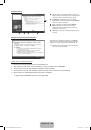
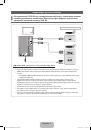
How to toggle between an e-Manual topic and the corresponding OSD menu(s).
Pic
tur
e
Picture Mode
: Standard
►
Backlight
: 7
Contrast
: 95
Brightness
: 45
Sharpness
: 50
Colour
: 50
Tint (G/R)
: G50/R50
Screen Adjustment
E-MANUAL
a
x
Try Now
BasicxFeaturesx>xPicturexMenux(3/17)
a
xTryxNowxxx
b
xHomexxx
{
xZoomxx
}
xIndexxxx
L
xPagexxx
e
xExitx
✎
This function is not enabled in some menus.
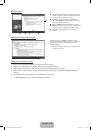
Method 1
Method 2
1.
If you want to use the menu that corresponds to an
e-Manual
topic, press the red button to select
Try Now
.
2.
To return to the
e-Manual
screen, press the
E-MANUAL
button.
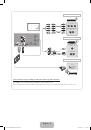
1.
Press the
ENTER
E
button when a topic is displayed.
“
Are you sure?
” appears. Select
Yes,
and then press the
ENTER
E
button. The OSD window appears.
2.
To return to the
e-Manual
screen, press the
E-MANUAL
button.
E-MANUAL
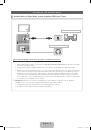
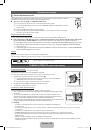
You can find instructions about your TV’s features in the
e-Manual
in your TV. To
use, press the
E-MANUAL
button on your remote. Move the cursor using the up/
down/right/left buttons to highlight a category, then a topic, and then press the
ENTER
E
button. The
e-Manual
displays the page you want to see.
You can also access it through the menu:
O
MENU
m
→
Support
→
e-Manual
→
ENTER
E
✎
To return to the
e-Manual
main menu, press the
E-MANUAL
button on the remote.
✎
You cannot use
Try Now
directly if the TV is set to an external input source.
[UD5000-RU]BN68-03432S.indb 12
2011-04-29 �� 9:55:59