Инструкция для Samsung LE32B450C7W, LE32B450C4W, LE26B450C4W
 1
 2
 3
 4
 5
 6
 7
 8
 9
 10
 11
 12
 13
 14
 15
 16
 17
 18
 19
 20
 21
 22
 23
 24
 25
 26
 27
 28
 29
 30
 31
 32
 33
 34
 35
 36
 37
 38
 39
 40
 41
 42
 43
 44
 45
 46
 47
 48
 49
 50
 51
 52
 53
English - 8
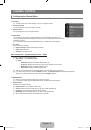
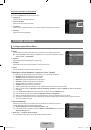
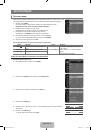
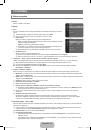
CHANNEL CONTROL
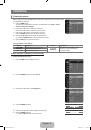
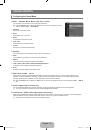
Configuring the Channel Menu
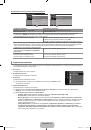
Country
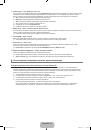
The PIN number input screen appears. Enter your 4 digit PIN number.
Analogue Channel
You can change the country for analogue channels.
Digital Channel
You can change the country for digital channels.
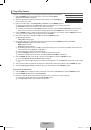
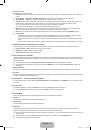
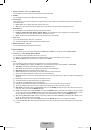
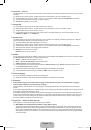
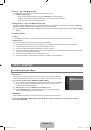
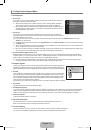
Auto Store
You can scan for the frequency ranges available to you (and availability depends on your
country). Automatically allocated programme numbers may not correspond to actual or desired
programme numbers.
If a channel is locked using the
Child Lock
function, the PIN input window appears.
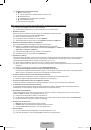
Air / Cable
Antenna source to memorize
Digital
&
Analogue
: Digital and Analogue channels.
Digital
: Digital channels.
Analogue
: Analogue channels.
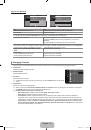
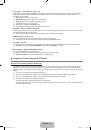
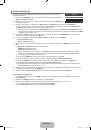
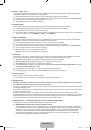
When selecting Cable → Digital & Analogue or Cable → Digital
Provide a value to scan for cable channels.
Search Mode → Full / Network / Quick
Quick
Network ID
: Displays the network identification code.
Frequency
: Displays the frequency for the channel. (Differs in each country)
Modulation
: Displays available modulation values.
Symbol Rate
: Displays available symbol rates.
–
–
–
–
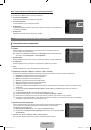
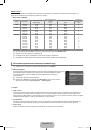
Scans for all channels with active broadcast stations and stores them in the TV’s memory.
If you want to stop Auto Store, press the
ENTER
E
button. The
Stop Auto Store?
message will be displayed.
Select Yes by pressing the ◄ or ► button, then press the
ENTER
E
button.
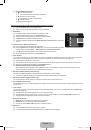
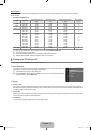
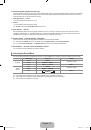
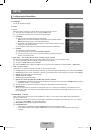
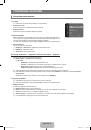
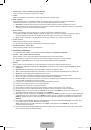
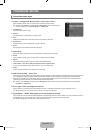
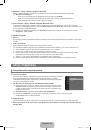
Manual Store
Scans for a channel manually and stores it in the TV’s memory.
If a channel is locked using the
Child Lock
function, the PIN input window appears.
Digital Channel
Manual store for digital channels.
Digital Channel
is only available in DTV mode.
Channel
: Set the Channel number using the ▲, ▼ or number (
0~9
) buttons.
Frequency
: Set the frequency using the number buttons.
Bandwidth
: Set the bandwidth using the ▲, ▼ or number (
0~9
) buttons.
When it has finished, channels are updated in the channel list.
¦
❑
N
❑
N
●
●
●
●
N
N
N
❑
N
N
N
●
●
●
N
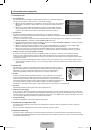
Country
►
Auto Store
Manual Store
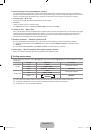
Cable Search Optiona
Now & Next Guide
Full Guide
Default Guide
: Full Guide
Channel
BN68-01981F.indb 8
2009-03-09 �� 11:20:32