Инструкция для Samsung SR-L36NMB
 1
 2
 3
 4
 5
 6
 7
 8
 9
 10
 11
 12
 13
 14
 15
 16
 17
 18
 19
6
R
˚C
Super
POWER
SUPER
FRE.TEMP.
REF.TEMP.
ECO
VAC
ECO
VAC
F
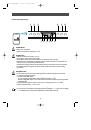
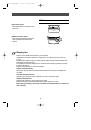
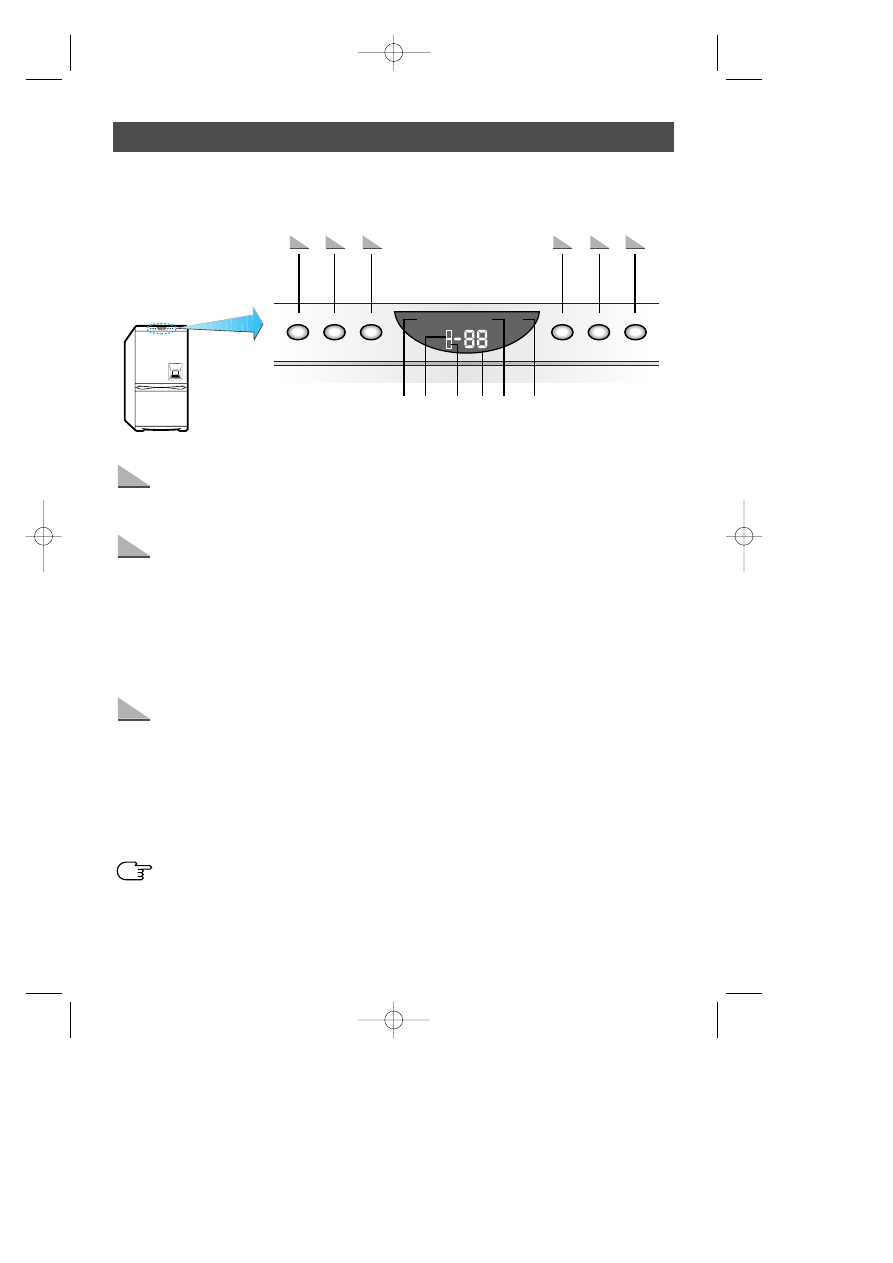
B. Model with Digital Display
1
2
3
4
5
6
➀ ➁
➂ ➃ ➄
➅
1
POWER Button
• Main power on/off switch.
• Switches the appliance completely on or off.
2
SUPER Button
• Switches the fast freeze function on or off.
• Use when you wish to freeze foods quickly.
• The SUPER indicator
➀
remains on while the fast freeze function is running.
• While this function is selected, the refrigerating device remains switched on continuously and
produces a very low temperature inside the freezer.
• The fast freeze function switches off automatically. When the fast freeze process is completed,
the SUPER indicator
➀
switches off and the freezer switches back to the previous setting
temperature.
3
FRE.TEMP Button
• In the normal mode, the temperature displayed
➃
is the setting temperature of the freezer.
• To change the freezer temperature:
– Press the FRE.TEMP button.
The current setting temperature is displayed (
➃
) preceded by “F” (
➁
).
– Press the FRE.TEMP button one or more times or hold it down until the required temperature
is displayed (
➃
).
• The temperature changes in sequence. After -25°C, the display returns to -17°C again.
• Freezer temperature range: -17°C to -25°C.
Note
Once the power is re-instated, the temperature display
➃
displays “– –”. In this case, the display
“– –” is disappeared by pressing FRE. TEMP button or REF. TEMP button
➃
.
SR-L39-ENG(NEW) 3/30/59 9:37 AM Page 6
Оглавление инструкции
- WARNINGS / SAFETY PRECAUTIONS
- INSTALLING THE FRIDGE/FREEZER
- PREPARING THE FRIDGE/FREEZER
- USING THE CONTROL FEATURES
- STORING FOOD IN THE REFRIGERATOR OR FREEZER
- MAKING ICE
- USING THE WATER DISPENSER (OPTION)
- REMOVING AND CLEANING THE ACCESSORIES
- CLEANING THE WATER DISPENSER
- REPLACING THE INTERIOR LIGHT
- PROBLEMS AND SOLUTIONS
- USAGE PRECAUTIONS
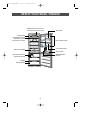
- VIEW OF YOUR FRIDGE / FREEZER