Инструкция для Timberk Tornado series AC TIM...S4, Tornado DC Inverter series AC TIM...HDN S5, AC TIM 12HDN S5/S5-01, AC TIM 09HDN S5/S5-01
 1
 2
 3
 4
 5
 6
 7
 8
 9
 10
 11
 12
 13
 14
 15
 16
 17
 18
7. OPERATING MODES
SMART mode
The auto mode is turned on and off with the use of the button "SMART" on
the remote control board.
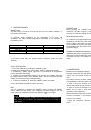
In automatic mode, depending on air temperature in the room, the
conditioner will select needed temperature parameters of its operation in
the following order:
Indoor temoeiatm
OoeraUon mode
'Rroet lenseralu«
lf<21®C
Heotina mode
22®C
r2L*C-23®C
Fan mode
poem
ìi23K>26>K
Drv mode
room terverature decrease
ISK
r>26^
Coolkxi mode
26®C
If the AUTO mode does not provide comfort conditions, select the mode
manually.
COOL, HEAT and FAN
1 .Turn the conditioner on pressing the "ON/OFF" button.
2. Pressing the "MODE" button, select COOL, HEAT or FAN mode manually.
3. Pressing the "TEMP" button (up-down), set the desired air temperature
indoors (exceptfor FAN mode).
4. Presslng the "FAN SPEED" button on the remote control board, select the
fan rotation speed: AUTO, LOW, MIDDLE, HIGH, and the conditioner will start
working in accordance with the selected setting.
5. To turn the conditioner off, press the "ON/OFF" button once again.
In the FAN modeair temperature Indoors is not set.
DRY
Turn the conditioner on pressing the "ON/OFF" button. Pressing the "MODE"
button, select the DRY mode. The conditioner will start working in the set
mode.Toturn the conditioneroff, press the "ON/OFF" button once again.
inillfll
NOTE
If there is a difference between set and actual air temperature in
DRY mode, the conditioner will automatically turn on in COOL or
FAN modes.
ENGLISH
■TURBO" mode
When pressing the "TURBO" button on the remote control board, the
conditioner will start working in turbo mode - for maximum cooling (in cool
mode) or for maximum heating (in heat mode).
Mode "HD Sensor control"
Air conditioner is equipped with the high precision maintain the desired
temperature near the user (if the remote control is located next to the user).
Sensor system in the indoor unit of split-system and remote control adjusts
the air conditioner. Device will be adjust the intensity of its work so that the
air temperature near the remote control corresponded exactly to the
specified settings.
Regulation of treated air flow direction
Regulating the position of deflectors (blinds), set the direction of treated air
flow ensuring uniform distribution of temperature and the most comfort
conditions in the room. To change the position of deflectors, use the "SWING"
button.
8. MAINTENANCE
• Beforecleaning unplugtheconditioner.
• Cleaning of the indoor unit and remote control board:
• Indoor unit and remote control board should be cleaned with a dry soft
cloth.
• If the indoor unit is too unclean, moisten the cloth with cold water,
it is prohibited to clean the remote control board with moist cloth.
• In order to avoid the damage of paint or details of the conditioner, do not
clean it with brushes and do not leave them on the surface of indoor unit.
• In order to avoid the damage of surface or deformation of the conditioner
details, do not clean it with petrol, solvents, cleaning powders or other
chemically active substances.
Beforea sustained interruption in theconditioner work:
• Turn the conditioner on for several hours in the FAN mode. It will allow you
to dry its inner cavities
• Unplug the conditioner. Remove the batteries from the remote control
board.
www.tlmberK.ru •houíeftoWofrcofttfíríowf 15