Инструкция для Timberk Tornado series AC TIM...S4, Tornado DC Inverter series AC TIM...HDN S5, AC TIM 12HDN S5/S5-01, AC TIM 09HDN S5/S5-01
 1
 2
 3
 4
 5
 6
 7
 8
 9
 10
 11
 12
 13
 14
 15
 16
 17
 18
®
г s
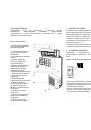
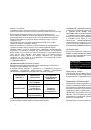
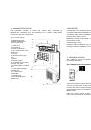
a) Power supply Indicator.
b) Sleep mode Indicator.
c) Temperature indicator.
d) Tlmer Indicator.
e) Operation indicator
* use of particular Indicators depends on
model and series.
** design of indicator symbols may differ
depending on nrtodei and series.
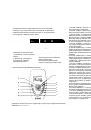
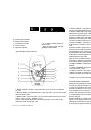
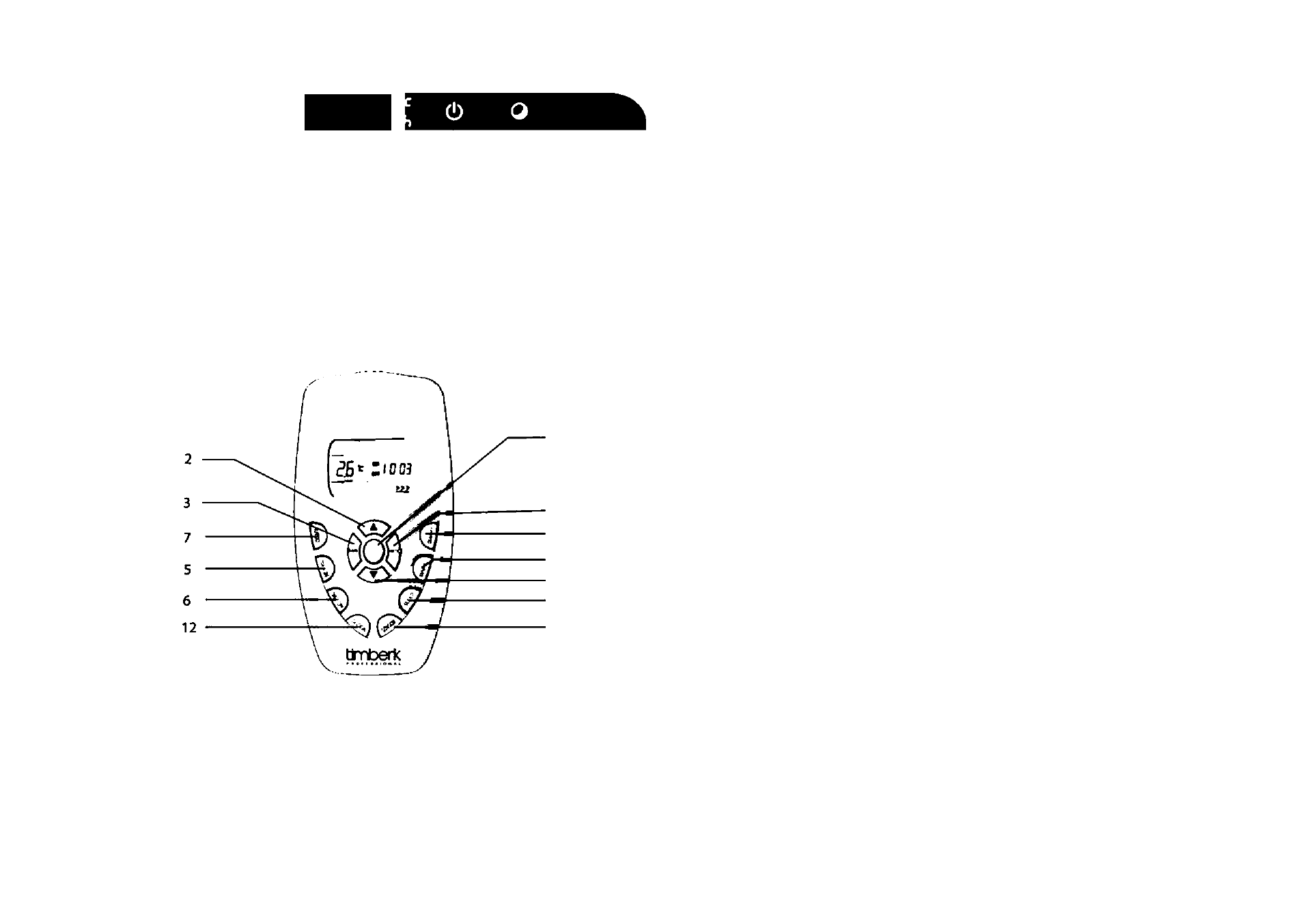
Figure 3. Description of remote control board
9
10
4
2
8
11
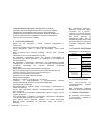
1. Button «ON/OFF» (Power). Using this button, you may turn the conditioner
on or off.
2. Buttons «TEMP» (Increase/decrease). Using this button, you may set needed
air temperature indoors.
3. Button «FAN». Using this button, you may select rotation speed of the indoor
unit fan: «Auto», «High», «Middle», «Low».
In'Auto'’ mode the fan speed will change automatically. In dry mode the fan
speed will remain unchanged -'Low'.
4. Button «SWING». Using this button, you may regulate position of air-outlet
blinds and forward treated air up and down.
5. Button «TIMER ON».This button sets the automatic swItch-on (set the
desired time by pressing the "TEMP" up-down or as a button "TIMER ON”).
The device automatically turns on after a selected period of time.
6. Button «TIMER OFF».This button sets the automatic swItch-off (set the
desired time by pressing the ’TEMP" up-down or as a button "TIMER OFF").
The device automatically turns off after a selected period of time.
7. Button «TURBO». This button can be switched on and off an Intense mode,
in which the air conditioner goes out on the best performance for cooling
18X
8. Button «SLEEP» (Night Care).Thls button turns on and off night mode. In
this mode, the cooling temperature rise of 1®C from the set within two hours
(the temperature will not change If the room temperature above 25®C), then
the temperature will remain constant. When heating in SLEEP mode
temperature is will decrease in 3*C from the set during three hours, then the
temperature will not change.
After 8 hours in SLEEP mode the air conditioner automatically turns off.
9. Button for selection of operating mode - «MODE». Using this button, you
may selea a needed operating mode: AUTO, COOL, DRY, HEAT, FAN.
10. Button «SMART». With this button you can select the automatic mode
SMART.
11. Button «SENSOR» (HD Sensor control). With this button you can select the
mode HD Sensor control.
12. Button «CLOCK». This button «CLOCK», as well as using the buttons
«TEMP» (Increase / decrease) you can set the exact time, which will be
reflected on display of remote control.
Indication of the control board display shall correspond to selected modes.
Work with remote control board
Mounting and replacement of batteries: mount two LR03 alkaline batteries,
according to polarity indicated on the remote control board.
In order to avoid malfunaion of the remote control board do not insert used
batteries or batteries of various types.
If the conditioner is not used for a long time, remove batteries from the
board or else electrolyte may leak and damage the board.
In normal operation of the conditioner average service life of batteries will be
about a half-year.
Replace batteries, if command receiving is not confirmed with an audio
signal, or if the display does not show a sign of command transfer. When
generating commands from the remote control board, point an IR-radiator at
a remote-control signal receiver situated on the indoor unit. Hold the remote
www.tlmberk.ru >
household air conditioner