Инструкция для Yamaha DVD-S1800
 1
 2
 3
 4
 5
 6
 7
 8
 9
 10
 11
 12
 13
 14
 15
 16
 17
 18
 19
 20
 21
 22
 23
 24
 25
 26
 27
 28
 29
 30
 31
 32
 33
 34
 35
 36
 37
 38
 39
 40
 41
 42
 43
 44
 45
 46
 47
 48
 49
 50
 51
 52
 53
 54
 55
 56
 57
 58
 59
 60
 61
 62
 63
 64
 65
 66
 67
 68
 69
 70
 71
 72
 73
 74
 75
 76
 77
 78
 79
 80
 81
 82
 83
 84
 85
 86
 87
 88
 89
 90
 91
 92
 93
 94
16
En
GETTING STARTED
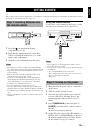
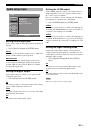
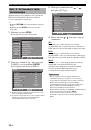
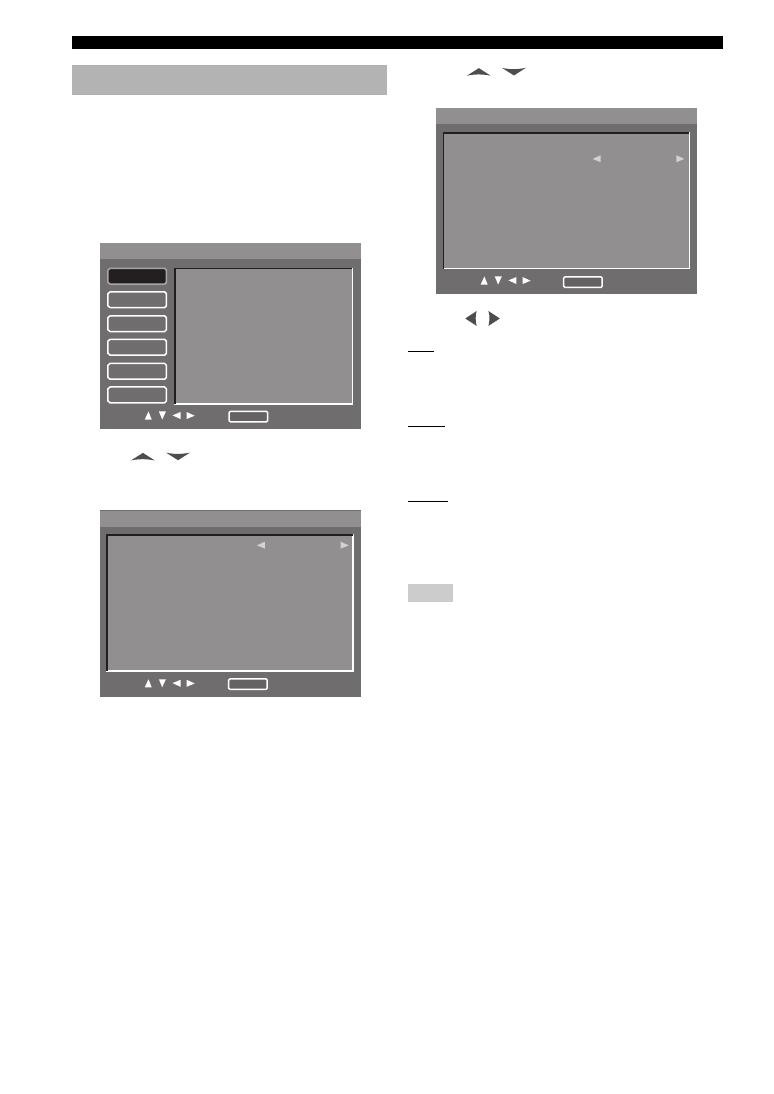
This unit is compatible with both NTSC and PAL video
formats. Select the color system that matches your TV.
y
• Press
RETURN
to display the previous menu.
• Press
SETUP
to exit from the setup menu.
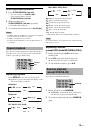
1
Press
SETUP
.
➜
The setup menu appears.
2
Press
/
repeatedly to select [VIDEO],
and then press
ENTER
.
➜
[VIDEO] menu appears.
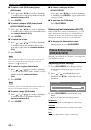
3
Press
/
repeatedly to highlight [TV
Type].
4
Press
/
to select one of the options below.
PAL
Select this if the connected TV is a PAL system TV. It will
change video signals of NTSC discs and output them in
PAL format.
NTSC
Select this if the connected TV is an NTSC system TV. It
will change video signals of PAL discs and output them in
NTSC format.
MULTI
Select this if the connected TV is compatible with both
NTSC and PAL formats (such as a multi-system TV). The
output format will be in accordance with the video signals
of the disc.
• Before changing the current TV Standard setting, ensure that
your TV supports the selected TV type system.
• If you play an NTSC-formatted disc with the [PAL] setting or a
PAL-formatted disc with the [NTSC] setting, the video quality
may deteriorate.
• When [TV Type] is set to [MULTI], this unit may change the
HDMI resolution unwantedly. In this case, try the [NTSC] or
[PAL] setting.
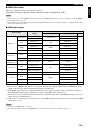
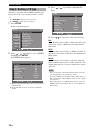
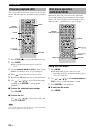
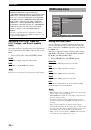
Step 3: Setting a TV type
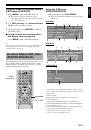
1/2
SETUP
GENERAL
AUDIO
SPEAKER
VIDEO
HDMI
DISC
DVD-Audio mode
SA-CD mode
OSD Language
Parental Rating
Parental Password
Screen Saver
Auto Power Off
Sleep Timer
Select : Enter
Move :
Return
1/1
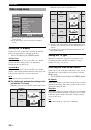
VIDEO
TV Display
TV Type
Wide Screen Format
Black Level
*1
Closed Caption
*1
Still Mode
Component
Scart Video Out
*2
Select : Enter
Move :
16:9
PAL
Off
Off
Off
Field
Interlaced
RGB
Return
*1: [Black Level] and [Closed Caption] are only for U.S.A. and
Canada models.
*2: [Scart Video Out] is only for U.K., Europe, and Russia
models.
Notes
1/1
VIDEO
TV Display
TV Type
Wide Screen Format
Black Level
*1
Closed Caption
*1
Still Mode
Component
Scart Video Out
*2
Select : Enter
Move :
Return
16:9
PAL
Off
Off
Off
Field
Interlaced
RGB
Оглавление инструкции
- English
- CAUTION: READ THIS BEFORE OPERATING THIS UNIT.
- INTRODUCTION
- FUNCTIONAL OVERVIEW
- CONNECTIONS
- GETTING STARTED
- DISC OPERATION
- Basic operation
- Repeat playback
- Random playback (except DVD/SA-CD)
- Program playback (CD)
- Disc menu operation (DVD/VCD/SVCD)
- On-screen display (OSD) menu (DVD/VCD/SVCD/SA-CD)
- Picture Setting menu (DVD/VCD/SVCD)
- Zooming pictures (DVD-Video/VCD/SVCD/DivX®/ JPEG)
- Viewing angles (DVD-Video)
- Audio and Subtitle languages (DVD-Video/VCD)
- DivX® external subtitle files
- Changing pages (DVD-Audio)
- Group/File selection (DVD-Audio/ DivX®/MP3/WMA/Kodak picture CD)
- Bonus group playback (DVD-Audio)
- Changing the playback area and layer (SA-CD)
- Multimedia file playback (MP3/WMA/DivX®/JPEG)
- SETUP MENU
- Menu overview
- Setup menu operation
- General setup menu
- Audio setup menu
- Speaker setup menu
- Video setup menu
- Setting the TV display
- Setting the TV type
- Selecting the wide screen format
- Selecting the black level (U.S.A. and Canada models only)
- Selecting the closed caption (U.S.A. and Canada models only)
- Setting the still mode
- Selecting the scan function
- Switching the SCART video out (U.K., Europe, and Russia models only)
- HDMI setup menu
- DISC setup menu
- LANGUAGE CODE LIST
- TROUBLESHOOTING
- GLOSSARY
- SPECIFICATIONS
- Русский
- ПРЕДУПРЕЖДЕНИЕ: ВНИМАТЕЛЬНО ИЗУЧИТЕ ЭТО ПЕРЕД ИСПОЛЬЗОВАНИЕМ АППАРАТА.
- СОДЕРЖАНИЕ
- ВВЕДЕНИЕ
- ФУНКЦИОНАЛЬНЫЙ ОБЗОР
- ПОДКЛЮЧЕНИЯ
- ПОДГОТОВКА К ЭКСПЛУАТАЦИИ
- УПРАВЛЕНИЕ ДИСКОМ
- Основное управление
- Повторное воспроизведение
- Случайное воспроизведение (кроме DVD/SA-CD)
- Программное воспроизведение (CD)
- Управление дисковым меню (DVD/VCD/SVCD)
- Меню дисплея-на-экране (OSD) (DVD/VCD/SVCD/SA-CD)
- Меню Picture Setting (DVD/VCD/SVCD)
- Изменение масшатаба картинок (DVD-Video/VCD/ SVCD/DivX®/JPEG)
- Просмотр углов (DVD-Video)
- Языки звучания и субтитров (DVD-Video/VCD)
- Внешние файлы субтитров DivX®
- Переключение страниц (DVD-Audio)
- Выбор группы/файла (DVD-Audio/DivX®/MP3/WMA/Графический Kodak CD)
- Воспроизведение бонусной группы (DVD-Audio)
- Переключение зоны воспроизведения и слоя (SA-CD)
- Воспроизведение мультимедийного файла (MP3/WMA/DivX®/JPEG)
- МЕНЮ НАСТРОЙКИ
- Обзор меню
- Управление меню настройки
- Меню общей настройки
- Выбор режима DVD-Audio-диска
- Выбор режима SA-CD
- Настройка языка дисплея-на-экране
- Ограничение воспроизведения с помощью функции родительского контроля
- Изменение пароля родительского контроля
- Установка хранителя экрана
- Установка функции автоматического отключения
- Установка таймера сна
- Переустановка системы
- Отображение регистрационного кода DivX® VOD
- Меню аудионастройки
- Меню настройки колонок
- Меню видеонастройки
- Настройка телевизионного экрана
- Установка типа телевизора
- Выбор широкоэкранного формата
- Выбор уровня черного (Только модели для США и Канады)
- Выбор скрытых титров (Только модели для США и Канады)
- Установка режима снимка
- Выбор функции развертки
- Переключение видеовыхода SCART (Только модели для Соединенного Королевства Великобритании и Северной Ирландии, Европы, и России)
- Меню настройки HDMI
- Меню настройки DISC
- СПИСОК ЯЗЫКОВЫХ КОДОВ
- ВОЗМОЖНЫЕ НЕИСПРАВНОСТИ И СПОСОБЫ ИХ УСТРАНЕНИЯ
- СПРАВОЧНИК
- ТЕХНИЧЕСКИЕ ХАРАКТЕРИСТИКИ