Dell U2312HM Monitor инструкции пользователя и руководства
Для Dell U2312HM Monitor найдено одна инструкция
Формат:pdf
Объем:2 страницы
Размер:0.1 МБ
Доступность:Бесплатное скачивание и чтение онлайн
Оглавление инструкции
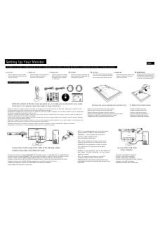
- Setting Up Your Monitor
- Installation du moniteur | Configuración del monitor | Configuraçâo de seu monitor | Einrichten des Monitors | Configurazione del monitor | Установка монитора
- A ВНИМАНИЕ:
- Dell™ U2312HM monitor
- Connect the monitor using ONLY ONE of the following cables: the Blue VGA cable or the White DVI cable
- g Connect the USB cable to the computer
- ß I Adjust the monitor
- 7 I Connect the power cable and press the power button
- www.dell.com | support.dell.com