Инструкция для Gear Head WC735IR
 1
 2
 3
 4
 5
 6
 7

7
FCC RADIATION NORM:
FCC
This equipment has been tested and found to comply with limits for Class B digital device pursuant
to Part 15 of Federal Communications Commission (FCC) rules.
FCC Compliance Statement
These limits are designed to provide reasonable protection against frequency interference in
residential installation. This equipment generates, uses, and can radiate radio frequency energy,
and if not installed or used in accordance with the instructions, may cause harmful interference to
radio communication. However, there is no guarantee that interference will not occur in television
reception, which can be determined by turning the equipment off and on. The user is encouraged
to try and correct the interference by one or more of the following measures:
§
Reorient or relocate the receiving antenna
§
Increase the separation between the equipment and the receiver
§
Connect the equipment into an outlet on a circuit different from that to which the receiver is
connected to.
CAUTION!
The Federal Communications Commission warns the user that changes or modifications to the
unit not expressly approved by the party responsible for compliance could void the user’s authority
to operate the equipment.
Оглавление инструкции
- Страница 1 из 8
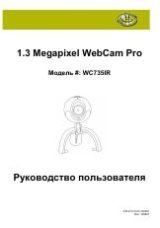
1.3 Megapixel WebCam Pro Модель #: WC735IR Руководство пользователя PID # 031373-109281 Rev. 100827
- Страница 2 из 8
Все упомянутые торговые марки являются собственностью соответствующих владельцев КОМПЛЕКТ ПОСТАВКИ: - 1.3 MP WebCam Pro - Компакт-диск c программным обеспечением - Руководство пользователя СИСТЕМНЫЕ ТРЕБОВАНИЯ: Пожалуйста, убедитесь, что ваша система соответствует предъявленным ниже требованиям: -
- Страница 3 из 8
ПЕРЕД УСТАНОВКОЙ: Для пользователей Windows® Vista Во избежание любых конфликтов с другими установленными устройствами и/или ошибок, посетите www.windowsupdate.com и установите самые последние обновления для вашей операционной системы. Также посетите сайт производителя вашей материнской платы и
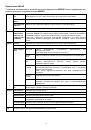
- Страница 4 из 8
Приложение AMCAP С помощью находящейся в верхней части окна приложения AMCAP панели управления, вы можете настроить следующие опции AMCAP: File Start Capture File Задает имя для записываемого файла. Важно: Название файла должно заканчиваться на “.avi”, иначе компьютер не сможет распознать файл.
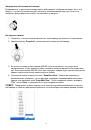
- Страница 5 из 8
Фокусировка объектива веб-камеры В зависимости от расстояния между вами и веб-камерой, изображение может быть не в фокусе – в этом случае вам следует настроить объектив камеры вручную. Для этого поверните фокусировочное кольцо, как показано на рисунке: Как сделать снимок 1. Убедитесь, что ваш
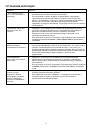
- Страница 6 из 8
УСТРАНЕНИЕ НЕПОЛАДОК: Проблема Решения 1. Нет изображения после подключения веб-камеры к компьютеру. - 2. Записанное видео (или снимок) нечеткое или размытое. - - - Убедитесь, что USB кабель вашей веб-камеры правильно подключен в свободный разъем USB 2.0 вашего компьютера. Если проблема осталась:
- Страница 7 из 8
FCC RADIATION NORM: FCC This equipment has been tested and found to comply with limits for Class B digital device pursuant to Part 15 of Federal Communications Commission (FCC) rules. FCC Compliance Statement These limits are designed to provide reasonable protection against frequency interference
- Страница 8 из 8