Инструкция для JVC KD-AVX55
 1
 2
 3
 4
 5
 6
 7
 8
 9
 10
 11
 12
 13
 14
 15
 16
 17
 18
 19
 20
 21
 22
 23
 24
 25
 26
 27
 28
 29
 30
 31
 32
 33
 34
 35
 36
 37
 38
 39
 40
 41
 42
 43
 44
 45
 46
 47
 48
 49
 50
 51
 52
 53
 54
 55
 56
 57
 58
 59
 60
 61
 62
 63
 64
 65
 66
 67
 68
 69
 70
 71
 72
 73
 74
 75
 76
 77
 78
 79
 80
 81
 82
 83
 84
 85
 86
 87
 88
 89
 90
 91
 92
 93
 94
 95
 96
 97
 98
 99
 100
 101
 102
 103
 104
 105
 106
 107
 108
 109
 110
 111
 112
 113
 114
 115
 116
 117
 118
 119
 120
 121
 122
 123
 124
 125
 126
 127
 128
 129
 130
 131
 132
 133
 134
 135
 136
 137
 138
 139
 140
 141
 142
 143
 144
 145
 146
 147
 148
 149
 150
 151
 152
 153
 154
 155
 156
 157
 158
 159
 160
 161
 162
 163
 164
 165
 166
 167
 168
 169
 170
 171
 172
 173
 174
 175
 176
 177
 178
 179
 180
 181
 182
 183
 184
 185
 186
 187
 188
 189
 190
 191
 192
 193
 194
 195
 196
 197
 198
 199
 200
 201
 202
 203
 204
 205
 206
 207
 208
 209
 210
 211
 212
 213
 214
 215
 216
 217
 218
62
ENGLISH
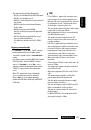
iPod/iPhone operations
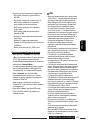
• You can control the following types of iPod/iPhone:
(A) Connected with the USB cable:
– iPod with video (5th Generation)
*
1,
*
2,
*
3
–
iPod
classic
*
1,
*
2
–
iPod
nano
*
2,
*
3
– iPod nano (2nd Generation)
*
2
– iPod nano (3rd Generation)
*
1,
*
2
– iPod nano (4th Generation)
*
1,
*
2
–
iPod
touch
*
1,
*
2
–
iPod
touch
(2nd
Generation)
*
1,
*
2
–
iPhone/iPhone
3G*
1,
*
2
(B) Connected with the interface adapter:
– iPod with Click Wheel (4th Generation)
–
iPod
mini
–
iPod
photo
– iPod with video (5th Generation)
–
iPod
classic
–
iPod
nano
– iPod nano (2nd Generation)
– iPod nano (3rd Generation)
– iPod nano (4th Generation)
*
4
*
1
To watch the video with its audio, connect the iPod/
iPhone using USB Audio and Video cable (KS-U30, not
supplied).
*
2
“iPod MODE” is available,
51.
*
3
To listen to the sound in “iPod MODE,” connect the
iPod/iPhone using USB Audio and Video cable (KS-
U30, not supplied).
*
4
It is not possible to charge the battery through this
unit.
• If the iPod/iPhone does not play correctly, update
your iPod/iPhone software to the latest version.
For details about updating your iPod/iPhone, visit
<http://www.apple.com>.
• When you turn on this unit, the iPod/iPhone is
charged through the unit.
• The text information may not be displayed correctly.
• The text information scrolls on the monitor. This
unit can display up to 40 characters when using the
interface adapter and up to 128 characters when
using the USB 2.0 cable or USB Audio and Video
cable.
Bluetooth operations (KD-AVX77
only)
General
• While driving, do not perform complicated operation
such as dialing the numbers, using phone book, etc.
When you perform these operations, stop your car in
a safe place.
• Some Bluetooth devices may not be connected to
this unit depending on the Bluetooth version of the
device.
• This unit may not work for some Bluetooth devices.
• Connecting condition may vary depending on
circumstances around you.
• When the unit is turned off, the device is
disconnected.
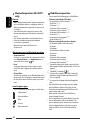
Warning messages for Bluetooth operations
•
Connection Error
:
The device is registered but the connection has failed.
Use <
Phone Connect
> or <
Audio Connect
> to
connect the device again. (
30)
•
Error
:
Try the operation again. If “Error” appears again,
check if the device supports the function you have
tried.
•
Please Wait...
:
The unit is preparing to use the Bluetooth function. If
the message does not disappear, turn off and turn on
the unit, then connect the device again (or reset the
unit).
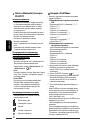
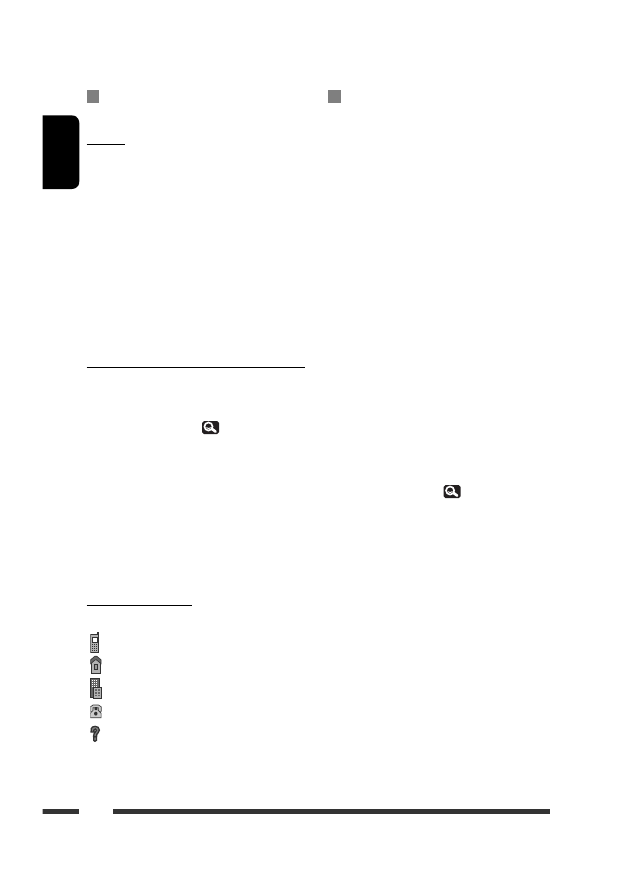
Icons for phone types
• These icons indicate the phone type set on the device.
: Cellular phone
: Household phone
: Office
: General
: Other than above