Инструкция для JVC KD-AVX55
 1
 2
 3
 4
 5
 6
 7
 8
 9
 10
 11
 12
 13
 14
 15
 16
 17
 18
 19
 20
 21
 22
 23
 24
 25
 26
 27
 28
 29
 30
 31
 32
 33
 34
 35
 36
 37
 38
 39
 40
 41
 42
 43
 44
 45
 46
 47
 48
 49
 50
 51
 52
 53
 54
 55
 56
 57
 58
 59
 60
 61
 62
 63
 64
 65
 66
 67
 68
 69
 70
 71
 72
 73
 74
 75
 76
 77
 78
 79
 80
 81
 82
 83
 84
 85
 86
 87
 88
 89
 90
 91
 92
 93
 94
 95
 96
 97
 98
 99
 100
 101
 102
 103
 104
 105
 106
 107
 108
 109
 110
 111
 112
 113
 114
 115
 116
 117
 118
 119
 120
 121
 122
 123
 124
 125
 126
 127
 128
 129
 130
 131
 132
 133
 134
 135
 136
 137
 138
 139
 140
 141
 142
 143
 144
 145
 146
 147
 148
 149
 150
 151
 152
 153
 154
 155
 156
 157
 158
 159
 160
 161
 162
 163
 164
 165
 166
 167
 168
 169
 170
 171
 172
 173
 174
 175
 176
 177
 178
 179
 180
 181
 182
 183
 184
 185
 186
 187
 188
 189
 190
 191
 192
 193
 194
 195
 196
 197
 198
 199
 200
 201
 202
 203
 204
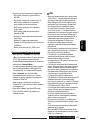 205
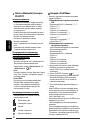 206
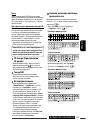 207
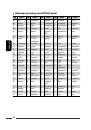 208
 209
 210
 211
 212
 213
 214
 215
 216
 217
 218

61
REFERENCES
ENGLISH
• This unit cannot play back the following files:
– MP3 files encoded with MP3i and MP3 PRO format.
– MP3 files encoded with Layer 1/2.
– WMA files encoded with lossless, professional, and
voice format.
– WMA files which are not based upon Windows
Media® Audio.
– WMA files copy-protected with DRM.
– AAC files encoded by using any other application
than iTunes.
– AAC files copy-protected with FairPlay (except
those stored on an iPod/iPhone).
– Files which have the data such as AIFF, ATRAC3,
etc.
Enjoying surround sounds
• If <
Surround
> is set to <
On
>, “MULTI” surround
playback automatically starts for multi-channel
encoded discs regardless of the <
Surround Mode
>
setting.
• You cannot activate surround for MPEG multi-channel
DVD Video, DivX 2-channel and MPEG 2-channel
sources. If <
Surround
> is set to <
On
>, stereo
sounds are emitted only through the front speakers.
“FRONT 2ch” appears on the source information
screen.
• When “FIX” appears on the source information
screen, no sound comes out of the subwoofer.
• When <
Auto
> is selected, downsampling is
performed for DVD Video (LPCM only) and DVD-VR
(LPCM only).
USB
• If “No USB Device“ appears after removing a device,
reattach a device or select another playback source.
• When the USB device has no playable files, or has not
been formatted correctly, “Cannot play this device
Check the device” appears on the screen.
• This unit cannot recognize a USB device whose rating
is other than 5 V and exceeds 500 mA.
• While playing from a USB device, the playback order
may differ from other players.
• This unit may be unable to play back some USB
devices or some files due to their characteristics or
recording conditions.
• USB devices equipped with special functions such as
data security functions cannot be used with the unit.
• Do not use a USB device with 2 or more partitions.
• Depending on the shape of the USB devices and
connection ports, some USB devices may not be
attached properly or the connection might be loose.
• When connecting a USB device, refer also to its
instructions.
• Connect only one USB device to the unit at a time. Do
not use a USB hub.
• This unit may not recognize a memory card inserted
into a USB card reader.
• When connecting with a USB cable, use the USB 2.0
cable.
• This unit may not play back files in a USB device
properly when using a USB extension cord.
• This unit cannot assure proper functions or supply
power to all types of the devices.
• This unit can recognize a total of 5 000 files and 250
folders (a maximum of 999 files per folder).
• This unit can recognize a total of 25 characters for
file/folder names.
• For MPEG1/MPEG2 files: The maximum bit rate for
video signals (average) is 2 Mbps.