Инструкция для JVC KD-AVX40
 1
 2
 3
 4
 5
 6
 7
 8
 9
 10
 11
 12
 13
 14
 15
 16
 17
 18
 19
 20
 21
 22
 23
 24
 25
 26
 27
 28
 29
 30
 31
 32
 33
 34
 35
 36
 37
 38
 39
 40
 41
 42
 43
 44
 45
 46
 47
 48
 49
 50
 51
 52
 53
 54
 55
 56
 57
 58
 59
 60
 61
 62
 63
 64
 65
 66
 67
 68
 69
 70
 71
 72
 73
 74
 75
 76
 77
 78
 79
 80
 81
 82
 83
 84
 85
 86
 87
 88
 89
 90
 91
 92
 93
 94
 95
 96
 97
 98
 99
 100
 101
 102
 103
 104
 105
 106
 107
 108
 109
 110
 111
 112
 113
 114
 115
 116
 117
 118
 119
 120
 121
 122
 123
 124
 125
 126
 127
 128
 129
 130
 131
 132
 133
 134
 135
 136
 137
 138
 139
 140
 141
 142
 143
 144
 145
 146
 147
 148
 149
 150
 151
 152
 153
 154
 155
 156
 157
 158
 159
 160
 161
 162
 163
 164
 165
 166
 167
 168
 169
 170
 171
 172
 173
 174
 175
 176
 177
 178
 179
 180
 181
 182
 183
 184
 185
 186
 187
 188
 189
 190
 191
 192
 193
 194
 195
 196
 197
 198
 199
 200
 201
 202
 203
 204
 205
 206
 207
 208
 209
 210
 211
 212
 213
 214
 215
 216
 217
 218
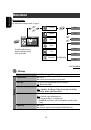
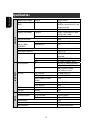
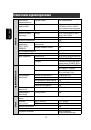
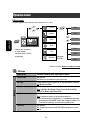
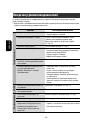
SETTINGS
59
ENGLISH
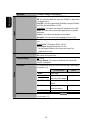
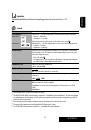
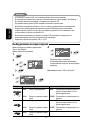
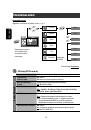
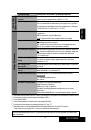
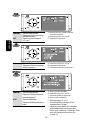
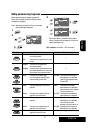
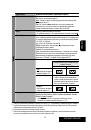
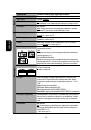
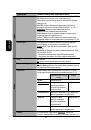
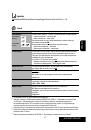
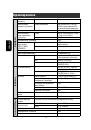
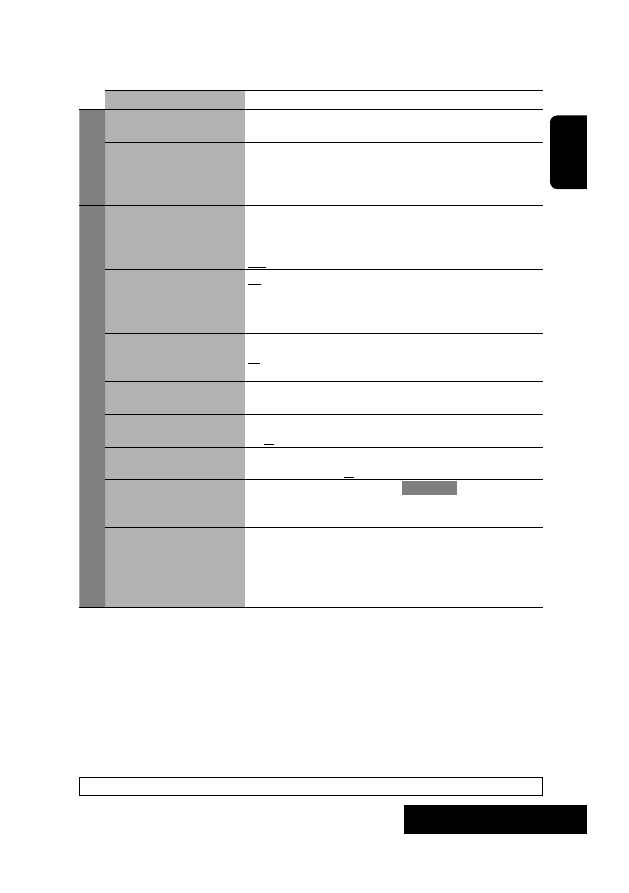
Menu items
Selectable settings, [reference page]
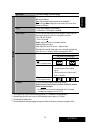
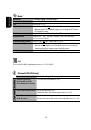
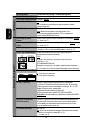
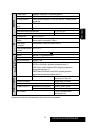
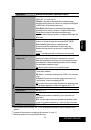
Device Menu
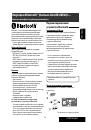
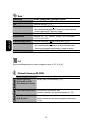
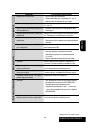
Delete Pairing
Only for the registered devices.
Delete the registered devices,
☞
[35]
New Pairing
Enter the PIN code to establish the connection,
☞
[34]
Once the connection is established, it is registered in the unit. You
can connect the unit and the device by using <Phone Connect>/
<Audio Connect> from the next time on,
☞
[58]
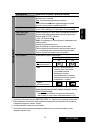
Settings
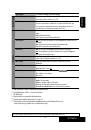
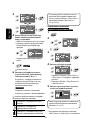
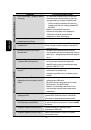
Auto Connect
When the unit is turned on, the connection is established automatically
with...
Off:
No Bluetooth device.
Last:
The last connected Bluetooth device.
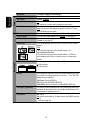
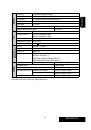
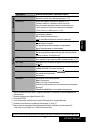
Auto Answer
Off:
The unit does not answer the calls automatically. Answer the calls
manually.
On:
The unit answers the incoming calls automatically.
Reject:
The unit refuses all incoming calls.
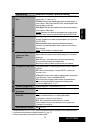
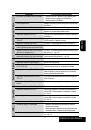
SMS Notify
Off:
The unit does not inform you of the arrival of a message.
On:
The unit informs you of the arrival of a message by ringing and
displaying “Receiving Message.”
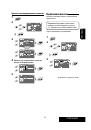
Add Phonebook
Copy the phone book memory of a cellular phone into the unit. You can
register up to 100 phone numbers,
☞
[37]
MIC Setting
Adjust the volume of the microphone connected to the unit.
01, 02, 03
Phone Volume
Adjust the phone volume.
00
to
30
or
50
*
5
, Initial
15
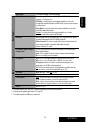
Initialize
Initialize all settings you have made in
<Bluetooth>
.
Yes:
Initializes the settings.
No:
Cancels.
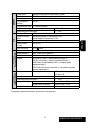
Information
The following information is shown:
Name:
The unit name
Address:
The Mac address of the unit
Version:
The Bluetooth software/hardware versions
*
6
Phone Device/Audio Device:
The connected device names
*
1
Items listed under <Mode> vary among the playback sources.
*
2
Not available when <FM3> is selected as the band.
*
3
KD-AVX40 only
*
4
Only for the device connected for Bluetooth phone.
*
5
Depends on the amplifier gain control. (
☞
page 57)
*
6
If you wish to receive more information about Bluetooth, visit the following JVC web site:
<http://www.jvc.co.jp/english/car/> (English website only)
When operating the Bluetooth device, refer also to the instructions supplied with the device.