Инструкция для Karcher BD 100/250 R I Bp Pack
 1
 2
 3
 4
 5
 6
 7
 8
 9
 10
 11
 12
 13
 14
 15
 16
 17
 18
 19
 20
 21
 22
 23
 24
 25
 26
 27
 28
 29
 30
 31
 32
 33
 34
 35
 36
 37
 38
 39
 40
 41
 42
 43
 44
 45
 46
 47
 48
 49
 50
 51
 52
 53
 54
 55
 56
 57
 58
 59
 60
 61
 62
 63
 64
 65
 66
 67
 68
 69
 70
 71
 72
 73
 74
 75
 76
 77
 78
 79
 80
 81
 82
 83
 84
 85
 86
 87
 88
 89
 90
 91
 92
 93
 94
 95
 96
 97
 98
 99
 100
 101
 102
 103
 104
 105
 106
 107
 108
 109
 110
 111
 112
 113
 114
 115
 116
 117
 118
 119
 120
 121
 122
 123
 124
 125
 126
 127
 128
 129
 130
 131
 132
 133
 134
 135
 136
 137
 138
 139
 140
 141
 142
 143
 144
 145
 146
 147
 148
 149
 150
 151
 152
 153
 154
 155
 156
 157
 158
 159
 160
 161
 162
 163
 164
 165
 166
 167
 168
 169
 170
 171
 172
 173
 174
 175
 176
 177
 178
 179
 180
 181
 182
 183
 184
 185
 186
 187
 188
 189
 190
 191
 192
 193
 194
 195
 196
 197
 198
 199
 200
 201
 202
 203
 204
 205
 206
 207
 208
 209
 210
 211
 212
 213
 214
 215
 216
 217
 218
 219
 220
 221
 222
 223
 224
 225
 226
 227
 228
 229
 230
 231
 232
 233
 234
 235
 236
 237
 238
 239
 240
 241
 242
 243
 244
 245
 246
 247
 248
 249
 250
 251
 252
 253
 254
 255
 256
 257
 258
 259
 260
 261
 262
 263
 264
 265
 266
 267
 268
 269
 270
 271
 272
 273
 274
 275
 276
 277
 278
 279
 280
 281
 282
 283
 284
 285
 286
 287
 288
 289
 290
 291
 292
 293
 294
 295
 296
 297
 298
 299
 300
 301
 302
 303
 304
 305
 306
 307
 308
 309
 310
 311
 312
 313
 314
 315
 316
 317
 318
 319
 320
 321
 322
 323
 324
 325
 326
 327
 328
 329
 330
 331
 332
 333
 334
 335
 336
 337
 338
 339
 340
 341
 342
 343
 344
 345
 346
 347
 348
 349
 350
 351
 352
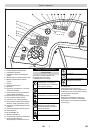 353
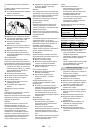 354
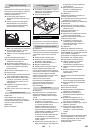 355
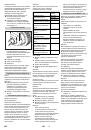 356
 357
 358
 359
 360
 361
 362
 363
 364
 365
 366
 367
 368
 369
 370
-
7
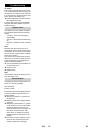
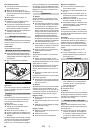
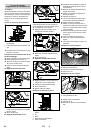
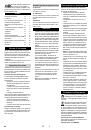
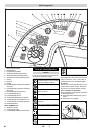
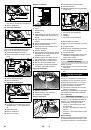
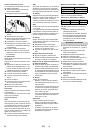
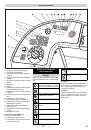
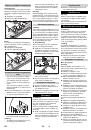
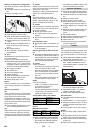
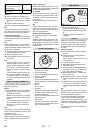
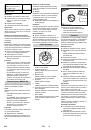
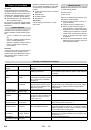
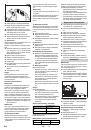
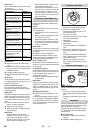
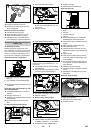
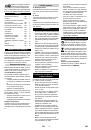
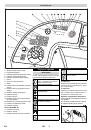
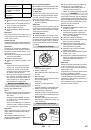
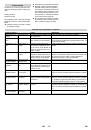
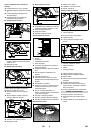
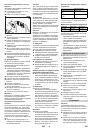
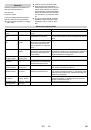
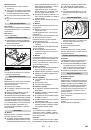
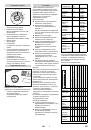
You can make the settings for the different
cleaning programs in the operator menu.
Different parameters can be set based on
the cleaning program. The settings are
done using the Info button.
Release emergency-stop button by
turning.
Sit on the seat and set main switch to
“1”.
The display shows the battery charging
status and the fresh water level.
Select cleaning program.
Call the operator menu by turning the
info button.
Select the desired parameter by turning
the Info button. The currently set value
is displayed as a bar.
Press Info button, the bar display
blinks.
Reset the parameter by turning the Info
button between "min" and "max".
Accept modified setting by pressing the
Info button or wait till the set value is ac-
cepted automatically.
Note
If the selected parameter does not change
within 10 seconds, then the display goes
back to displaying the battery charging sta-
tus and the fresh water level.
The same cleaning parameter can have in-
dividual settings for each cleaning pro-
gram.
The brush pressure can be set only when
the machine is on in the programs brush
suction, wet brushing, polishing and polish-
ing suction.
All settings are saved in the powerless
state of the machine.
Select the menu item "Accept default
values?" in the operator menu by turn-
ing the Info button
Press Info button. The factory settings
of all parameters are restored for each
cleaning program.
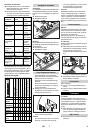
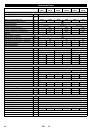
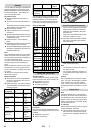
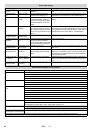
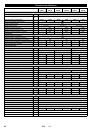
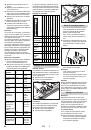
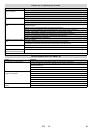
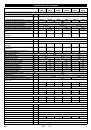
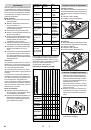
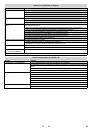
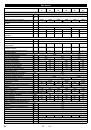
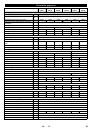
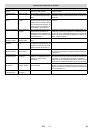
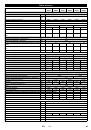
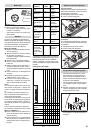
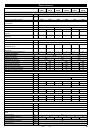
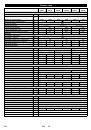
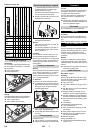
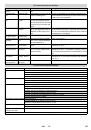
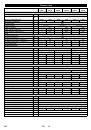
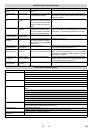
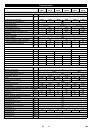
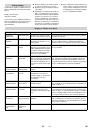
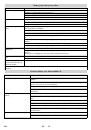
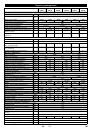
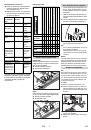
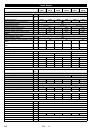
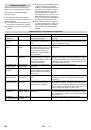
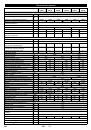
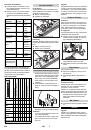
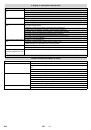
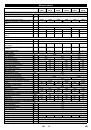
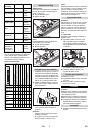
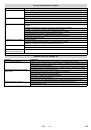
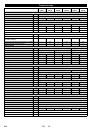
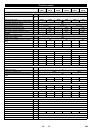
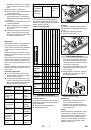
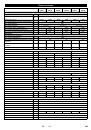
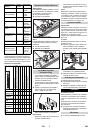
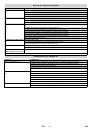
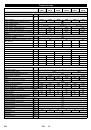
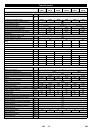
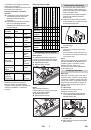
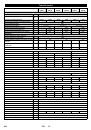
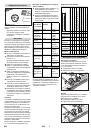
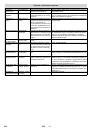
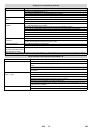
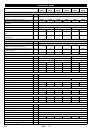
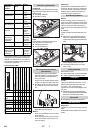
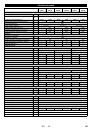
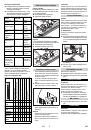
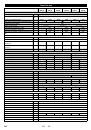
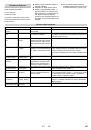
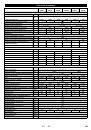
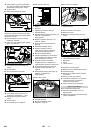
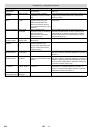
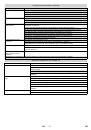
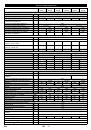
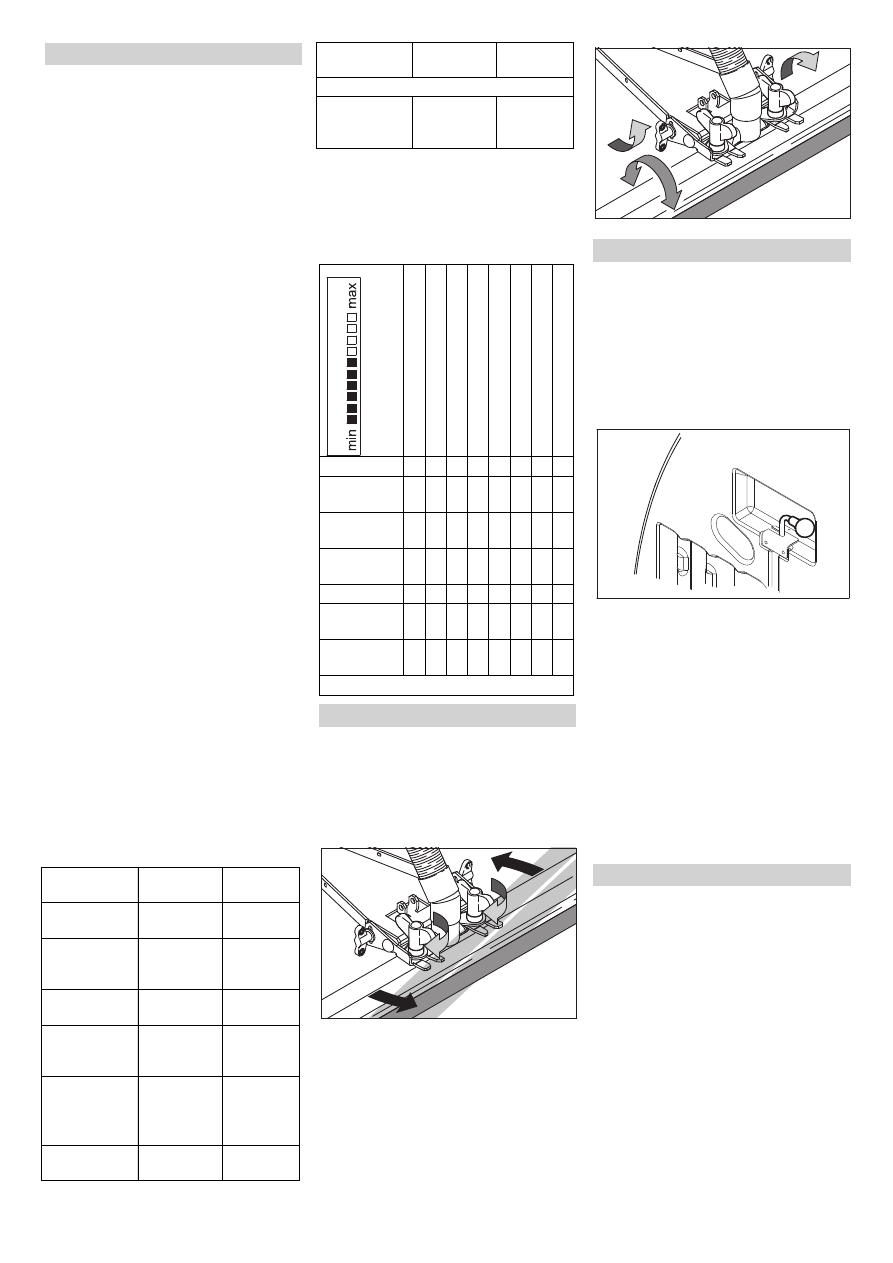
The table given below gives details of the
factory settings of the parameters for the
cleaning programs. If no values are en-
tered, then the respective parameter can-
not be set in the given cleaning program.
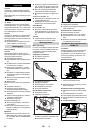
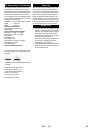
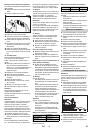
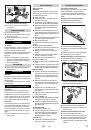
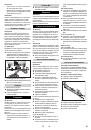
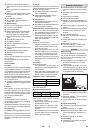
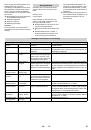
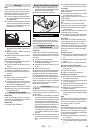
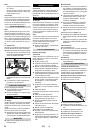
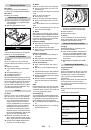
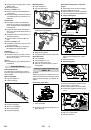
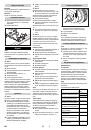
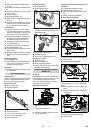
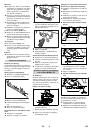
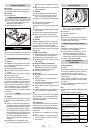
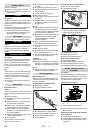
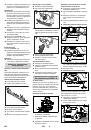
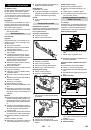
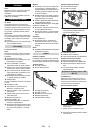
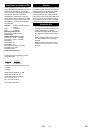
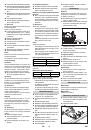
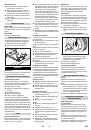
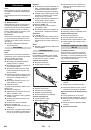
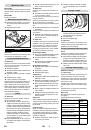
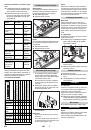
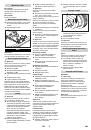
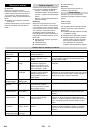
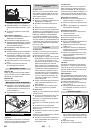
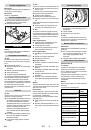
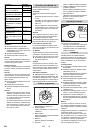
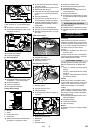
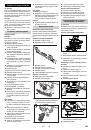
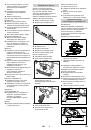
To improve the vacuuming result on tiled
floors the vacuum bar can be turned to an
oblique position of up to 5°.
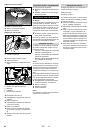
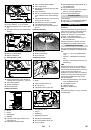
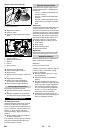
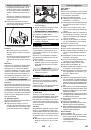
Release the wing nuts.
Turn the vacuum bar.
Tighten the wing nuts.
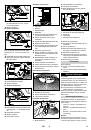
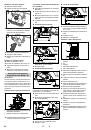
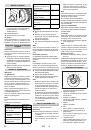
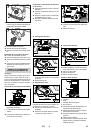
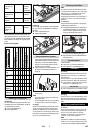
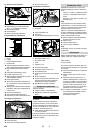
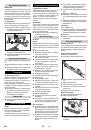
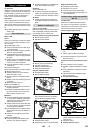
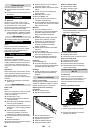
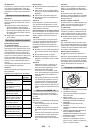
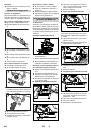
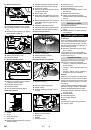
If the vacuum result is unsatisfactory the in-
clination of the straight vacuum bar can be
modified.
Release the wing nuts.
Tilt the vacuum bar.
Tighten the wing nuts.
–
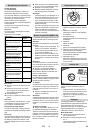
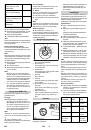
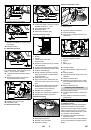
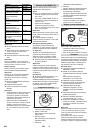
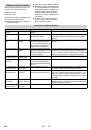
During normal operations (fresh water
mode), water is taken from the fresh
water tank and collected in dirt water
tank after use.
–
Water can be circulated for floors with
dirt levels of slight to normal.
First clean in the fresh water mode till
the water in the fresh water tank has
been consumed.
The set the switching of recyling/ fresh
water mode to Recycling.
Note
–
The dirt water is cleaned by a filter be-
fore being reused.
–
For recycling operations, the entire re-
cycling filter must lie below the dirt wa-
ter level.
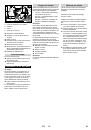
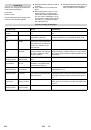
Caution
Risk of damage due to overdose of deter-
gent. Very often, the detergent contained
in the dirt water has only been partially
used. Hence, in the recycling mode, the
detergent quantity to be added is to be set
to 0.
Note
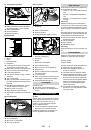
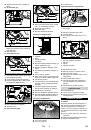
Overflow dirt water tank. If the dirt water
tank is full, the suction turbine switches off
and the indicator lamp "dirt water tank full"
begins to blink. All cleaning programs with
suction are blocked for one minute. Empty
the dirt water reservoir.
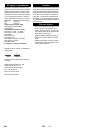
몇
Warning
Please observe the local provisions regard-
ing the wastewater treatment.
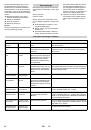
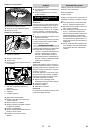
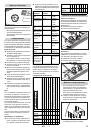
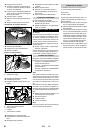
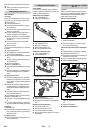
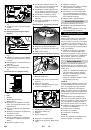
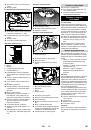
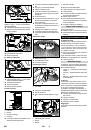
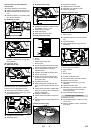
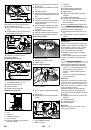
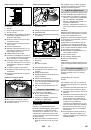
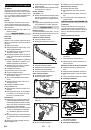
Take the fresh water drain hose or the
dirt water drain hose from the support
and lower it into a suitable collection de-
vice.
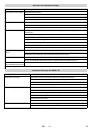
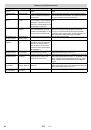
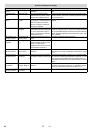
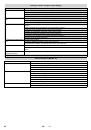
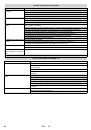
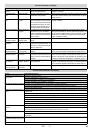
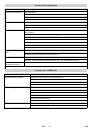
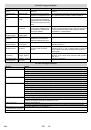
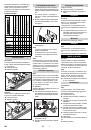
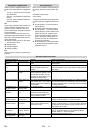
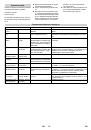
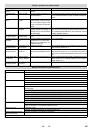
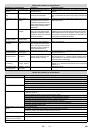
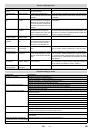
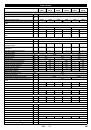
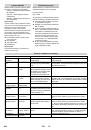
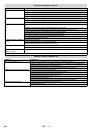
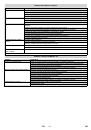
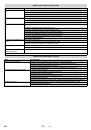
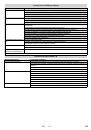
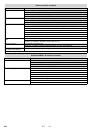
Settings
Operations menu
Reset parameters
Adjustable
parameters
min:step:m
ax
Remark
Water quantity 1:1:8
0=min.,
8=max.
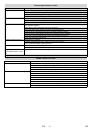
Detergent dos-
ing unit
0:1:5
0=Off,
1=min.,
5=max.
Brush pres-
sure
0:1:8
0=min.,
8=max.
FACT (brush
speed)
–
Power-,
Whisper-,
Fine Clean
SUCTION
(suction per-
formance)
–
Mode:
POWER,
Mode:
WHISPER
Brush rotation
time after stop
0s:1s:3s
From idling
to lifting
Working speed 1:1:6
1=1km/h,
6=6km/h
Only for BR/BD...RI models:
Trailing time
for sweeper af-
ter stopping
0s:1s:3s
From idling
to lifting
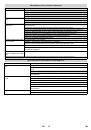
Factory setting BR...:
Water quantity
Detergent dosing
Brush pressure
FACT (brush speed)
SUCTION
Brush trailing time (s)
Working speed
Trailing time for sweeping
Driving
– – – – – – – 2
Scrubbing
suction
5 0 4 p p 2 4 –
Wet scrub-
bing
5 0 4 p – 2 4 –
Dry vacu-
um cleaning
– – – – p – 4 –
Polishing
– – 4 p – 0 4 –
Polish suc-
tion
– – 4 p p 0 4 –
Manual
cleaning
– – – – – – – –
P=Power Clean
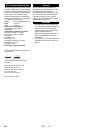
Setting the Vacuum Bar
Oblique position
Inclination
Recycling operations (option)
Empty tanks.
22
EN