Инструкция для LG 42LA690V
 1
 2
 3
 4
 5
 6
 7
 8
 9
 10
 11
 12
 13
 14
 15
 16
 17
 18
 19
 20
 21
 22
 23
 24
 25
 26
 27
 28
 29
 30
 31
 32
 33
 34
 35
 36
 37
 38
 39
 40
 41
 42
 43
 44
 45
 46
 47
 48
 49
 50
 51
 52
 53
 54
 55
 56
 57
 58
 59
 60
 61
 62
 63
 64
 65
 66
 67
 68
 69
 70
 71
 72
 73
 74
 75
 76
 77
 78
 79
 80
 81
 82
 83
 84
 85
 86
 87
 88
 89
 90
 91
 92
 93
 94
 95
 96
 97
 98
 99
 100
 101
 102
 103
 104
 105
 106
 107
 108
 109
 110
 111
 112
 113
 114
 115
 116
 117
 118
 119
 120
 121
 122
 123
 124
 125
 126
 127
 128
 129
 130
 131
 132
 133
 134
 135
 136
 137
 138
 139
 140
 141
 142
 143
 144
 145
 146
 147
 148
 149
 150
 151
 152
 153
 154
 155
 156
 157
 158
17
ENG
ENGLISH
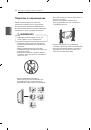
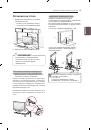
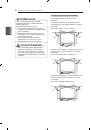
ASSEMBLING AND PREPARING
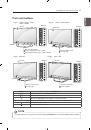
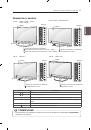
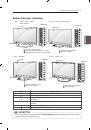
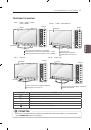
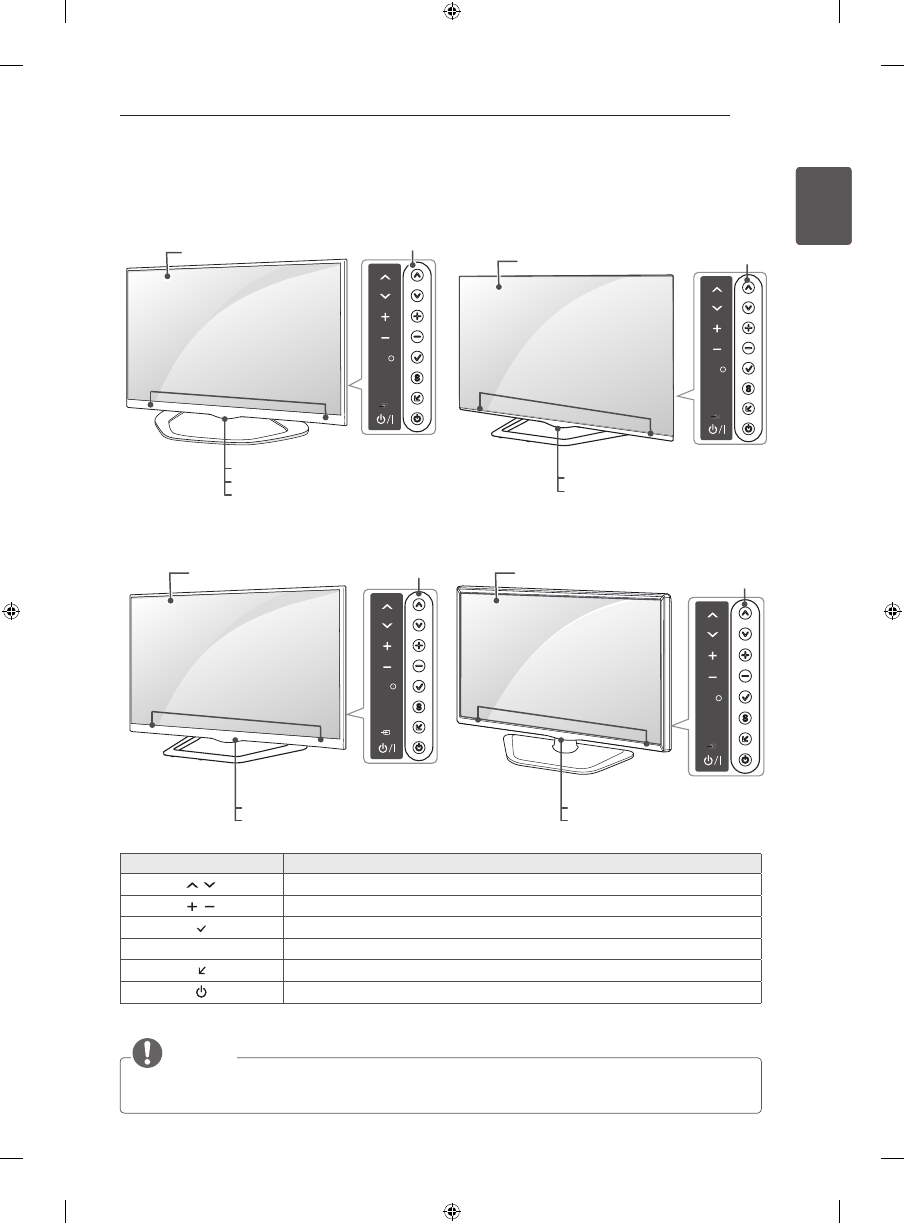
Parts and buttons
Button
Description
H
Scrolls through the saved programmes.
H
Adjusts the volume level.
H
Selects the highlighted menu option or confirms an input.
S
Accesses the main menu, or saves your input and exits the menus.
H
Changes the input source.
Turns the power on or off.
NOTE
y
You can set the
LG Logo Light
to on or off by selecting
OPTION
in the main menus.(Depending on model)
LAN
(PC)
RGB IN
(RGB/HDMI-PC)
AUDIO
IN
IN
OUT
OPTICAL
DIGITAL
AUDIO
H/P
IN/OUT
(RGB)
AV1
IN
HDD IN
USB Hub
USB Appps
USB IN
1
1
(ARC)
2
3
4
(PC)
2
USB IN
3
ANTENNA
/CABLE
13/18V
700mA MAx
LNB IN
Satellite
IN
COMPONENT
AV
P
R
P
B
Y
VIDEO
AUDIO
SETTINGS
INPUT
OK
SETTINGS
INPUT
OK
Buttons
Screen
Speakers
SETTINGS
INPUT
OK
Screen
Buttons
Speakers
Remote control sensor
LG Logo Light (Only LA64**, LA66**)
Power Indicator (Only LA62**, LN57**-ZE/ZK)
Remote control sensor
LG Logo Light
A type : LA62**, LA64**, LA66**,
LN57**-ZE/ZK
SETTINGS
INPUT
OK
Screen
Buttons
Speakers
Remote control sensor
Power Indicator
D type : LN57**-ZA
SETTINGS
INPUT
OK
Screen
Buttons
Speakers
Remote control sensor
LG Logo Light
C type : 60LA74**
B type : LA69**, 42/47/55LA74**