Инструкция для Lenovo ThinkPad X131e Intel, ThinkPad X131e (AMD)
 1
 2
 3
 4
 5
 6
 7
 8
 9
 10
 11
 12
 13
 14
 15
 16
 17
 18
 19
 20
 21
 22
 23
 24
 25
 26
 27
 28
 29
 30
 31
 32
 33
 34
 35
 36
 37
 38
 39
 40
 41
 42
 43
 44
 45
 46
 47
 48
 49
 50
 51
 52
 53
 54
 55
 56
 57
 58
 59
 60
 61
 62
 63
 64
 65
 66
 67
 68
 69
 70
 71
 72
 73
 74
 75
 76
 77
 78
 79
 80
 81
 82
 83
 84
 85
 86
 87
 88
 89
 90
 91
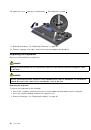 92
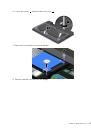 93
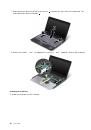 94
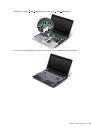 95
 96
 97
 98
 99
 100
 101
 102
 103
 104
 105
 106
 107
 108
 109
 110
 111
 112
 113
 114
 115
 116
 117
 118
 119
 120
 121
 122
 123
 124
 125
 126
 127
 128
 129
 130
 131
 132
 133
 134
 135
 136
 137
 138
 139
 140
 141
 142
 143
 144
 145
 146
 147
 148
 149
 150
 151
 152
 153
 154
 155
 156
 157
 158
 159
 160
 161
 162
 163
 164
 165
 166

• UUID
• MAC address (Internal LAN)
• Preinstalled operating system license
• UEFI Secure Boot
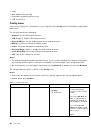
Config menu
If you need to change the configuration of your computer, select
Config
from the ThinkPad Setup program
main menu.
The following submenu is displayed:
•
Network
: Set the LAN related functions.
•
USB
: Enable or disable USB related functions.
•
Keyboard/Mouse
: Set the keyboard and mouse related functions.
•
Display
: Specify the settings for display output.
•
Power
: Set power management related functions.
•
Beep and Alarm
: Enable or disable the audio related functions.
•
Serial ATA (SATA)
: Specify the settings for the hard disk drive.
•
CPU
: Specify the settings for the CPU.
Notes:
• The default settings are already optimized for you. If you consider changing the computer configuration,
proceed with extreme caution. Setting the configuration incorrectly might cause unexpected results.
• On each submenu, you can enable a function by selecting
Enabled
, or disable it by selecting
Disabled
.
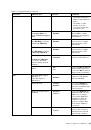
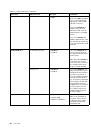
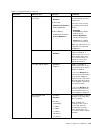
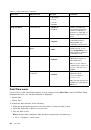
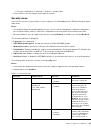
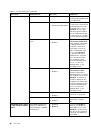
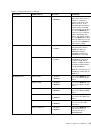
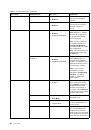
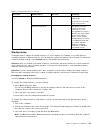
The following table shows the contents of the
Config
menu.
Notes:
• Some items are displayed on the menu only if the computer supports the corresponding features.
• Default values are in
boldface
.
Table 4. Config menu items
Menu item
Submenu item
Selection
Comments
Wake On LAN
• Disabled
•
AC Only
• AC and Battery
Enable the system to power
on when the Ethernet
controller receives a magic
packet.
If you select
AC Only
, the
Wake on LAN function is
enabled only when the ac
power adapter is attached.
If you select
AC and
Battery
, the Wake on LAN
function is enabled with any
power sources.
Notes:
Network
90
User Guide
Оглавление инструкции
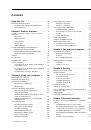
- Read this first
- Chapter 1. Product overview
- Chapter 2. Using your computer
- Chapter 3. You and your computer
- Chapter 4. Security
- Chapter 5. Recovery overview
- Chapter 6. Replacing devices
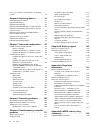
- Static electricity prevention
- Replacing the battery
- Replacing the SIM card
- Replacing the hard disk drive or solid-state drive
- Replacing a PCI Express Mini Card for wireless LAN connection
- Replacing a PCI Express Half Mini Card for wireless WAN connection
- Replacing a memory module
- Replacing the keyboard
- Replacing the backup battery
- Chapter 7. Advanced configuration
- Installing a new operating system
- Installing device drivers
- Installing the driver for the 4-in-1 media card reader
- Installing the driver for USB 3.0 on the Windows 7 operating system
- Installing the ThinkPad monitor file for Windows 2000/XP/Vista/7/8 on the Windows 7 operating system
- Installing other device drivers and software on the Windows 7 operating system
- ThinkPad Setup
- Using system management
- Chapter 8. Preventing problems
- Chapter 9. Troubleshooting computer problems
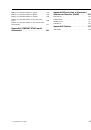
- Diagnosing problems
- Troubleshooting
- Computer stops responding
- Spills on the keyboard
- Error messages
- Errors without messages
- Beep errors
- Memory module problems
- Networking problems
- Problems with the keyboard and other pointing devices
- Problems with the display and multimedia devices
- Battery and power problems
- Problems with drives and other storage devices
- A software problem
- Problems with ports and connectors
- Chapter 10. Getting support
- Appendix A. Regulatory information
- Wireless related information
- Export classification notice
- Electronic emission notices
- Federal Communications Commission Declaration of Conformity
- Industry Canada Class B emission compliance statement
- European Union - Compliance to the Electromagnetic Compatibility Directive
- German Class B compliance statement
- Korea Class B compliance statement
- Japan VCCI Class B compliance statement
- Japan compliance statement for products which connect to the power mains with rated current less than or equal to 20 A per phase
- Lenovo product service information for Taiwan
- Appendix B. WEEE and recycling statements
- Appendix C. ENERGY STAR model information
- Appendix D. Restriction of Hazardous Substances Directive (RoHS)
- Appendix E. Notices


