Инструкция для M-Audio Keystation Mini 32
 1
 2
 3
 4
 5
 6
 7
 8
 9
 10
 11
 12
 13
 14
 15
 16
 17
 18
 19
 20
 21
 22
 23
 24
 25
 26
 27
 28
 29
 30
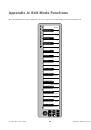 31
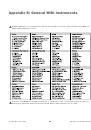 32
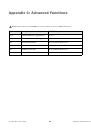 33
 34
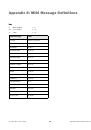 35
 36
 37
 38
 39
 40
 41
 42
 43
 44
 45

Chapter 2: Connecting Your Keyboard
4
Keystation Mini 32 User Guide
Mac OS X installation
The class-compliant drivers built into Mac OS X provide full support for all features of your Keystation key-
board. This means that additional M-Audio drivers are neither necessary (or available) when using your Key-
station with Mac OS X.
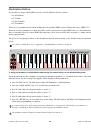
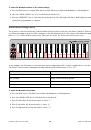
To install your Keystation Mini 32:
1
Connect the controller keyboard to USB port on your Apple Computer.
2
As soon as the Sustain, Edit, and Oct/Data buttons illuminate on your Keystation Mini 32, it is ready for
use with your computer.
3
Launch an application that responds to MIDI messages to start using your keyboard.
iPad installation
The class-compliant drivers built into the iPad, starting with iOS 4.2, provide full support for all Keystation
Mini 32 features.
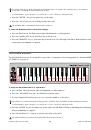
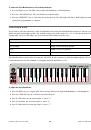
To install your Keystation Mini 32:
1
Connect the controller keyboard to the iPad Camera Connection Kit USB connector.
2
As soon as the Sustain, Edit, and Oct/Data buttons illuminate on your Keystation Mini 32, it is ready for
use with your iPad.
3
Launch an application that responds to MIDI messages to start using your keyboard.
Since the iPad does not have a native USB port, you must purchase the iPad Camera Connection Kit in order to connect
your keyboard to the iPad.
Оглавление инструкции
- Contents
- Chapter 1: Introduction
- Chapter 2: Connecting Your Keyboard
- Chapter 3: Getting Started
- Chapter 4: Edit Mode
- Chapter 5: Troubleshooting
- Appendix A: Edit Mode Functions
- Appendix B: General MIDI instruments
- Appendix C: Advanced Functions
- Appendix D: Standard MIDI CC Numbers
- Appendix E: MIDI Message Definitions
- Appendix F: Data Entry for Values 0 - 127
- Appendix G: Additional RPN Messages
- Appendix H: MIDI Messages In-Depth
- Appendix I: MIDI Implementation Chart
- Appendix J: Compliance Information
- Appendix K: Warranty Terms