Инструкция для Al-ko HW 6000 FMS Premium, HW 5000 FMS Premium
 1
 2
 3
 4
 5
 6
 7
 8
 9
 10
 11
 12
 13
 14
 15
 16
 17
 18
 19
 20
 21
 22
 23
 24
 25
 26
 27
 28
 29
 30
 31
 32
 33
 34
 35
 36
 37
 38
 39
 40
 41
 42
 43
 44
 45
 46
 47
 48
 49
 50
 51
 52
 53
 54
 55
 56
 57
 58
 59
 60
 61
 62
 63
 64
 65
 66
 67
 68
 69
 70
 71
 72
 73
 74
 75
 76
 77
 78
 79
 80
 81
 82
 83
 84
 85
 86
 87
 88
 89
 90
 91
 92
 93
 94
 95
 96
 97
 98
 99
 100
 101
 102
 103
 104
 105
 106
 107
 108
 109
 110
 111
 112
 113
 114
 115
 116
 117
 118
 119
 120
 121
 122
 123
 124
 125
 126
 127
 128
 129
 130
 131
 132
 133
 134
 135
 136
 137
 138
 139
 140
 141
 142
 143
 144
 145
 146
 147
 148
 149
 150
 151
 152
 153
 154
 155
 156
 157
 158
 159
 160
 161
 162
 163
 164
 165
 166
 167
 168
 169
 170
 171
 172
 173
 174
 175
 176
 177
 178
 179
 180
 181
 182
 183
 184
 185
 186
 187
 188
 189
 190
 191
 192
 193
 194
 195
 196
 197
 198
 199
 200
 201
 202
 203
 204
 205
 206
 207
 208
 209
 210
 211
 212
 213
 214
 215
 216
 217
 218
 219
 220
 221
 222
 223
 224
en
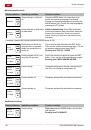
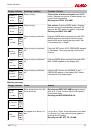
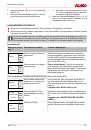
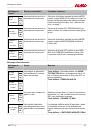
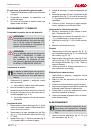
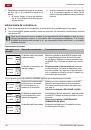
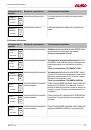
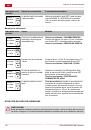
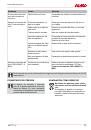
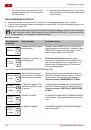
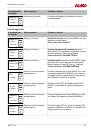
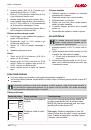
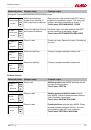
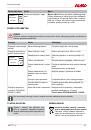
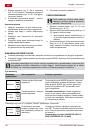
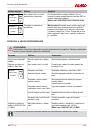
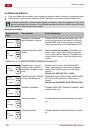
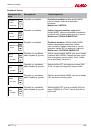
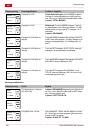
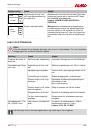
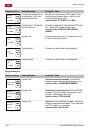
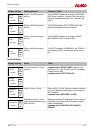
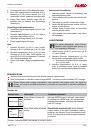
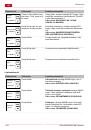
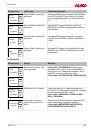
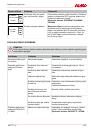
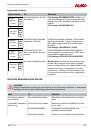
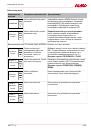
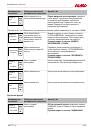
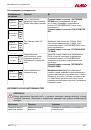
Display indications
20
HWA 5000/6000 FMS Premium
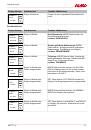
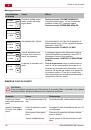
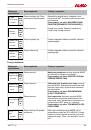
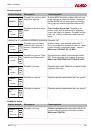
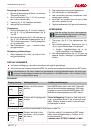
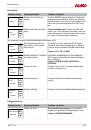
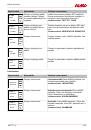
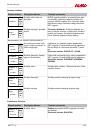
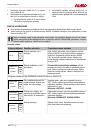
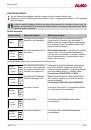
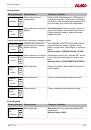
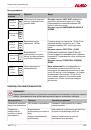
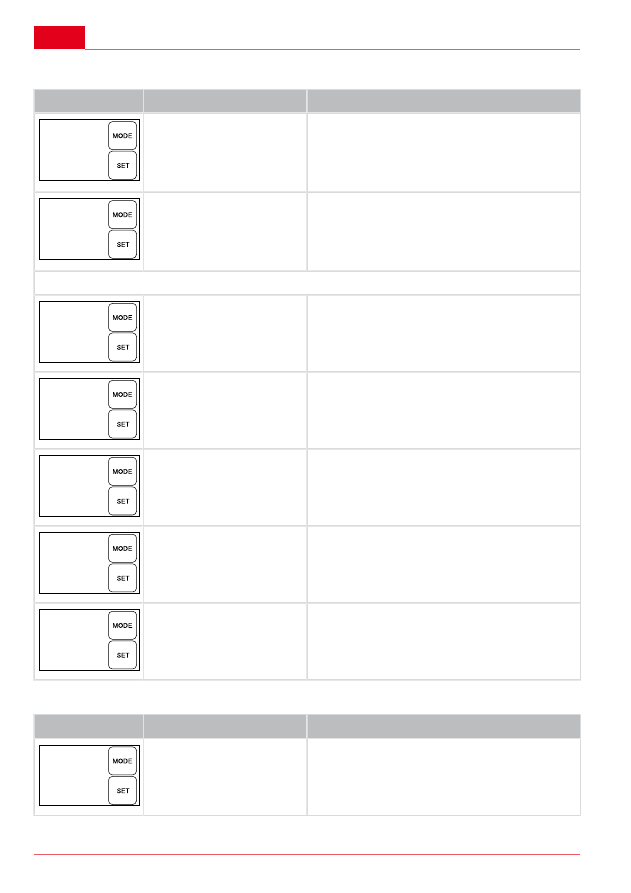
Normal operation mode
Display indicator Switching condition
Function / actions
GERMAN
Pump running or switched
off
Press the MODE button for longer than 3 se-
conds, the operating language is activated.
Change the operating language by pressing the
MODE button (30). Confirm the new language by
pressing the SET button
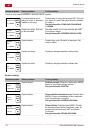
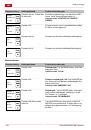
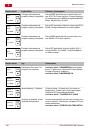
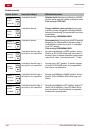
NORMAL X
Pressure
1.5 BAR
Pump switches on and starts
to draw water.
Initial commissioning
Pump filled with water,
suction and pressure side connected, water pre-
sent on the suction side. Pump connected to
mains. Closing off devices in the pressure line
are open.
A rotating X behind the normal symbolises that the pump is ON
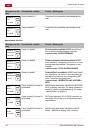
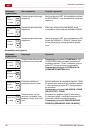
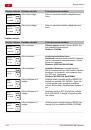
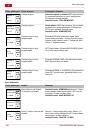
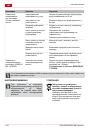
ALARM
Top up
1.2 BAR
Pump does not switch on
after self-test. In operation
mode, the pump does not
switch on.
Top up with air and then press the SET button.
Carry out the initial commissioning again. For the
air pressure see technical data Page 3
Running text TOP UP 1.5 BAR
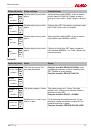
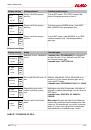
ALARM
Water supply
1.5 BAR
Pump switches off. Dry run-
ning after 90 seconds
Check the suction line and then press the SET
button. Carry out the initial commissioning again.
Running text CHECK WATER INFEED
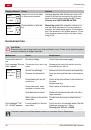
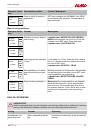
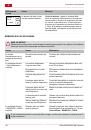
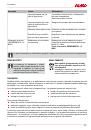
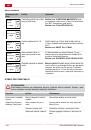
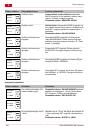
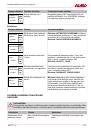
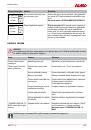
NORMAL X
Pressure
3.2 BAR
Pump running.
Pump delivering water. Storage vessel being fil-
led. Part of the water is being drawn off.
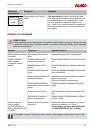
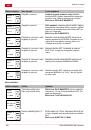
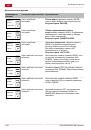
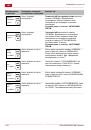
NORMAL 0
Pressure
4.0 BAR
Pump switches off.
Pump has achieved the set switch-off pressure.
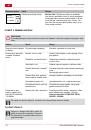
NORMAL X
Pressure
2.0 BAR
Pump switches on
Pump has achieved the set switch-on pressure.
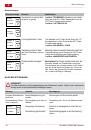
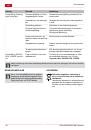
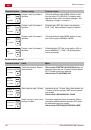
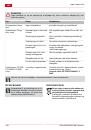
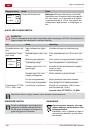
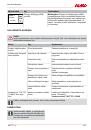
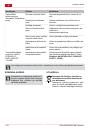
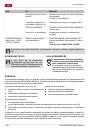
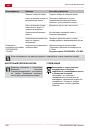
Additional functions
Display indicator Switching condition
Function / actions
NORMAL X
Flow rate
3600 L/M
Pump running.
Flow rate:
press the MODE button until the flow
rate appears.
Running text FLOW RATE
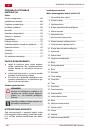
Оглавление инструкции
- Deckblatt A5 Geräte
- Original-Betriebsanleitung
- Zu diesem Handbuch
- Produktbeschreibung
- Lieferumfang
- Sicherheitshinweise
- Montage
- Inbetriebnahme
- Wartung und Pflege
- Lagerung
- Display-Anzeigen
- Hilfe bei Störungen
- Druckschalter
- Entsorgung
- Garantie
- EG-Konformitätserklärung
- ORIGINAL INSTRUCTIONS FOR USE
- About this handbook
- Product description
- Scope of delivery
- Safety instructions
- Assembly
- Startup
- Maintenance and care
- Storage
- Display indications
- Troubleshooting
- Pressure Switch
- Disposal
- Warranty
- EU declaration of conformity
- VERTAALDE GEBRUIKSAANWIJZING
- Over dit handboek
- Productbeschrijving
- Inhoud van de levering
- Veiligheidsvoorschriften
- Montage
- Inbedrijfstelling
- Onderhoud
- Opslag
- Aanduidingen op display
- Hulp bij storingen
- Drukschakelaar
- Afvoeren
- Garantie
- EG-conformiteitsverklaring
- NOTICE D'UTILISATION ORIGINALE
- Informations sur ce manuel
- Description du produit
- Contenu de la livraison
- Consignes de sécurité
- Montage
- Mise en service
- Maintenance et entretien
- Stockage
- Affichages de l'écran
- Remèdes en cas de pannes
- Interrupteur à pression
- Elimination
- Garantie
- Déclaration de conformité CE
- MANUAL ORIGINAL DE INSTRUCCIONES
- Respecto a este manual
- Descripción del producto
- Volumen de suministro
- Advertencias de seguridad
- Montaje
- Puesta en servicio
- Mantenimiento y cuidados
- Almacenamiento
- Indicaciones de la pantalla
- Solución en caso de anomalías
- Conmutador de presión
- Eliminación como desecho
- Garantía
- Declaración de conformidad CE
- LIBRETTO DI ISTRUZIONI ORIGINALE
- Riguardo questo manuale
- Descrizione del prodotto
- Dotazione
- Indicazioni di sicurezza
- Montaggio
- Messa in funzione
- Manutenzione e cura
- Stoccaggio
- Visualizzazioni su display
- Rimedi in caso di guasto
- Pressostato
- Smaltimento
- Garanzia
- Dichiarazione di conformità CE
- PREVOD ORIGINALNIH NAVODIL
- Spremna beseda k priročniku
- Opis izdelka
- Obseg dobave
- Varnostna opozorila
- Montaža
- Zagon
- Nega in vzdrževanje
- Skladiščenje
- Zaslonski prikazi
- Pomoč v primeru motenj
- Tlačno stikalo
- Odstranjevanje
- Garancija
- Izjava ES o skladnosti
- ORIGINALNE UPUTE ZA UPORABU
- Uz ovaj priručnik
- Opis proizvoda
- Opseg isporuke
- Sigurnosne napomene
- Montaža
- Puštanje u rad
- Održavanje i njega
- Skladištenje
- Prikazi na zaslonu
- Pomoć kod smetnji
- Tlačna sklopka
- Zbrinjavanje
- Jamstvo
- Izjava EZ o sukladnosti
- ORYGINALNA INSTRUKCJA OBSŁUGI
- O tym podręczniku
- Opis produktu
- Zakres dostawy
- Wskazówki bezpieczeństwa
- Montaż
- Uruchomienie
- Przeglądy i konserwacja
- Przechowywanie
- Wskazania wyświetlacza
- Usterki i ich usuwanie
- Przełącznik ciśnieniowy
- Utylizacja
- Gwarancja
- Deklaracja zgodności WE
- ORIGINÁLNÍ NÁVOD K POUŽITÍ
- K této příručce
- Popis výrobku
- Rozsah dodávky
- Bezpečnostní upozornění
- Montáž
- Uvedení do provozu
- Péče a údržba
- Skladování
- Hlášení na displeji
- Poruchy a jejich odstraňování
- Tlakový spínač
- Likvidace
- Záruka
- Prohlášení o shodě ES
- ORIGINÁLNY NÁVOD NA POUŽITIE
- O tomto návode
- Popis výrobku
- Rozsah dodávky
- Bezpečnostné pokyny
- Montáž
- Uvedenie do prevádzky
- Údržba a ošetrovanie
- Skladovanie
- Hlásenia na displeji
- Pomoc pri poruchách
- Tlakový spínač
- Likvidácia
- Záruka
- Vyhlásenie o zhode ES
- ORIGINAL BRUGSANVISNING
- Om denne vejledning
- Produktbeskrivelse
- Leveringsomfang
- Sikkerhedsanvisninger
- Montering
- Ibrugtagning
- Vedligeholdelse og service
- Opbevaring
- Display-visninger
- Hjælp i tilfælde af fejl
- Trykafbryder
- Bortskaffelse
- Garanti
- EU-overensstemmelseserklæring
- ORIGINAL BRUKSANVISNING
- Om denna handbok
- Produktbeskrivning
- Leveransomfattning
- Säkerhetsinstruktioner
- Montering
- Idrifttagning
- Underhåll och skötsel
- Förvaring
- Displayvisningar
- Hjälp vid störningar
- Tryckbrytare
- Bortskaffande
- Garanti
- EG-försäkran om överensstämmelse
- OPPRINNELIG BRUKSANVISNING
- Om denne håndboken
- Produktbeskrivelse
- Leveranse
- Sikkerhetsanvisninger
- Montering
- Igangkjøring
- Vedlikehold og pleie
- Lagring
- Display-visninger
- Hjelp ved funksjonsfeil
- Pressure Switch
- Avhending
- Garanti
- EU-samsvarserklæring
- ALKUPERÄISEN KÄYTTÖOHJEEN KÄÄNNÖS
- Käsikirjaa koskevia tietoja
- Tuotekuvaus
- Toimitussisältö
- Turvaohjeet
- Asennus
- Käyttöönotto
- Huolto ja hoito
- Varastointi
- Näytön ilmoitukset
- Apu häiriötilanteissa
- Painekytkin
- Hävittäminen
- Takuu
- EY-vaatimustenmukaisuusvakuutus
- ORIGINAALKASUTUSJUHEND
- Käsiraamat
- Tootekirjeldus
- Tarnitav varustus
- Ohutusjuhised
- Kokkupanek
- Commissioning
- Hooldus ja korrashoid
- Ladustamine
- Ekraani kuva
- Tegutsemine rikete korral
- Rõhulüliti
- Käitlemine
- Garantii
- EÜ vastavustunnistus
- ORIGINALI EKSPLOATACIJOS INSTRUKCIJA
- Prie šio vadovo
- Gaminio aprašymas
- Komplektas
- Saugos patarimai
- Montavimas
- Eksploatacijos pradžia
- Aptarnavimas ir priežiūra
- Sandėliavimas
- Ekrano rodmenys
- Pagalba esant gedimams
- Jungiklis
- Šalinimas
- Garantija
- EB atitikties deklaracija
- ORIĢINĀLĀ LIETOŠANAS INSTRUKCIJA
- Par šo rokasgrāmatu
- Izstrādājuma apraksts
- Piegādes komplektācija
- Drošības norādījumi
- Montāža
- Nodošana ekspluatācijā
- Apkope un kopšana
- Uzglabāšana
- Displeja rādījumi
- Palīdzība darbības traucējumu gadījumā
- Spiediena slēdzis
- Utilizācija
- Garantija
- EK atbilstības deklarācija
- EREDETI HASZNÁLATI UTASÍTÁS
- A kézikönyvről
- Termékleírás
- Szállítás terjedelme
- Biztonsági utasítások
- Szerelés
- Üzembe helyezés
- Karbantartás és ápolás
- Tárolás
- Kijelző feliratai
- Segítség meghibásodás esetén
- Nyomáskapcsoló
- Hulladékkezelés
- Garancia
- EK-megfelelőségi nyilatkozat
- ORIJINAL KULLANIM KILAVUZU
- El Kitabı hakkında
- Ürün tanımı
- Teslimat kapsamı
- Emniyet uyarıları
- Montaj
- Devreye
- Onarım ve bakım
- Depolama
- Ekran göstergeleri
- Arızada yardım
- Basınç şalteri
- Atıkların yokedilmesi
- Garanti
- AB uygunluk beyanı
- ОРИГИНАЛ РУКОВОДСТВА ПО ЭКСПЛУАТАЦИИ
- Предисловие к руководству
- Описание продукта
- Комплект поставки
- Указания по безопасности
- Монтаж
- Ввод в эксплуатацию
- Техобслуживание и уход
- Хранение
- Индикация на дисплее
- Помощь при неисправностях
- Кнопочный переключатель
- Утилизация
- Гарантия
- Заявление о соответствии ЕС
- ОРИГІНАЛ ПОСІБНИКА З ЕКСПЛУАТАЦІЇ
- Передмова до посібника
- Опис виробу
- Комплект поставки
- Вказівки щодо безпеки
- Монтаж
- Введення в експлуатацію
- Технічне обслуговування і догляд
- Зберігання
- Відображення на дисплеї
- Допомога в разі несправностей
- Кнопковий вимикач
- Утилізація
- Гарантія
- Декларація про відповідність стандартам ЄС
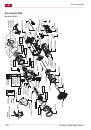
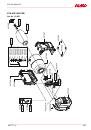
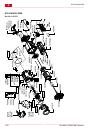
- ETK HW 5000 FMS
- ETK HW 5000 FMS
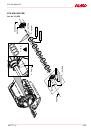
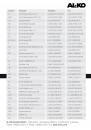
- ETK HW 6000 FMS
- ETK HW 6000 FMS


