Инструкция для Panasonic KX-TD500
 1
 2
 3
 4
 5
 6
 7
 8
 9
 10
 11
 12
 13
 14
 15
 16
 17
 18
 19
 20
 21
 22
 23
 24
 25
 26
 27
 28
 29
 30
 31
 32
 33
 34
 35
 36
 37
 38
 39
 40
 41
 42
 43
 44
 45
 46
 47
 48
 49
 50
 51
 52
 53
 54
 55
 56
 57
 58
 59
 60
 61
 62
 63
 64
 65
 66
 67
 68
 69
 70
 71
 72
 73
 74
 75
 76
 77
 78
 79
 80
 81
 82
 83
 84
 85
 86
 87
 88
 89
 90
 91
 92
 93
 94
 95
 96
 97
 98
 99
 100
 101
 102
 103
 104
 105
 106
 107
 108
 109
 110
 111
 112
 113
 114
 115
 116
 117
 118
 119
 120
 121
 122
 123
 124
 125
 126
 127
 128
 129
 130
 131
 132
 133
 134
 135
 136
 137
 138
 139
 140
 141
 142
 143
 144
 145
 146
 147
 148
 149
 150
 151
 152
 153
 154
 155
 156
 157
 158
 159
 160
 161
 162
 163
 164
 165
 166
 167
 168
 169
 170
 171
 172
 173
 174
 175
 176
 177
 178
 179
 180
 181
 182
 183
 184
 185
 186
 187
 188
 189
 190
 191
 192
 193
 194
 195
 196
 197
 198
 199
 200
 201
 202
 203
 204
 205
 206
 207
 208
 209
 210
 211
 212
 213
 214
 215
 216
 217
 218
 219
 220
 221
 222
 223
 224
 225
 226
 227
 228
 229
 230
 231
 232
 233
 234
 235
 236
 237
 238
 239
 240
 241
 242
 243
 244
 245
 246
 247
 248
 249
 250
 251
 252
 253
 254
 255
 256
 257
 258
 259
 260
 261
 262
 263
 264
 265
 266
 267
 268
 269
 270
 271
 272
 273
 274
 275
 276
 277
 278
 279
 280
 281
 282
 283
 284
 285
 286
 287
 288
 289
 290
 291
 292
 293
 294
 295
 296
 297
 298
 299
 300
 301
 302
 303
 304
 305
 306
 307
 308
 309
 310
 311
 312
 313
 314
 315
 316
 317
 318
 319
 320
 321
 322
 323
 324
 325
 326
 327
 328
 329
 330
 331
 332
 333
 334
 335
 336
 337
 338
 339
 340
 341
 342
 343
 344
 345
 346
 347
 348
 349
 350
 351
 352
 353
 354
 355
 356
 357
 358
 359
 360
 361
 362
 363
 364
 365
 366
 367
 368
 369
 370
 371
 372
 373
 374
 375
 376
 377
 378
 379
 380
 381
 382
 383
 384
 385
 386
 387
 388
 389
 390
 391
 392
 393
 394

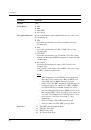
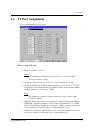
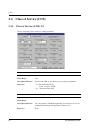
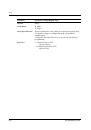
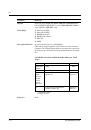
Configuration
Programming Guide
9
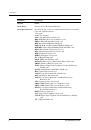
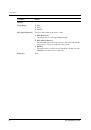
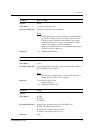
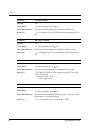
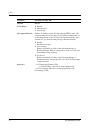
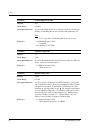
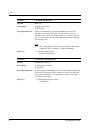
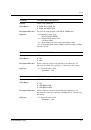
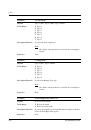
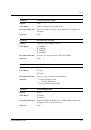
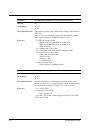
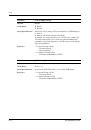
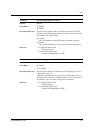
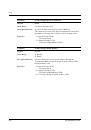
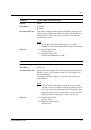
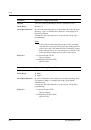
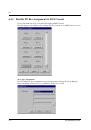
Parameter
Card Type
Description/Function
Notes
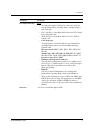
•
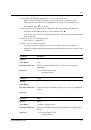
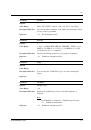
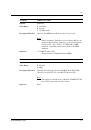
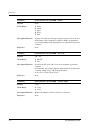
To change the current Card Type to a new one, delete the
current setting first by selecting "None" and then assign a
new Card Type.
•
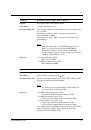
CPU - Slot No.13 of the Basic Shelf is fixed to CPU (Central
Processing Unit) card.
•
TSW- Slot No.14 of the Basic Shelf is fixed to TSW (T-
Switch) card.
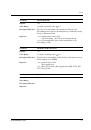
•
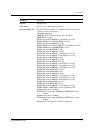
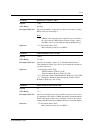
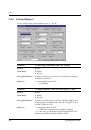
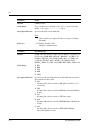
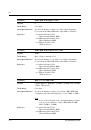
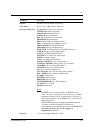
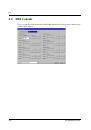
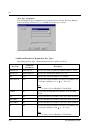
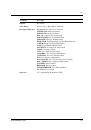
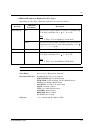
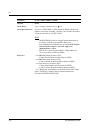
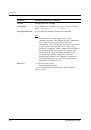
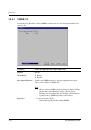
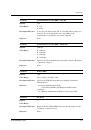
Card Properties
"Card Properties" screen lists and lets you customise the
operating characteristics associated with the following
optional cards.
Extension Cards
: DHLC, DLC, ESLC, HLC, OPX, SLC,
SLC-M
Trunk Cards
: BRI, DID, DID-2W, DID-MFC, E1, E&M,
ELCOT, GCOT, LCOT, PCOT, PRI30, PRI23, RCOT, T1
Resource Cards
: DISA, ERMT
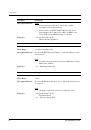
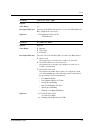
•
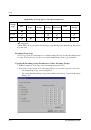
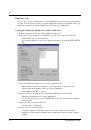
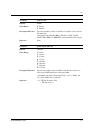
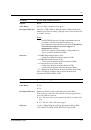
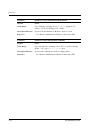
Editing Card Properties Parameters
You can edit Card Properties parameters according to your
needs. To go to "Card Properties" screen, click [Card Type]
button of the target card on this screen. Then click
[Properties] button.
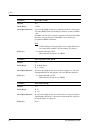
•
Help file
You can get detailed information on Card Properties
parameters by opening "Help" menu on the Menu bar.
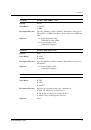
•
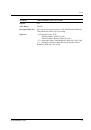
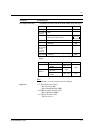
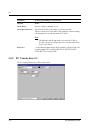
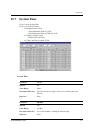
There are the following two types of PRI cards, PRI23 and
PRI30. Please choose either one appropriate to your ISDN
carrier. Specifications of PRI23 and PR130 cards are
described in Section "1.6 Specifications" in the Installation
Manual.
Reference
• 1.4 Service Cards Description (I/M)
Оглавление инструкции
- Introduction
- Table of Contents
- 1Configuration 5
- 2System 39
- 3Group 121
- 4Line 167
- 5Features 241
- 5.1Features 242
- 5.2System Speed Dialling 243
- 5.3Phantom Extension 246
- 5.4Emergency Dial Code 248
- 5.5Quick Dialling 249
- 5.6Account Code 250
- 5.7Special Carrier Code 252
- 5.8Waiting Second Dial Tone Code 253
- 5.9Absent Message 255
- 5.10DISA/TIE User Code 257
- 5.11VPS Integration 259
- 5.12Caller ID Modification 268
- 5.13Caller ID Registration 271
- 5.14UCD Time Table 274
- 5.15Charge 276
- 5.16Hotel 279
- 6Toll Restriction 285
- 7ARS (Automatic Route Selection) 291
- 8Private Network 301
- 9DDI / DID 305
- 10Maintenance 313
- 11Programming Error Messages 339
- 12Default Values 357
- Configuration
- System
- Group
- Line
- Features
- 5.1Features
- 5.2System Speed Dialling
- 5.3Phantom Extension
- 5.4Emergency Dial Code
- 5.5Quick Dialling
- 5.6Account Code
- 5.7Special Carrier Code
- 5.8Waiting Second Dial Tone Code
- 5.9Absent Message
- 5.10DISA/TIE User Code
- 5.11VPS Integration
- 5.12Caller ID Modification
- 5.13Caller ID Registration
- 5.14UCD Time Table
- 5.15Charge
- 5.16Hotel
- Toll Restriction
- ARS (Automatic Route Selection)
- Private Network
- DDI / DID
- Maintenance
- Programming Error Messages
- Default Values