Инструкция для Vitek VT-3503
 1
 2
 3
 4
 5
 6
3
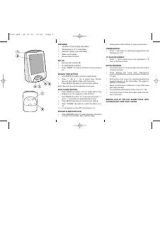
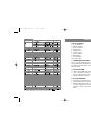
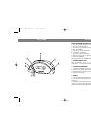
LIST OF CONTROLS
1. Hour set button
2. Minute set button
3. Alarm set button
4. Sleep button
5. Tuning control
6. Volume control
7. Time set button
8. Band switch
9. Snooze button
10. Power switch
1. CONNECTING THE POWER
Insert correctly wired plug into a power outlet the clock
display will blink showing that the time is not correct. It will
also blink if there has been a power cut and no back up
battery is fitted.
2. TO SET THE TIME
2.1. Press and hold the time set button.
2.2. Press the minute set button or hour set button to set
the clock display to the correct time.
2.3. Release the time set button.
3. TO PLAY THE RADIO
3.1. Slide the power switch to the "on" position.
3.2. Set the band switch to the desired wave band.
3.3. Adjust tuning and volume control for the desired sta0
tion and listening level your unit is equipped with an
antenna outside of the unit for best receiption of FM
band.
ENGLISH
14
3503-2.qxd 22.08.03 12:22 Page 2
Оглавление инструкции
- Страница 1 из 7
3503-2.qxd 22.08.03 12:22 Page 2 ENGLISH LIST OF CONTROLS 1. Hour set button 2. Minute set button 3. Alarm set button 4. Sleep button 5. Tuning control 6. Volume control 7. Time set button 8. Band switch 9. Snooze button 10. Power switch 1. CONNECTING THE POWER Insert correctly wired plug into a
- Страница 2 из 7
3503-2.qxd 22.08.03 12:22 Page 4 ENGLISH 4. TO GO TO SLEEP WITH RADIO 4.1. Set the power switch switch to the "off" or auto posi0 tion. 4.2. Press the sleep button. The LED display shows 59 minutes. The radio turns on anb then turns off automat0 ically after 59 minutes. 4.3. To select a time less
- Страница 3 из 7
3503-2.qxd 22.08.03 12:22 Page 6 РУССКИЙ 8.3. Прибор запрограммирован на автоматическое отключение, и вы имеете возможность заснуть под любимую мелодию. Он автоматически разбудит вас в установленное время. 9. ПИТАНИЕ ОТ БАТАРЕЕК Питание от батареек позволяет обеспечить бесперебойную работу
- Страница 4 из 7
3503-2.qxd 22.08.03 12:22 Page 8 ENGLISH 9. BATTERY BACK UP Note: The clock radio has a back0up power system to ensure continuous operation of the dock radio and alarm in the event of a power failure. The switch from AC to bat0 tery power is automatic. However under battery power the clock display
- Страница 5 из 7
3503-2.qxd 22.08.03 12:22 Page 10 РУССКИЙ 4. СОН ПОД МУЗЫКУ 4.1. Установите переключатель в положение “OFF” или “AUTO”. 4.2. Нажмите на кнопку “SLEEP”. На дисплее высветится “59 минут”, показывая, что радио автоматически отключится через 59 минут. 4.3. Если вы хотите уменьшить время автоматического
- Страница 6 из 7
3503-2.qxd 22.08.03 12:22 Page 12 РУССКИЙ РУССКИЙ РАСПОЛОЖЕНИЕ РЕГУЛЯТОРОВ 1. Кнопка установки нужного часа 2. Кнопка установки минут 3. Кнопка установки сигнала будильника 4. Кнопка “SLEEP” 5. Регулятор настройки радио 6. Регулятор громкости 7. Кнопка установки времени 8. Переключатель частотных
- Страница 7 из 7