Инструкция для Vitek VT-4052
 1
 2
 3
 4
 5
 6
 7
 8
 9
 10
 11
 12
 13
 14
 15
 16
 17
 18
 19
 20
 21
 22
 23
 24
 25
 26
49
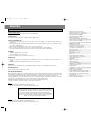
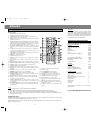
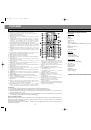
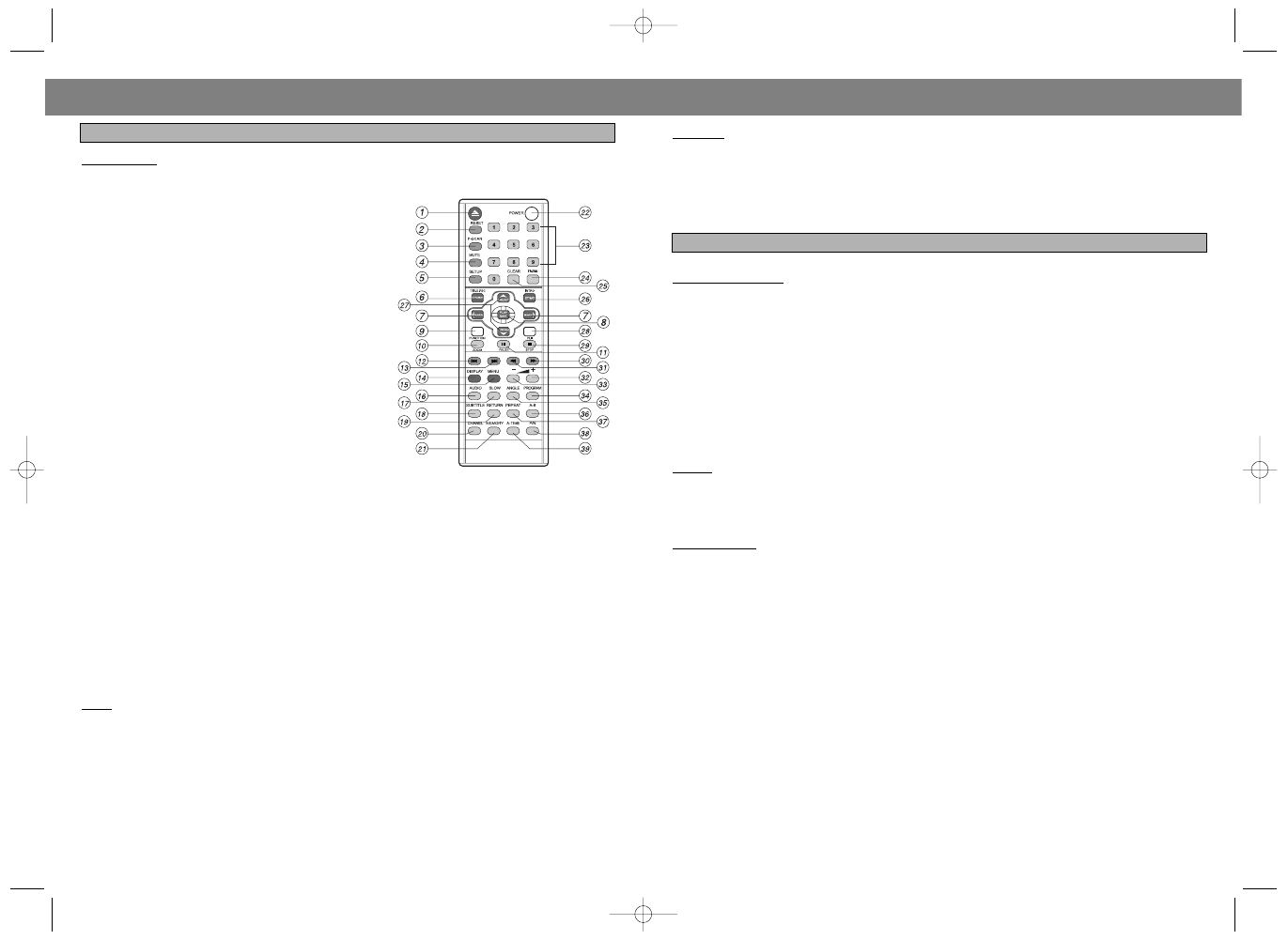
Remote control
Notes:
1. Do not leave the remote in an extremely hot or humid place.
2. Do not drop any foreign objects into the remote casing, particularly when replacing the batteries.
3. Do not expose the remote sensor to direct sunlight or light apparatus, doing so may cause a malfunction.
4. If you do not use remote for an extended period of time, remove the batteries to avoid possible damage from bat)
tery leakage and corrosion.
PROGRESSIVE SCAN
This player built(in high performance progressive scan video output. You can switch the video output to progressive scan
or interlace scan by press (RGB) button on the remote control.
Remarks: Make sure your TV set support progressive scan signal input and correct connection before you switch to pro(
gressive scan video output.
4
ENGLISH
Внимание:
Этот продукт относится к технологии, защищенной авторскими правами, и охраняется соответствующими
патентами США и другими правами на интеллектуальную собственность, принадлежащую корпорации
Macrovision и другим обладателям прав. Использование этой технологии, защищенной авторскими правами,
должно быть разрешено корпорацией Macrovision и ограничивается использованием в домашних и других
условиях ограниченного просмотра, кроме случаев, согласованных с Корпорацией Macrovision. Изменение
конструкции и демонтаж запрещены.
DVD ПРОИГРЫВАТЕЛЬ/ВЫХОД/КОМПЛЕКТАЦИЯ
DVD ПРОИГРЫВАТЕЛЬ:
Питание
~100(250 В Переменный Ток 50/60 Гц
Потребляемая мощность
25 Вт
Масса
2.6 кг
Габариты
430X52X310 мм(Ш/В/Г)
Видео система
PAL/NTSC
Лазер
Полупроводниковый лазер, длина волны 650 нм, 780 нм
Частотный диапазон DVD звук:
48 кГц импульсная модуляция 20 Гц ~ 22 кГц
96 кГц импульсная модуляция 20 Гц ~ 22 кГц
частота CD Audio: 20 Гц~22 кГц
Соотношение Сигнал/Шум
>90 дБ
Динамический диапазон аудио
>85 дБ
Искажения
За пределами измерения
Условия работы
Температура: 0°~40°, Рабочее положение: горизонтальное
ВЫХОД:
Видео выход
1.0В (P(P), 75 Ом
S(видео выход
(Y)1.0В (P(P),75 Ом(C)286 мВ (P(P), 75 Ом
Аналоговый аудио выход
2.0 В (rms)
Компонентный видео выход
(Y)1.0 В (P(P),75 Ом0.7В (P(P),75 Ом
КОМПЛЕКТАЦИЯ:
Инструкция по пользованию
1
Аудио кабель (5.1канал/9Pin)
1
Видео кабель
1
Пульт дистанционного управления
1
Батарейки (AAA)
2
AM антенна
1
FM антенна
1
Сабвуфер
1
Колонка
5
Производитель оставляет за собой право изменять характеристики приборов без предварительного
уведомления.
СРОК СЛУЖБЫ ДОМАШНЕГО КИНОТЕАТРА НЕ МЕНЕЕ 7%МИ ЛЕТ
РУССКИЙ
PREPARATIONS BEFORE USING
1.
OPEN/CLOSE: Open/Close disc tray
2.
RESET: Reload the factory default setting
3.
P(SCAN: Switches between Progresses scan and Interlace scan
4.
MUTE: Switches audio output ON or OFF
5.
SETUP: Calls the screen for Player's initial setting, such as Menu
language, parental level
6.
TITLE/PBC/AUTO.SCH: Recall DVD's TITLE menu during playback;
enable PBC function during VCD playback, it can allow to you play
VCD interactively by following the menu on the TV screen; Searching
the broadcasting stations automatically in tuner mode
7.
LEFT/RIGHT ARROW buttons: Use them to navigate interactive
menus on screen; or adjust the radio frequency manually in tuner
mode.
8.
PLAY/SAVE: Start to play back in normal speed, or activates the
selected item on interactive menu; In tuner mode it is used to save
your favorite broadcasting stations
9.
FUNCTION: Press it repeatedly the unit will switch the working mode
to DVD/tuner/aux1/aux2 in turn
10. ZOOM: Zoom in and zoom out image
11. PAUSE: Make playback pause
12. PREV: Press this to move back to the beginning of the previous
chapter/track
13. NEXT: Press it to move ahead to the beginning of the next chap(
ter/track
14. DISPLAY: Displays information about playback status on TV screen
15. MENU: Recall DVD's ROOT menu or VCD 2.0 menu during playback
16. AUDIO: Changes the status to make Audio change possible
17. SLOW: Play back in slow motion mode
18. SUBTITLE: Changes the status to make Subtitle change possible
19. RETURN: Goes back to the specified position defined by Contents
provider
20. CHANNEL: Select the left or right channel of the stereo audio
21. MEMORY: Bookmark favorite spots of your DVDs
22. POWER (STANDBY): Switches the unit power ON or OFF
23. NUMBER BUTTONS: Select the item number you want by pressing
the number buttons directly
24. FM/AM: Switches the tuner working mode between FM and AM
25. CLEAR: It is used to erase the bookmark, or the wrong digit input, it
still can clear the program play list
26.
INTRO/ST/MO: Fast scan the content on disc, in tuner mode it is
used to switch FM working mode between Stereo and Mono (when
it is available)
27. UP/DOWN ARROW buttons: Use them to navigate interactive menus
on screen; In tuner mode they are used to change different broad(
casting stations
28. Dolby Pro Logic II: Switches it ON or OFF
29. STOP: Stop play
30. FAST FORWARD: Fast forward play
31. FAST REWIND: Fast reverse playback
32. VOLUME +: Increase the sound output level
33. VOLUME (: Decrease the sound output level
34. PROGRAM: Create your own play lists
35. ANGLE: Change the camera position
36. A(B: Specifies the parts you want to play repeat(
edly
37. REPEAT: Play title/chapter/track repeatedly
38. P/N: Changes the television broadcast stan(
dards to PAL or NTSC
39. A(TIME: Go to a specific location during disc
playing
ТЕХНИЧЕСКИЕ ХАРАКТЕРИСТИКИ
4052.qxd 09.06.04 17:48 Page 6
Оглавление инструкции
- Страница 1 из 27
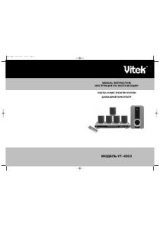
4052.qxd 09.06.04 17:48 Page 2 MANUAL INSTRUCTION ИНСТРУКЦИЯ ПО ЭКСПЛУАТАЦИИ DIGITAL HOME THEATER SYSTEM ДОМАШНИЙ КИНОТЕАТР МОДЕЛЬ VT'4052
- Страница 2 из 27
4052.qxd 09.06.04 17:48 Page 2 ENGLISH СОДЕРЖАНИЕ INTRODUCTION SAFETY INSTRUCTIONS Read all the safety instructions before first use of your DVD player. POWER SOURCE You should only plug the appliance a 100V to 240V AC, 50Hz supply. SAFETY CONSIDERATIONS • Position the power supply lead other leads
- Страница 3 из 27
4052.qxd 09.06.04 17:48 Page 4 ENGLISH Table of Content 1. ( ( 2 ( 3 ( ( ( ( 4 ( ( ( ( ( ( ( ( ( ( ( ( 5. ( ( ( ( ( 6. ( Preparations before Using Rear/Font panel/display ((((((((((((((((((((((((((((((((((((((((((((((((((((((((((((((((((((((((((((((((((((((((( 3 Remote control
- Страница 4 из 27
4052.qxd 09.06.04 17:48 Page 6 ENGLISH РУССКИЙ PREPARATIONS BEFORE USING Внимание: Этот продукт относится к технологии, защищенной авторскими правами, и охраняется соответствующими патентами США и другими правами на интеллектуальную собственность, принадлежащую корпорации Macrovision и другим
- Страница 5 из 27
4052.qxd 09.06.04 17:48 Page 8 РУССКИЙ ENGLISH ОБСЛУЖИВАНИЕ И УСТРАНЕНИЕ НЕПОЛАДОК RADIO SETUP & OPERATIONS Проблемы и их решение Причина Проблемы Решение This DVD receiver has a built(in a FM RDS (Radio Data System) radio turner. An ID will display on the VFD when there is RDS signal in FM mode.
- Страница 6 из 27
4052.qxd 09.06.04 17:48 Page 10 ENGLISH РУССКИЙ 5. Press the POWER button on the front panel of the DVD player. 6. Press OPEN/CLOSE on the remote control or front panel to open the disc tray. 7. Place the disc in the tray with the label side facing up and playback side facing down. If the disc has
- Страница 7 из 27
4052.qxd 09.06.04 17:48 Page 12 РУССКИЙ ENGLISH Возврат в режим нормального воспроизведения • Нажмите кнопку ПРОГРАММА (PROGRAM) для возврата в режим нормального воспроизведения. • Режим программирования будет отключен, при любом нажатии кнопки ОТКРЫТЬ (OPEN). • Example: When playing CD discs,
- Страница 8 из 27
4052.qxd 09.06.04 17:48 Page 14 ENGLISH РУССКИЙ When playing CD the player can repeat a single track and a whole disc with the fol( lowing steps. • Repeat % One Press (REPEAT) button once to repeat to repeat a single track. • Repeat % All Press (REPEAT) button again, the screen shows Rep ( All, and
- Страница 9 из 27
4052.qxd 09.06.04 17:48 Page 16 РУССКИЙ ENGLISH Примечания: Пожалуйста, сверяйтесь с инструкцией к вашему телевизору. Ваш DVD проигрыватель имеет несколько режимов выхода аудио/видео, например 2)х канальный звук (микширование), S) видео выход, компонентный видео выход, цифровой коаксиальный выход.
- Страница 10 из 27
4052.qxd 09.06.04 17:48 Page 18 ENGLISH РУССКИЙ Angle selection For DVD incorporating with multi angle views, you can view different screen angles, with the (ANGLE) button. For example, when viewing the scene of a train moving forward, you can also chose to view the scene ahead of the train or from
- Страница 11 из 27
4052.qxd 09.06.04 17:48 Page 20 РУССКИЙ ENGLISH МЕНЮ ДИСКА • Выберите язык для сообщений на экране проигрывателя. • And there are also 3 levels of zoom out mode, press (ZOOM) to choose. • Press arrow buttons to move the zoomed picture. РОДИТЕЛЬСКИЙ КОНТРОЛЬ • Позволяет установить максимальную
- Страница 12 из 27
4052.qxd 09.06.04 17:48 Page 22 ENGLISH РУССКИЙ Scan disc This function allows the user to scan the content of a disc or a song. When playing CD discs • To access the intro function, press (INTRO) button on the remote control. • Press the arrow button to choose the intro mode. When playing DVD disc
- Страница 13 из 27
4052.qxd 09.06.04 17:48 Page 24 РУССКИЙ ENGLISH Установка цифровой системы Dolby Angle mark Set it on: During play back multi(angle DVD disc, a logo like will be shown automatically on top right TV screen, it mean that the DVD you are playing has two angle and you are watching the first angle, you
- Страница 14 из 27
4052.qxd 09.06.04 17:48 Page 26 ENGLISH РУССКИЙ AUDIO SETUP Настройка SPDIF Схема настройки приведена ниже: DOWNMIX The unit can mix a multi(channel sound to encode a two(chan( nel sound, it's called downmix. LT/RT: for Dolby Pro Logic Surround stereo, it is a matrix encoding process enabling
- Страница 15 из 27
4052.qxd 09.06.04 17:48 Page 28 РУССКИЙ ENGLISH НАСТРОЙКА АУДИО МИКШИРОВАНИЕ Ваш прибор может смешивать многоканальный звук, для воспроизведения в формате двухканального звука. Это называется микширование. Л/П: В системе объемного звука Долби Pro Logic стерео, матричная кодировка позволяет
- Страница 16 из 27
4052.qxd 09.06.04 17:48 Page 30 ENGLISH РУССКИЙ Dolby Digital Setup Метка ракурса Включение: Во время воспроизведения DVD диска с возможностью изменения угла обзора, в верхнем правом углу экрана появится логотип , это означает, что на DVD, который вы смотрите, записано два угла обзора, и вы
- Страница 17 из 27
4052.qxd 09.06.04 17:48 Page 32 РУССКИЙ ENGLISH Сканирование диска Эта функция позволяет сканировать содержимое диска или песни. Для CD дисков • Чтобы включить функцию ознакомления, нажмите кнопку ОЗНАКОМЛЕНИЕ (INTRO) на пульте дистанционного управления. • Нажмите стрелку, чтобы выбрать режим
- Страница 18 из 27
4052.qxd 09.06.04 17:48 Page 34 ENGLISH РУССКИЙ PARENTAL CONTROL • Allows the user to set a maximum rating of movie that can be viewed(e. g. PG rating).Movies rated higher than the level set for the parental lock can not be viewed. The parental lock can only be changed by the keying in of a pass
- Страница 19 из 27
4052.qxd 09.06.04 17:48 Page 36 РУССКИЙ ENGLISH Режимы (Диск. Перейти к) и (Запись. Перейти к) Введите время (общего звучания диска /настоящей записи) с помощью кнопок с цифрами, в формате Мин/Сек. После введения желаемого времени, проигрыватель автоматически начнет воспроизведение указанной
- Страница 20 из 27
4052.qxd 09.06.04 17:48 Page 38 ENGLISH РУССКИЙ Remarks: Please refer to TV operation manual at the same time, This DVD player can output multi audio/video signals such as 2 channel audio (downmix) output, S)Video output, component video output, coaxial digital signal output. You can choose any of
- Страница 21 из 27
4052.qxd 09.06.04 17:48 Page 40 РУССКИЙ ENGLISH Во время воспроизведения CD, проигрыватель может повторять одну запись и весь диск, для чего требуется выполнить следующие шаги. Other functions: Function such as mute, volume control pause Prev/Next song selection, audio selection and so on, the also
- Страница 22 из 27
4052.qxd 09.06.04 17:48 Page 42 ENGLISH РУССКИЙ KODAK PICTURE CD OPERATIONS Playing Kodak picture CD or JPEG files This function is similar to MP3 playback function. Upon loading a Kodak picture CD or JPEG file CD, the TV screen shows: • Пример: При воспроизведении CD дисков, нажмите кнопку КАНАЛ
- Страница 23 из 27
4052.qxd 09.06.04 17:48 Page 44 РУССКИЙ ENGLISH 6. Установите диск этикеткой вверх и записанной стороной вниз. Если диск двусторонний, установите эго нужной этикеткой вверх. 7. Нажмите кнопку ОТКРЫТЬ/ЗАКРЫТЬ еще раз, чтобы закрыть загрузчик диска. 8. Нажмите кнопку ВОСПРОИЗВЕДЕНИЕ на пульте
- Страница 24 из 27
4052.qxd 09.06.04 17:48 Page 46 ENGLISH РУССКИЙ MAINTENANCE & TROUBLESHOOTING НАСТРОЙКА И РАБОТА РАДИО Problems and Solutions Ваш DVD приемник оборудован FM радио приемником с системой RDS (Система Радио Данных). При получении сигнала RDS сигнала в режиме FM на экране включится индикатор. Cause
- Страница 25 из 27
4052.qxd 09.06.04 17:48 Page 48 РУССКИЙ ENGLISH ПУЛЬТ ДИСТАНЦИОННОГО УПРАВЛЕНИЯ 1. 2. 3. 4. 5. 6. 7. 8. 9. 10. 11. 12. 13. 14. 15. 16. 17. 18. 19. 20. 21. 22. 23. 24. 25. 26. SPECIFICATIONS OPEN/CLOSE: Открыть/Закрыть лоток для диска RESET: Перезагрузка заводских параметров "по умолчанию". P(SCAN:
- Страница 26 из 27
4052.qxd 09.06.04 17:48 Page 50 РУССКИЙ РУССКИЙ ВВЕДЕНИЕ ПОДГОТОВКА К ИСПОЛЬЗОВАНИЮ ПРАВИЛА ТЕХНИКИ БЕЗОПАСНОСТИ Прежде чем использовать ваш проигрыватель DVD, внимательно прочтите правила техники безопасности. Передняя панель / Задняя панель / VFD экран ИНФОРМАЦИЯ О ЗАДНЕЙ ПАНЕЛИ ИСТОЧНИК ПИТАНИЯ
- Страница 27 из 27